The main menu of your PrestaShop shop, in columns and on mobile
LNK Mega Menu replaces PrestaShop's main menu: categories, pages, products, brands and links, as a dropdown, a column panel or a side drawer panel, with labels, images and a readable mobile version. It takes over your current menu in one click. As a menu bar, it loads not a single line of JavaScript on your shop.
- Version 1.1.3 · PrestaShop 1.7.6 to 8.x
- Version 1.9.3 · PrestaShop 9
- PrestaShop 1.7.6 to 9.x
- PHP 7.1 to 8.4
- No override
Screenshots
Key points
- Dropdown or column menu, up to 6 columns
- Takes over the native menu in one click, back whenever you want
- Drag-and-drop tree and live preview on desktop and mobile
- Side or full-page drawer panel, one level at a time, highlight card
- No JavaScript as a menu bar, 2.4 KB of structure CSS; panel: 1.6 KB of script
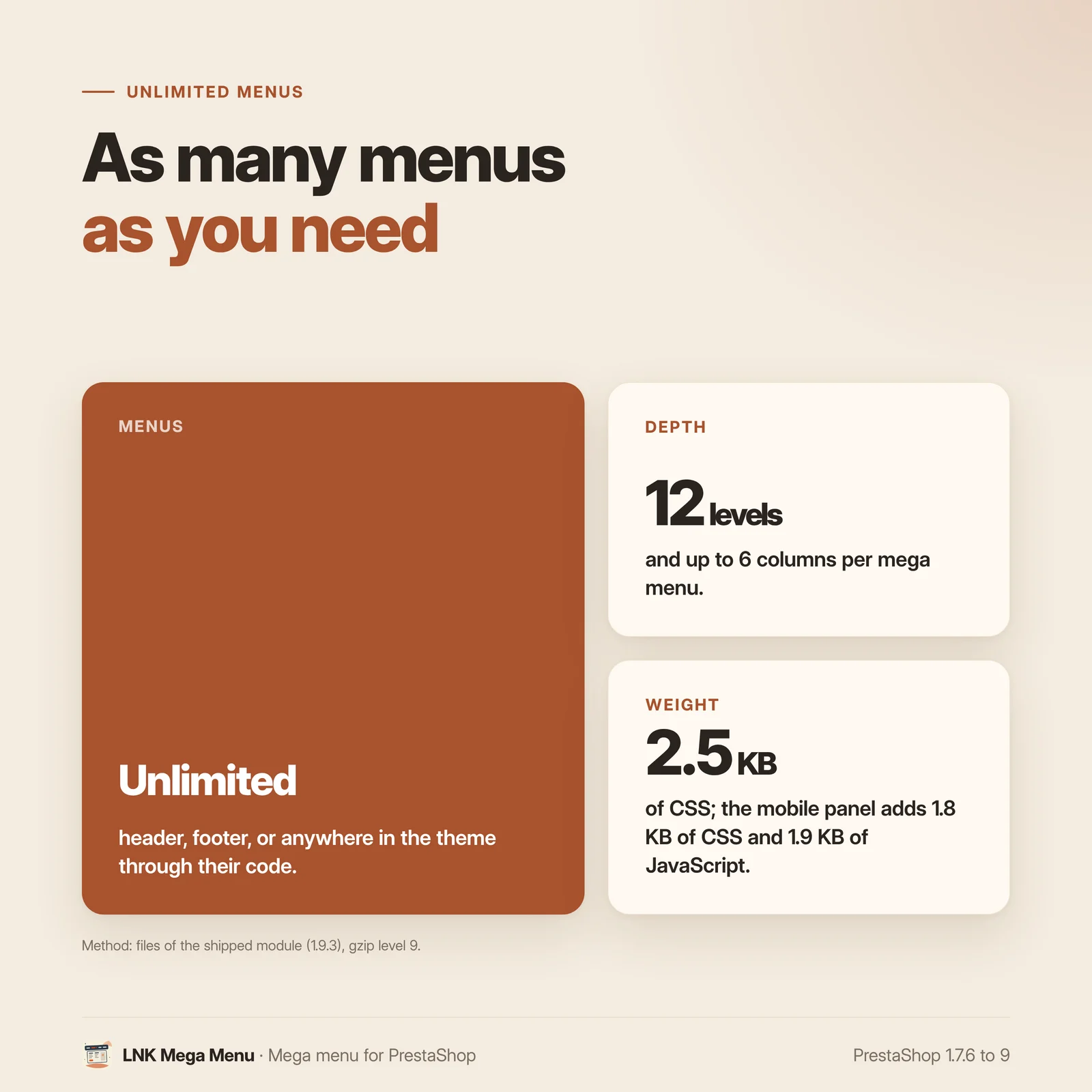
- As many menus as you want: header, navigation, footer, columns, or anywhere in the theme by its code
- Labels, category images, product card with the customer's price
- Visibility per customer group, per screen and by dates
- 8 styles, 5 fonts served by the shop (never Google)
- Readable on mobile, moves into the Classic and Hummingbird drawer
- French, English, Arabic right to left
- PrestaShop 1.7.6 to 9.x, PHP 7.1 to 8.4, no override
The native main menu and its limits
PrestaShop's native menu shows your categories and a few links, in a single form. No columns, no "New" label, no featured product, no second menu in the footer, and on PrestaShop 1.7.6 a category reserved to a customer group can stay visible to everyone.
Your menu, rebuilt without retyping anything
On installation, the module takes over your native menu in the same order: categories with their subcategories, pages, products, brands, suppliers, links. The native menu stays on while you prepare the new one; a "Switch to this menu" button turns it off (never uninstalled), and another one takes you back.
In the back office, the menu tree is rearranged by drag and drop (or with the keyboard), and the live preview, desktop and mobile, shows the shop rendering before you save.
Columns, labels, featured products
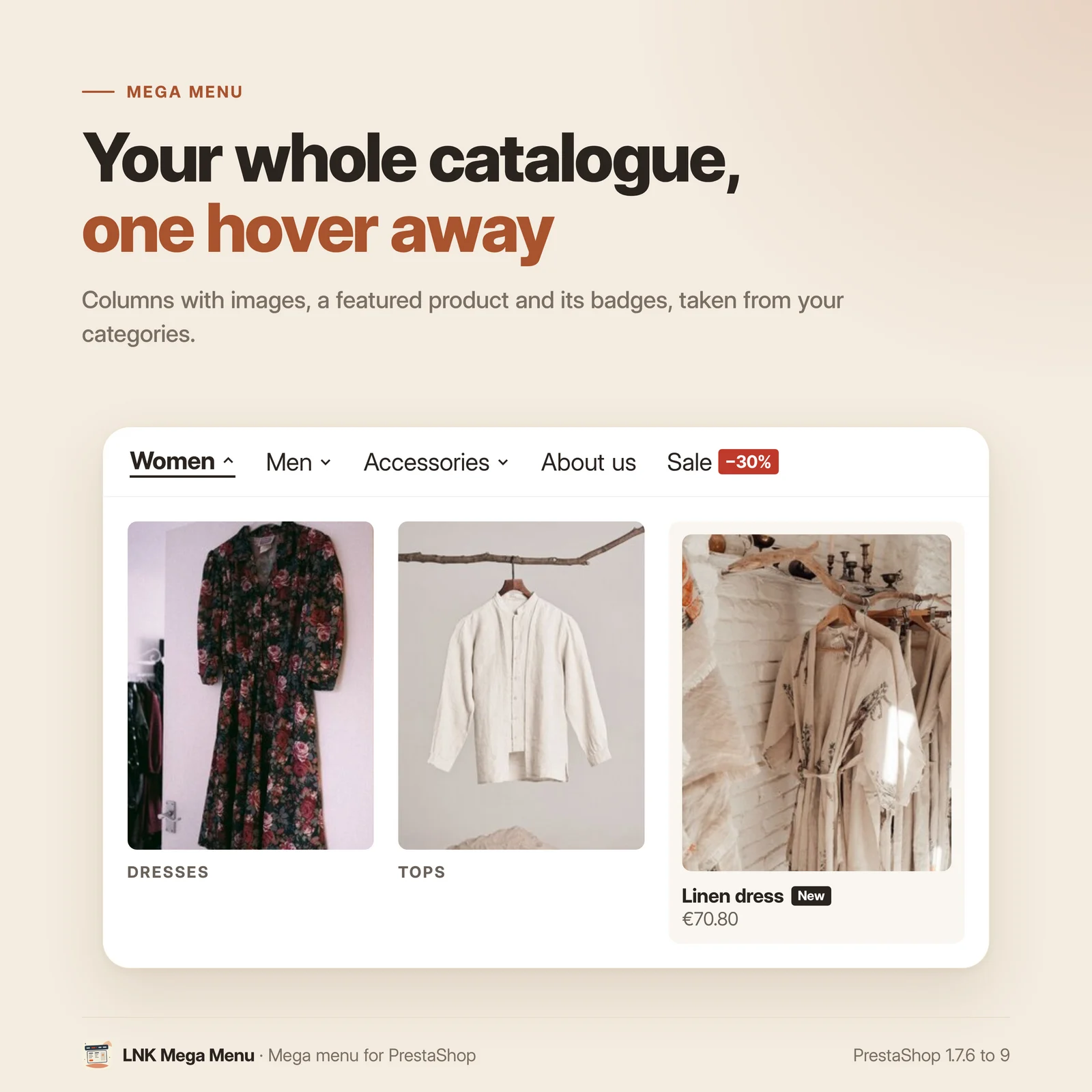
- Dropdown or columns: 1 to 6 columns, each sub-entry in its column.
- Coloured labels on an entry ("New", "Sale"), in each language.
- Category images in the columns, loaded only when a panel opens.
- Product card in a panel: image, name and the customer's price (the price is never cached from one customer to another).
- Visibility per customer group, per screen (desktop, mobile) and by dates.
The drawer panel, one level at a time
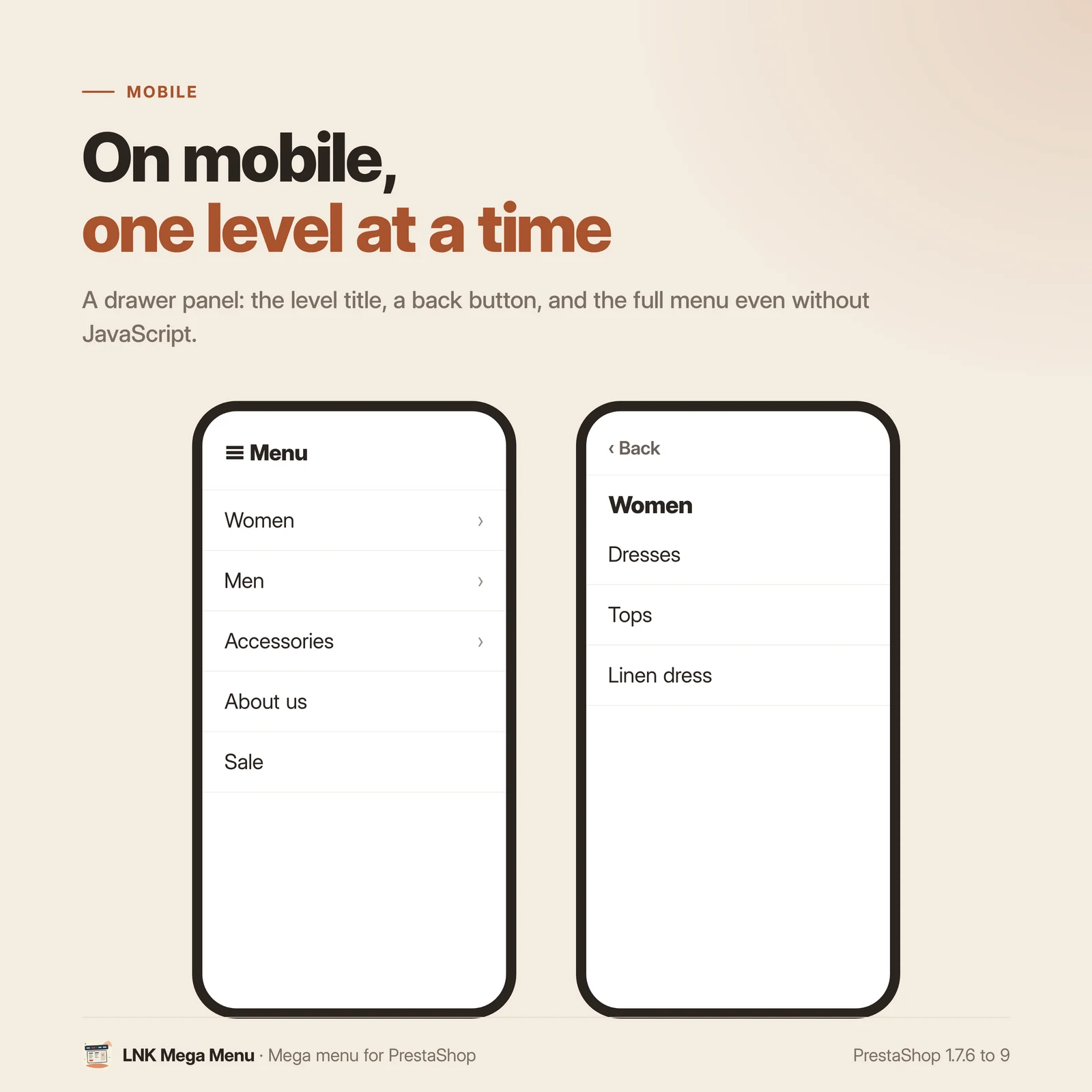
For a large catalogue, the main menu can open in a side panel: each click goes one level down, with a back button and the title of the level, with no depth limit. You choose the layout: the menu bar and the panel behind the button, the panel only, or the full page. The panel opens on the side you choose, mirrored automatically in Arabic.
- Click: the name opens the page and the arrow opens the level, or every click opens the level.
- Highlight card: an image and a link at the bottom of a level (a collection, a promotion), the image checked and re-encoded on upload.
- Search in the panel (LNK Advanced Search when it is active, otherwise PrestaShop's) and customer account links.
- On mobile, the panel button takes the place of the theme's menu button: one menu on screen, with language and currency at the bottom of the panel.
- Without JavaScript, the panel stays usable as an expandable list. Beyond 300 entries, deep levels arrive when they open.
After the update, your shop keeps its menu bar: the panel is turned on in the settings of the main menu.
Several menus: header, footer, columns
A header menu, a footer menu, a menu in a column: each menu has its place, its style and its font. Your theme can also place a menu wherever it wants, by its code. The main menu carries the markers of the Classic and Hummingbird themes: it moves into their mobile drawer with no setting.
Styles, fonts and mobile
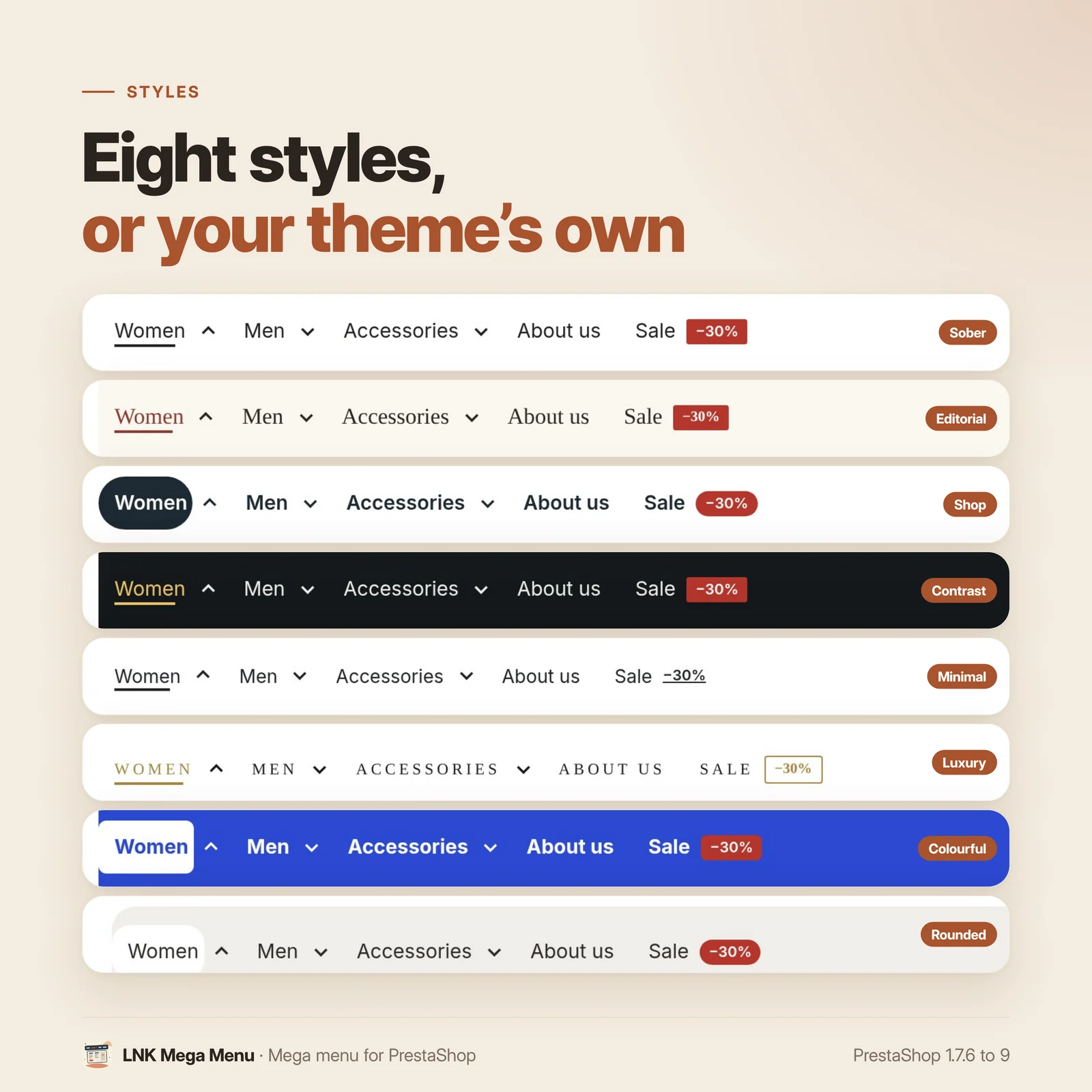
Eight ready-made styles, or "Inherit from the theme" to keep its colours. Five fonts under a free licence (including Cairo for Arabic), served by your shop, never by Google; the theme's font stays the default setting. On mobile, the word "Menu" next to the icon can be hidden; screen readers still read it.
Léger et rapide
Figures measured on the delivered module (version 1.9.2), gzip-compressed (level 9). As a menu bar: no JavaScript, no jQuery; submenus open on hover, click and keyboard in HTML and CSS only. A 2.4 KB structure stylesheet, plus the chosen style only (0.4 to 0.6 KB) and, if you choose one, the chosen font only (0.4 to 0.6 KB of CSS, then the displayed alphabet). The drawer panel adds, only when it is on, a 1.6 KB script with no dependency and a 1.8 KB stylesheet. Menu images load only when a panel opens, with their dimensions.
For themes and integrators
The template variables have the same shape as those of the native menu, and the
actionMainMenuModifier hook is called as in the native module. A menu is placed by its code:
{hook h='displayLnkMegamenu' code='footer'} or {widget name='lnk_megamenu' code='footer'}.
The --lnk-megamenu-* CSS variables style the menu without touching the template, which can
itself be overridden. A theme can deliver its starting menus (seed.json, documented contract),
or only their shape and let the shop provide the entries ("items": "native"). Seven hooks let
a module or a theme add its content to the drawer panel.
Compatible with PrestaShop 1.7, 8 and 9
| PrestaShop | 1.7.6 → 9.x |
| PHP | 7.1 → 8.4 |
| Delivery | Two archives: 1.9.N for PrestaShop 9, 1.1.N for 1.7.6 to 8.x |
| Back office | Native Symfony on PrestaShop 9, classic admin controller below |
| Contains an override | No |
| Multistore | Yes: menus of each shop; a new shop takes over the menus of the copied shop |
| Menus | As many as you want, each in its place (10 to choose from, or anywhere in the theme by its code); up to 12 levels and 6 columns per mega menu |
| External resources | None |
| Languages | French, English, Arabic (right to left) |
Each version is checked by a real installation: PrestaShop 1.7.8 and 8.1 for the 1.1.N archive, PrestaShop 9.0 for the 1.9.N archive.
Frequently asked questions
How do I make a mega menu on PrestaShop?
Install LNK Mega Menu: it takes over your current menu. In Design > LNK Mega Menu, open an entry, choose "Mega (columns)", the number of columns, then place each sub-entry in its column. The live preview shows the panel before you save.
What happens to PrestaShop's native main menu?
On installation, the module takes it over in the same order, and leaves it on while you prepare the new menu. The "Switch to this menu" button turns it off, without ever uninstalling or modifying it; "Back to the native menu" turns it back on at any time.
Do I need to modify my theme?
No. The menu shows in place of the native menu, and moves into the mobile drawer of the Classic and Hummingbird themes with no setting. To place a second menu elsewhere, you choose its place in the module (footer, top bar, column); a theme can also place it by its code.
Does the menu slow down my shop?
No. As a menu bar, it loads no JavaScript and no jQuery: submenus open in HTML and CSS only. The module adds a 2.4 KB compressed structure stylesheet, plus the chosen style only, and the menu is cached. The drawer panel, when it is on, adds a 1.6 KB script with no dependency. Menu images load only when a panel opens.
Is the menu readable on mobile?
Yes. On phones, the menu moves into a drawer with expandable submenus, and large images are left out to keep the drawer short. You can hide the word "Menu" next to the icon; screen readers still read it.
Is the module compatible with PrestaShop 9?
Yes. The module comes in two archives: 1.9.N for PrestaShop 9, with a native Symfony back office, and 1.1.N for PrestaShop 1.7.6 to 8.x. The features are the same.
Can I have one menu in the header and another one in the footer?
Yes. You create as many menus as you want, each with its place, its style and its font: on one of the 10 places offered (header, navigation, footer, columns) or anywhere in the theme by its code. A mega menu goes up to 12 levels and 6 columns. Only one is the main menu, the one that replaces the native menu.
Does the module load Google fonts or set cookies?
No. The fonts offered are served by your shop, never by Google, and your theme's font stays the default setting. The menu writes no cookie and calls no external service.
Does it work with multistore and several languages?
Several languages: yes. Labels, badges and links are entered in each language, and the menu follows the writing direction, right to left in Arabic. Multistore: yes. Each shop has its own menus, set shop by shop in the back office; in “All shops”, the page asks you to choose one. A new shop takes over the menus of the copied shop, and a deleted shop takes its own away. The module never turns off the native menu of a shop where it is not enabled.
How do I go back if the module does not suit me?
Click "Back to the native menu", or uninstall the module: your menus are deleted and the native menu that the module had turned off is turned back on. Your shop returns to its state before the installation.
Can I show the menu in a side panel?
Yes, for the main menu. In its settings, the "Drawer panel" section offers the menu bar with a panel behind the button, the panel only or the full page. Each click goes one level down, with a back button, and a highlight card can show at the bottom of a level. On mobile, the panel button replaces the theme's one: only one menu shows.
Release history
-
Version 1.9.3 PrestaShop 9
New
- Multistore: a new shop takes over the menus of the copied shop (entries, texts and groups included); a deleted shop takes its menus away.
- A shop without a main menu (created without copying data, or before this version) takes over its native menu on update and when the module is first opened, instead of an empty menu or no menu at all.
Changes
- In “All shops” or a group, the page asks you to choose a shop: no more viewing or changing the default shop without knowing it. The edited shop is shown at the top of the page.
- The native menu is never turned off on a shop where the module is not enabled, and a theme seed only applies to the shops using that theme.
Fixes
- Arabic, Persian and Urdu: no more letter spacing in the bar and the column titles (Luxe and default styles), which split the joined letters.
- Takeover without a native menu: categories start from the root of the shop. Brands, suppliers and CMS categories offered and checked in the edited shop.
-
Version 1.9.2 PrestaShop 9
New
- Drawer panel for the main menu, chosen in its settings: menu bar and panel behind the button, panel only, or full page. Each click goes one level down, with a back button and the title of the level; unlimited depth. Side of the panel to choose (mirrored automatically in Arabic), click on the name to open the page and on the arrow to open the level, or a click that always opens the level. Search (LNK Advanced Search when it is active) and customer account links in the panel.
- Highlight card: an image and a link at the bottom of a level of the panel, and as the last column of a mega submenu. The image is checked and re-encoded on upload.
- Theme seed
"items": "native": a theme gives the shape of the menu, the shop provides its entries (its native menu, otherwise its top-level categories);native_defaultssets submenu, columns and depth. - Seven hooks for modules and themes (docs/HOOKS.md).
Changes
- After the update, a shop keeps its menu bar: the panel is turned on in the settings of the main menu. Its files (under 2 KB each) load only when it is on. Without JavaScript, the panel stays usable as an expandable list.
-
Version 1.9.1 PrestaShop 9
Changes
- Back office on the common look of LNK modules, the same as LNK Hero and LNK Product lists: sections on the left, language of the texts chosen at the top of the page, live preview on the right. Same settings, nothing to redo.
Show the 5 previous versions
-
Version 1.9.0 PrestaShop 9
First version. Branch 9: PrestaShop 9.0 to 9.x only. PrestaShop 1.7.6 to 8.x use the
prestashop/legacybranch (1.1.0).New
- Main menu in place of ps_mainmenu: categories with their subcategories, pages, page categories, products, brands, suppliers, shops, PrestaShop pages, links.
- Takes over the native menu on installation, in the same order; the native menu stays on, the module's menu is in preparation until you switch. Back to the native menu in one click.
- Submenus as dropdowns or columns, labels, optional category images.
- Visibility per customer group, per device and by dates.
- Several menus, each with its place (10 theme places, or by its code), its style and its font; one main menu, in place of the native one.
- Fonts under the OFL licence served by the shop (never by Google), Latin and Arabic, "Inherit from the theme" by default; cost warning when a font is chosen.
- The word "Menu" of the mobile drawer can be hidden; screen readers still read it.
- Product card in a column panel: image, name and the customer's price, never cached from one customer to another; falls back on the category image when there is no menu thumbnail.
- Theme contract (docs/THEME-CONTRACT.md): a theme delivers its starting menus (seed.json), imported once per version, without ever modifying the merchant's menus.
- 8 ready-made styles, or "Inherit from the theme"; only the chosen style is loaded.
- Live preview in the back office, desktop and mobile, with the full width preview.
- No JavaScript on the shop.
-
Version 1.1.3 PrestaShop 1.7.6 to 8.x
New
- Multistore: a new shop takes over the menus of the copied shop (entries, texts and groups included); a deleted shop takes its menus away.
- A shop without a main menu (created without copying data) takes over its native menu when the module is first opened, instead of an empty menu.
Changes
- In “All shops” or a group, the page asks you to choose a shop: no more viewing or changing the default shop without knowing it. The edited shop is shown at the top of the page.
- The native menu is never turned off on a shop where the module is not enabled, and a theme seed only applies to the shops using that theme.
Fixes
- Arabic, Persian and Urdu: no more letter spacing in the bar and the column titles (Luxe and default styles), which split the joined letters.
- Takeover without a native menu: categories start from the root of the shop. Brands, suppliers and CMS categories offered and checked in the edited shop.
-
Version 1.1.2 PrestaShop 1.7.6 to 8.x
New
- Drawer panel for the main menu, chosen in its settings: menu bar and panel behind the button, panel only, or full page. Each click goes one level down, with a back button and the title of the level; unlimited depth. Side of the panel to choose (mirrored automatically in Arabic), click on the name to open the page and on the arrow to open the level, or a click that always opens the level. Search (LNK Advanced Search when it is active) and customer account links in the panel.
- Highlight card: an image and a link at the bottom of a level of the panel, and as the last column of a mega submenu. The image is checked and re-encoded on upload.
- Theme seed
"items": "native": a theme gives the shape of the menu, the shop provides its entries (its native menu, otherwise its top-level categories);native_defaultssets submenu, columns and depth. - Seven hooks for modules and themes (docs/HOOKS.md).
Changes
- After the update, a shop keeps its menu bar: the panel is turned on in the settings of the main menu. Its files (under 2 KB each) load only when it is on. Without JavaScript, the panel stays usable as an expandable list.
-
Version 1.1.1 PrestaShop 1.7.6 to 8.x
Changes
- Back office on the common look of LNK modules, the same as LNK Hero and LNK Product lists: sections on the left, language of the texts chosen at the top of the page, live preview on the right. Same settings, nothing to redo.
-
Version 1.1.0 PrestaShop 1.7.6 to 8.x
First version.
prestashop/legacybranch: PrestaShop 1.7.6 to 8.x. PrestaShop 9 has its own branch (1.9.0), with the same features.New
- Main menu in place of ps_mainmenu: categories with their subcategories, pages, page categories, products, brands, suppliers, shops, PrestaShop pages, links.
- Takes over the native menu on installation, in the same order; the native menu stays on, the module's menu is in preparation until you switch. Back to the native menu in one click.
- Submenus as dropdowns or columns, labels, optional category images.
- Visibility per customer group, per device and by dates.
- Several menus, each with its place (10 theme places, or by its code), its style and its font; one main menu, in place of the native one.
- Fonts under the OFL licence served by the shop (never by Google), Latin and Arabic, "Inherit from the theme" by default; cost warning when a font is chosen.
- The word "Menu" of the mobile drawer can be hidden; screen readers still read it.
- Product card in a column panel: image, name and the customer's price, never cached from one customer to another; falls back on the category image when there is no menu thumbnail.
- Theme contract (docs/THEME-CONTRACT.md): a theme delivers its starting menus (seed.json), imported once per version, without ever modifying the merchant's menus.
- 8 ready-made styles, or "Inherit from the theme"; only the chosen style is loaded.
- Live preview in the back office, desktop and mobile, with the full width preview.
- No JavaScript on the shop.