 Module · LNK Pack Sizes and Minimum Order
LNK Pack Sizes and Minimum Order, selling by pack and a minimum order per customer group
Your oil bottles leave by cases of 6, your soaps by 12, and your business customers must order at least €300 excl. tax. PrestaShop cannot do either per customer. LNK Pack Sizes and Minimum Order does it with what PrestaShop already does: the cart, its minimum message, and checkout staying closed.
- Version 1.1.1 · PrestaShop 1.7.6 to 8.x
- Version 1.9.1 · PrestaShop 9
- PrestaShop 1.7.6 to 9.x
- PHP 7.1 to 8.4
- No override
Screenshots
Key points
- Pack size per product, per combination or per category.
- Quantity rounded up to the next multiple: product page, quick view, cart.
- Checkout closed to a cart outside the pack size.
- "Sold by 6" and quantity field at the pack size step.
- Optional unit name: "Sold by box of 6", box price, "2 boxes" in the cart.
- Works with LNK Tiered Prices: tiers expressed in boxes.
- Minimum order excl. tax per customer group, with PrestaShop's message.
- Amount left to add shown in the cart.
- Shop configuration never changed.
- 0.4 KB of CSS and 1.1 KB of JavaScript, only on the product page and the cart.
- Multistore: pack sizes and minimums per shop.
- French, English and Arabic (right to left).
- PrestaShop 1.7.6 to 9, no override.
Sell by 6, by 12
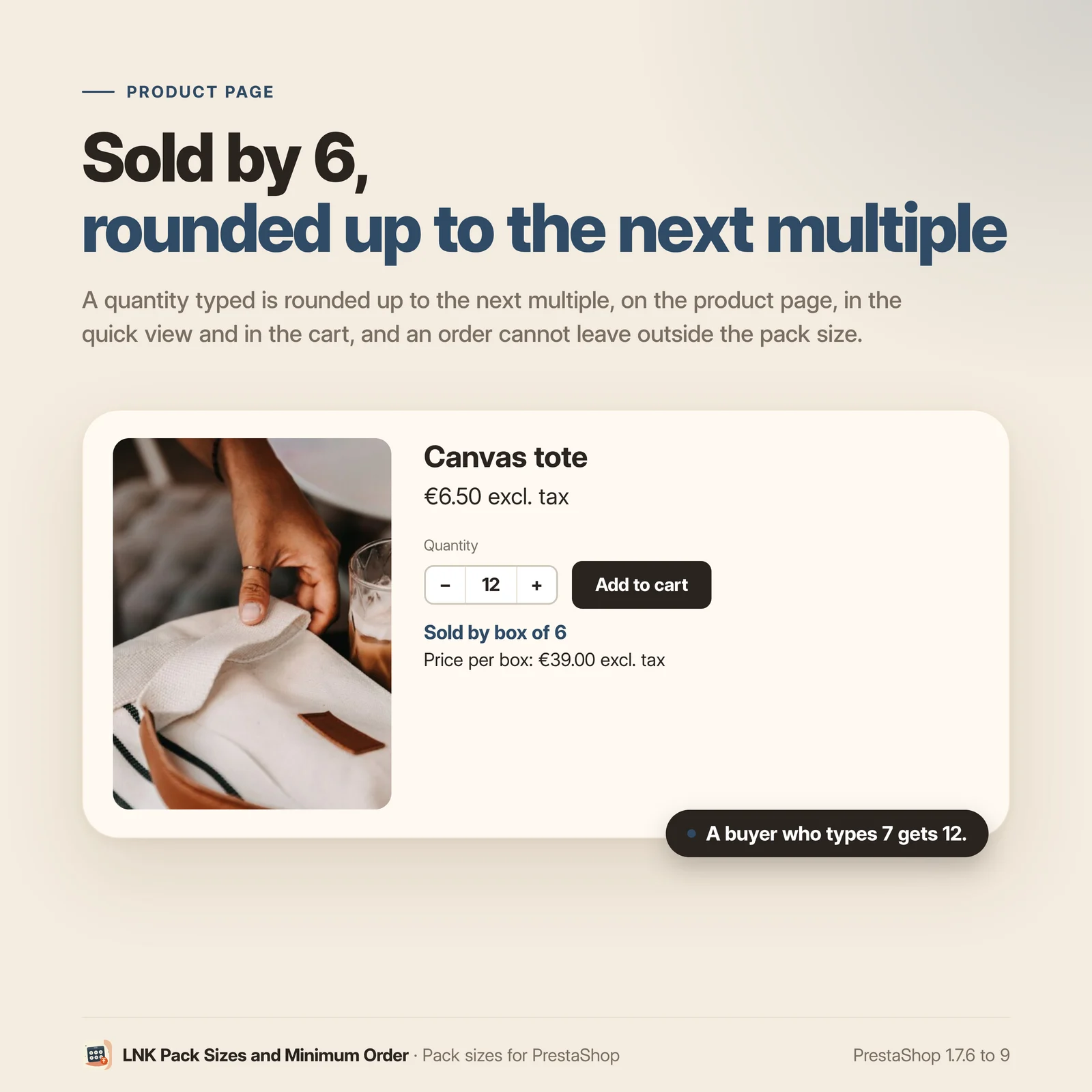
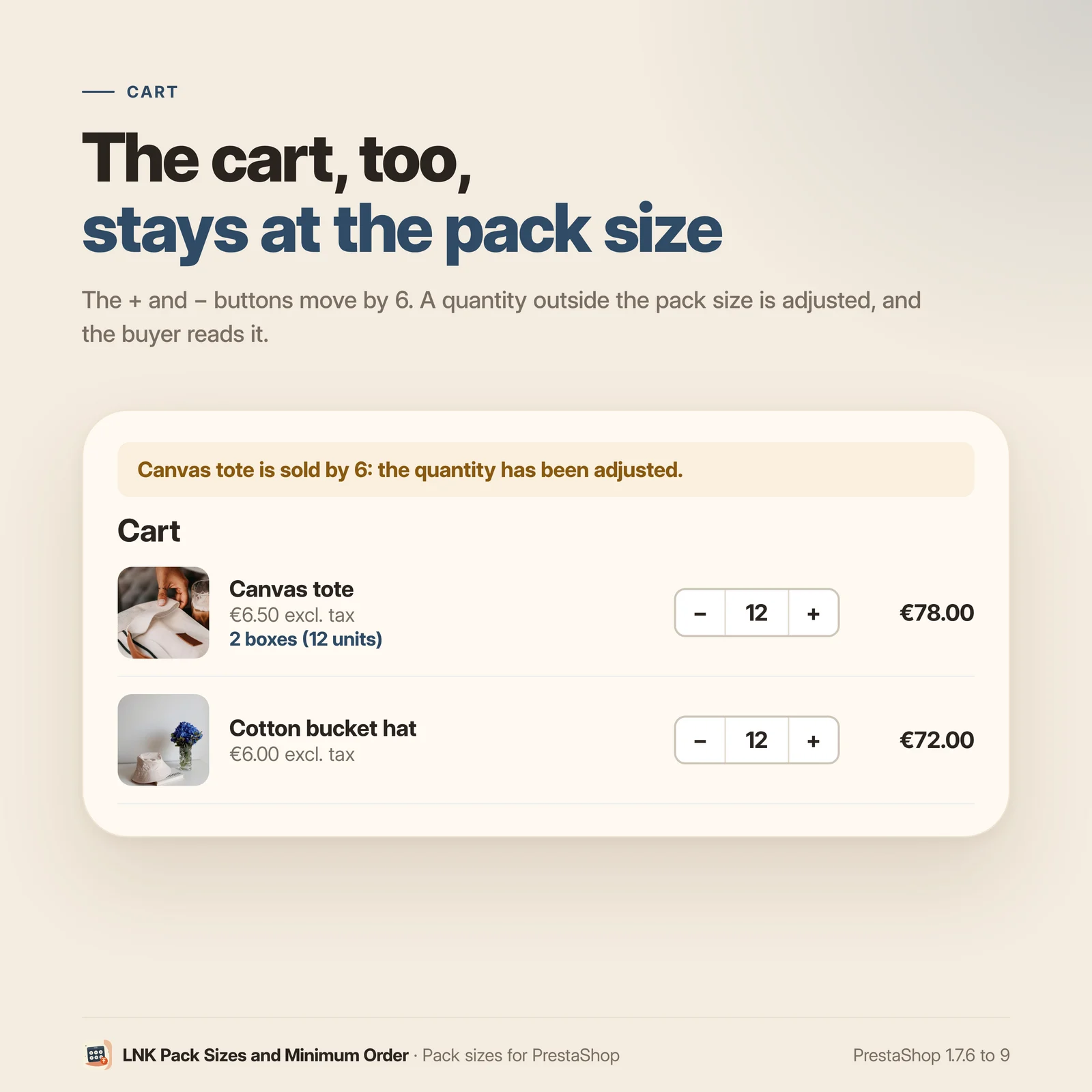
Set a pack size on a product, on a combination, or on a whole category. A quantity typed is rounded up to the next multiple, on the product page, in the quick view and in the cart, and an order cannot leave with a quantity outside the pack size. The product page says "Sold by 6", and the quantity field moves 6 by 6 with the theme's buttons.
Give the unit a name if you want: "Sold by box of 6", "Price per box: €53.40 excl. tax" on the product page, "2 boxes (12 units)" in the cart. The box price is PrestaShop's price for this customer, times the pack size. The price per kilo or per litre stays PrestaShop's native unit price.
The server makes the rule: an add coming another way (quick view, list, another module) is brought back to the pack size, and checkout does not open on a cart outside it.
A minimum order per customer group
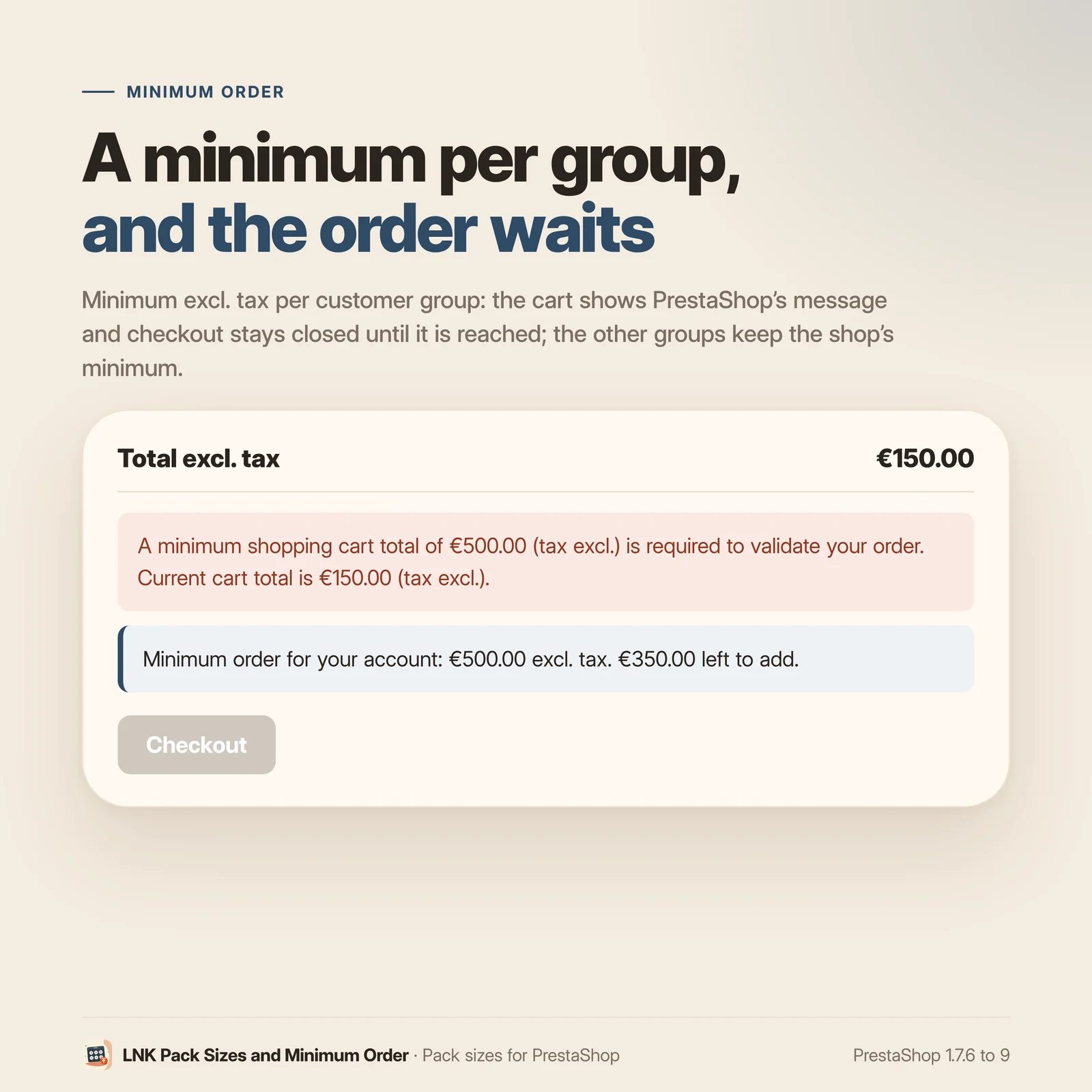
An amount excluding tax per group: €300 for businesses, nothing for consumers. Until the minimum is reached, the cart shows PrestaShop's message, checkout stays closed, and a line says what is left to add. Other groups keep the shop minimum. The module does not change your shop configuration.
Nothing complicated in the back office
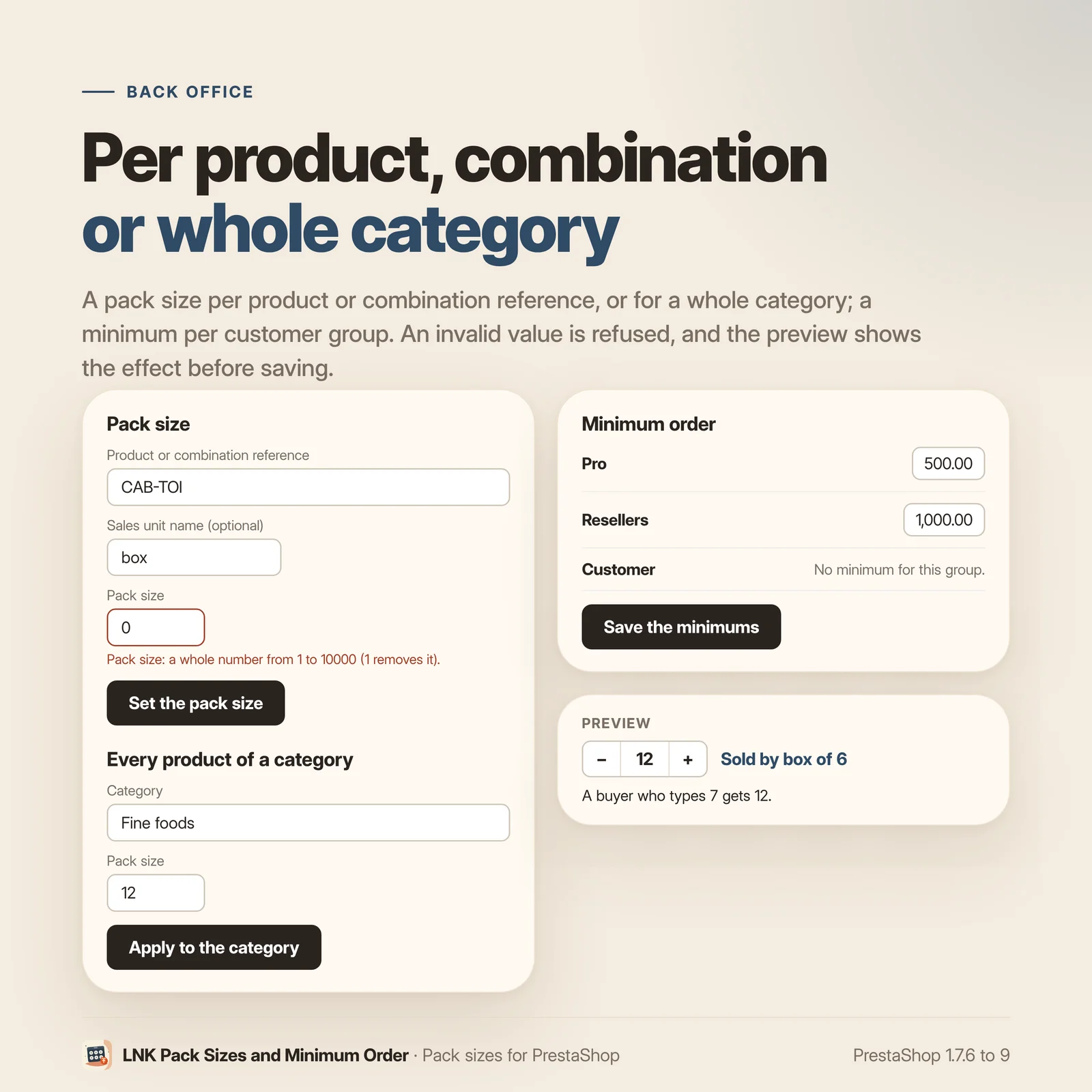
A reference and a pack size, or a category and a pack size; an amount per group. The preview shows the product page notice and the cart line before saving.
Light and fast
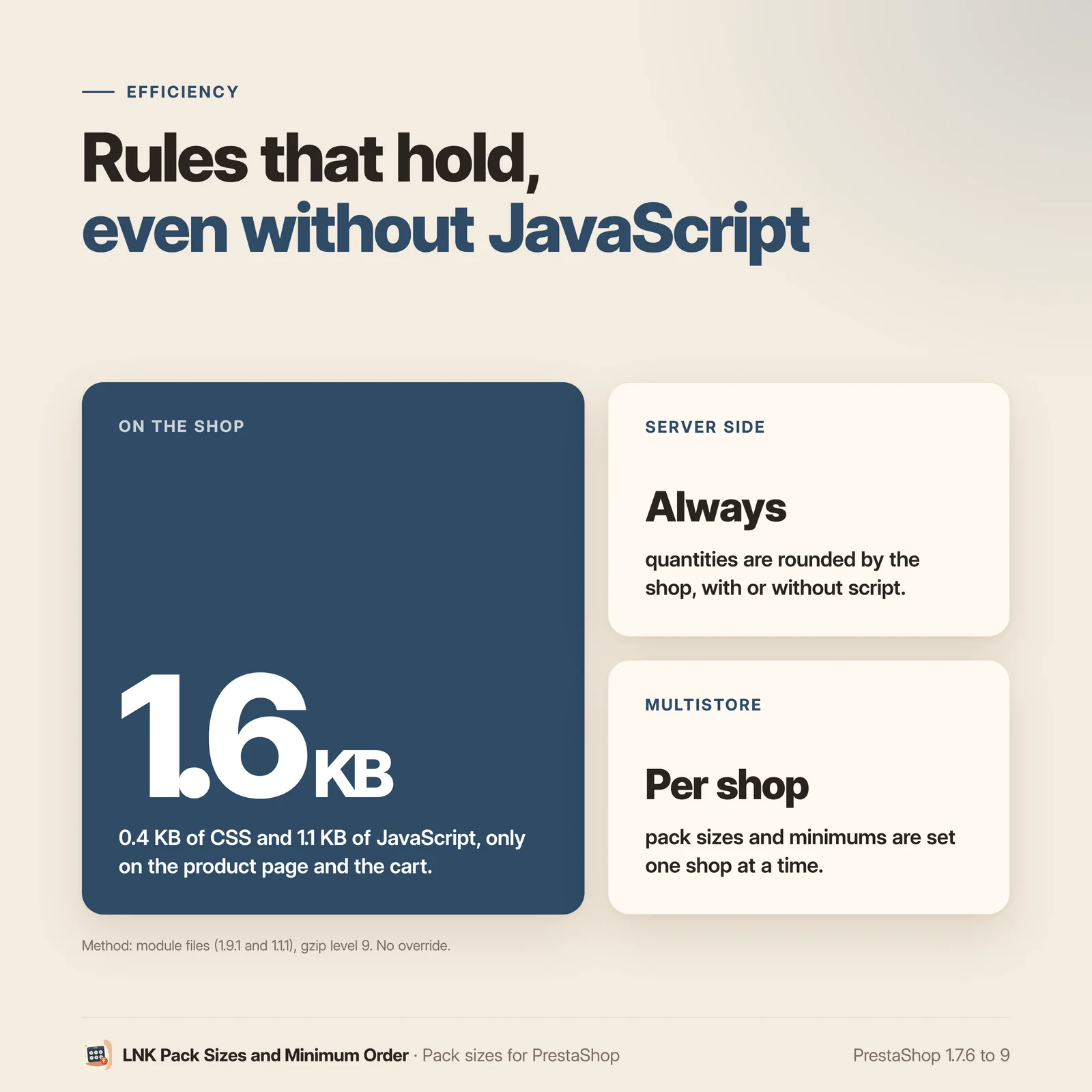
Figures measured on the delivered module, compressed (zlib, level 9): 0.4 KB of CSS and 1.1 KB of JavaScript, loaded only on the product page and the cart. Without JavaScript, the rules still apply, on the server.
Compatible with PrestaShop 1.7.6, 8 and 9
Two versions of the module, one per generation: 1.1 for PrestaShop 1.7.6 to 8.x, 1.9 for PrestaShop 9, with a native settings page in each back office, under Catalog. Rules checked on the bench on 1.7.6, 8.1 and 9.2. Classic and Hummingbird themes with no setting. No override, no external call.
Frequently asked questions
What happens if a customer types 7 for a product sold by 6?
The quantity is rounded up to the next multiple: 12. On the product page, in the quick view and in the cart, and the customer sees the right quantity at once. The quantity field moves 6 by 6, and so do its buttons.
Can a customer order a quantity outside the pack size another way?
No. The rule applies on the server, each time the cart is saved, whatever the way of the add (product page, list, quick view, another module). At the checkout entrance, a line outside the pack size is corrected and the customer goes back to the cart with a message.
Can each combination have its own pack size?
Yes. A combination's pack size wins over its product's. You can also set the same pack size on every product of a category.
How does the minimum per customer group work?
You type an amount excluding tax per group. For a customer of that group, the module uses PrestaShop's native minimum with that value, for the time of the page: the cart shows PrestaShop's message and checkout stays closed. Nothing is written in your shop configuration; other groups keep its minimum.
Is the minimum checked at payment?
The module closes checkout, like PrestaShop's native minimum. A payment module that would create an order without going through checkout is not covered, no more than with the native minimum.
How does the customer know what is left to order?
The cart shows PrestaShop's message, and the module adds a line: "Minimum order for your account: €300.00 excl. tax. €120.00 left to add." This line can be hidden.
Can I sell by the box, the pallet, the bag?
Yes. Give the sales unit a name, with the pack size: the product page shows "Sold by box of 6" and "Price per box: €53.40 excl. tax", and the cart "2 boxes (12 units)". The box price is the pack size times the unit price PrestaShop gives this customer for that quantity (group and tiered prices included): the module computes no price. The name is optional; without it, nothing changes.
What about the price per kilo or per litre?
That is PrestaShop's native unit price (Catalog > Product > Pricing > Unit price), shown by your theme. The module does not touch it.
Does it work with LNK Tiered Prices?
Yes, without any setting. When a product has a unit name, Tiered Prices expresses its tiers in that unit: "from 4 boxes", "€167.52 excl. tax per box". Each module also works on its own.
Is JavaScript needed?
Not for the rules: rounding and the minimum are applied by the server. The script only sets the quantity field and its buttons at the pack size step.
Does the module slow my shop down?
No. 0.4 KB of CSS and 1.1 KB of JavaScript compressed, loaded only on the product page and the cart.
Does it work with multistore?
Yes. Pack sizes and minimums are set shop by shop; a new shop takes over those of the shop copied, and a deleted shop takes its own away.
What is left if I uninstall the module?
Nothing. The module has no override; uninstalling removes its three tables, its settings and its tab. The shop minimum was never changed.
Release history
-
Version 1.9.1 PrestaShop 9
New
- Optional sales unit name, per product, per combination or per category, in French, English and Arabic: "Sold by box of 6" on the product page, with "Price per box: €53.40 excl. tax" (the pack size times the unit price PrestaShop gives the customer for that quantity, excl. or incl. tax according to their group).
- Cart line "2 boxes (12 units)"; without a plural typed, "2 × box (12 units)".
- Contract lnk.packaging.unit/1: Lnk_Packaging::packagingUnit(), public read of the pack size and unit name for other modules (LNK Tiered Prices expresses its tiers in boxes).
Fixes
- Theme contract (docs/THEME-CONTRACT.md): in the cart, the pack sizes are in the data-lnk-packaging-steps attribute of .lnk-packaging--cart, as escaped JSON. The document still described a JSON script.
-
Version 1.9.0 PrestaShop 9
New
- Pack sizes per product or per combination (by 6, by 12): a quantity typed is rounded up to the next multiple, on the product page, in the quick view and in the cart, and an order cannot leave with a quantity outside the pack size.
- "Sold by 6" on the product page; quantity field and the theme's plus/minus buttons at the pack size step.
- Minimum order amount excluding tax per customer group: the cart shows PrestaShop's message and checkout stays closed until it is reached; other groups keep the shop minimum. Nothing is written in the shop configuration.
- Back-office entry by reference or for a whole category; minimums per group; live preview; under Catalog.
- Theme contract lnk.packaging.qty/1; multistore (data per shop, copied when a shop is created); French, English and Arabic.
-
Version 1.1.1 PrestaShop 1.7.6 to 8.x
New
- Optional sales unit name, per product, per combination or per category, in French, English and Arabic: "Sold by box of 6" on the product page, with "Price per box: €53.40 excl. tax" (the pack size times the unit price PrestaShop gives the customer for that quantity, excl. or incl. tax according to their group).
- Cart line "2 boxes (12 units)"; without a plural typed, "2 × box (12 units)".
- Contract lnk.packaging.unit/1: Lnk_Packaging::packagingUnit(), public read of the pack size and unit name for other modules (LNK Tiered Prices expresses its tiers in boxes).
Fixes
- Back office 1.7.6 to 8.x: the "Set the pack size", "Apply to the category", "Remove" and "Save the minimums" buttons save again (only the main button was taken into account).
- Theme contract (docs/THEME-CONTRACT.md): in the cart, the pack sizes are in the data-lnk-packaging-steps attribute of .lnk-packaging--cart, as escaped JSON. The document still described a JSON script.
Show the previous version
-
Version 1.1.0 PrestaShop 1.7.6 to 8.x
New
- Pack sizes per product or per combination (by 6, by 12): a quantity typed is rounded up to the next multiple, on the product page, in the quick view and in the cart, and an order cannot leave with a quantity outside the pack size.
- "Sold by 6" on the product page; quantity field and the theme's plus/minus buttons at the pack size step.
- Minimum order amount excluding tax per customer group: the cart shows PrestaShop's message and checkout stays closed until it is reached; other groups keep the shop minimum. Nothing is written in the shop configuration.
- Back-office entry by reference or for a whole category; minimums per group; live preview; under Catalog.
- Theme contract lnk.packaging.qty/1; multistore (data per shop, copied when a shop is created); French, English and Arabic.