A compliant cookie banner, in place as soon as it is installed
LNK Easy Cookies puts on your shop a cookie banner that is compliant as soon as it is installed, without any setting: nothing is ticked in advance, refusing is as easy as accepting, and the trackers wait for the visitor's choice. The module finds the cookies of your modules and of your theme by itself, sorts them, and keeps the proof of every choice. Compatible with Google Consent Mode v2 (basic and advanced).
- Version 1.1.0 · PrestaShop 1.7.6 to 8.x
- Version 1.9.0 · PrestaShop 9
- PrestaShop 1.7.6 to 9.x
- PHP 7.1 to 8.4
- No override
Screenshots
Key points
- In place as soon as it is installed, without any setting
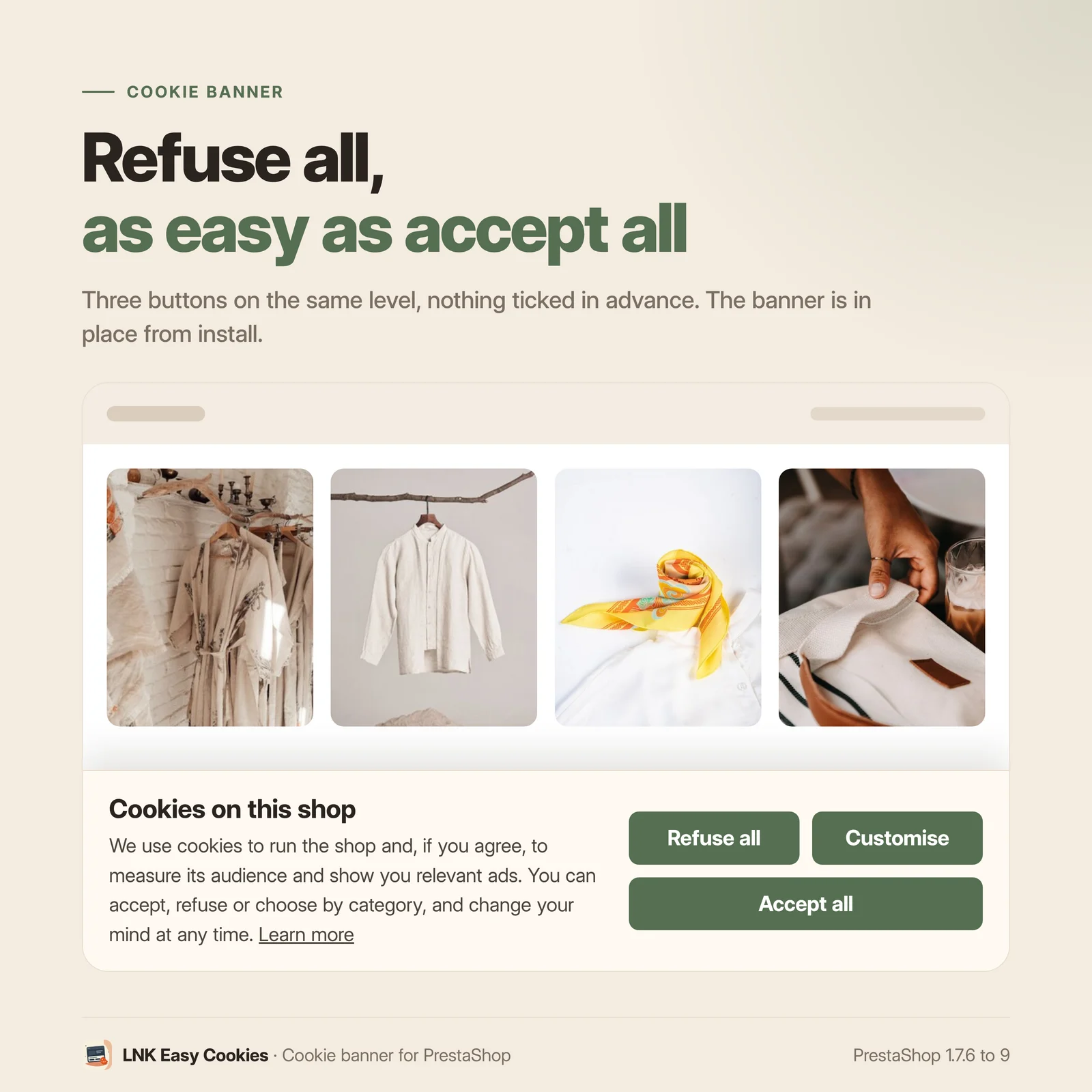
- Refusing as easy as accepting, nothing ticked in advance
- Trackers blocked by signature and by module, until the choice
- Compatible with Google Consent Mode v2 (basic and advanced), Microsoft UET and Clarity
- Scanner of the modules, the theme and the pages, database of more than 2,200 cookies
- Consent log, CSV export, purge after 12 months
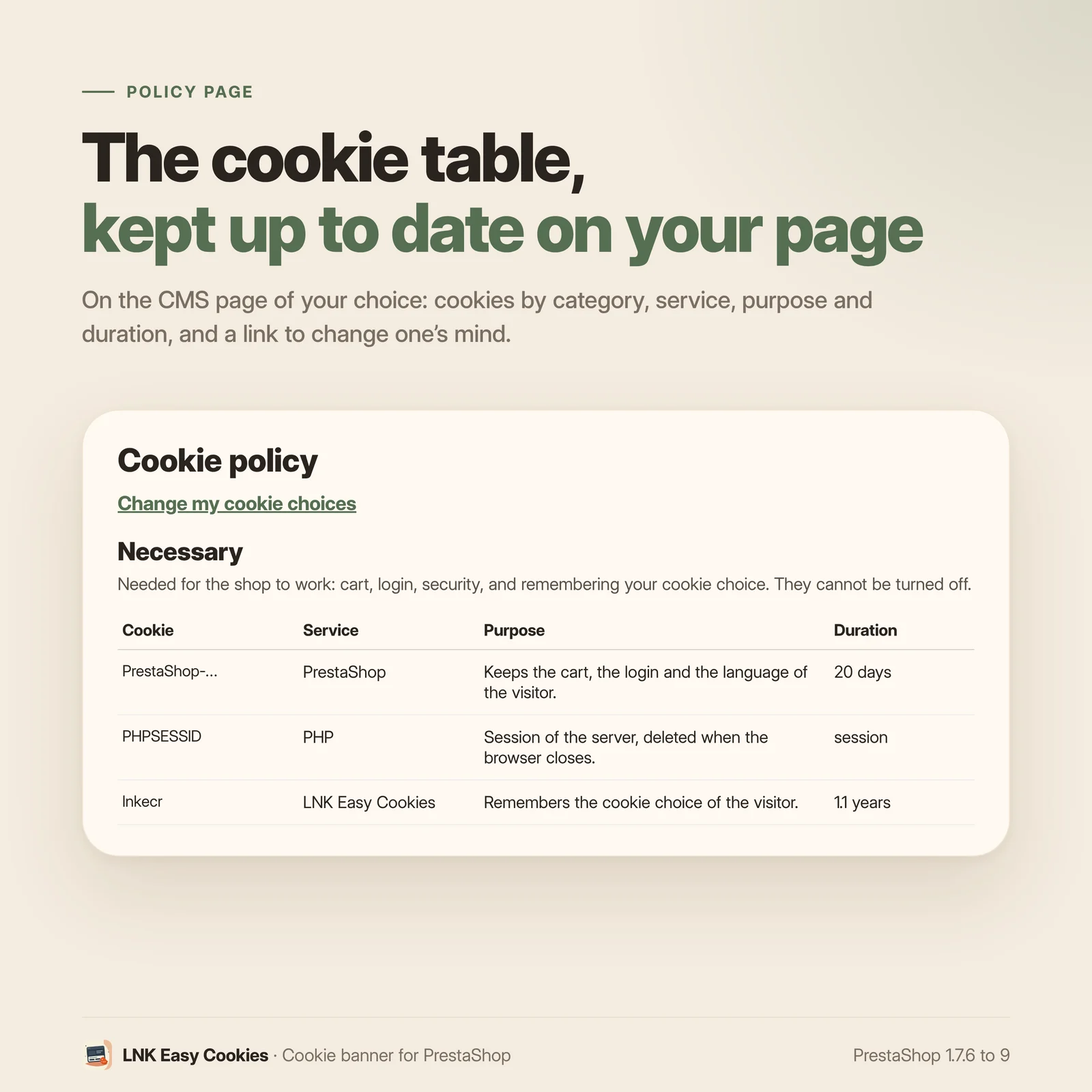
- Table of the cookies in your CMS page
- Compatible with page caching
- Less than 5 KB compressed on the shop
- French, English, Arabic from right to left
- PrestaShop 1.7.6 to 9.x, PHP 7.1 to 8.4, no override
In place as soon as it is installed
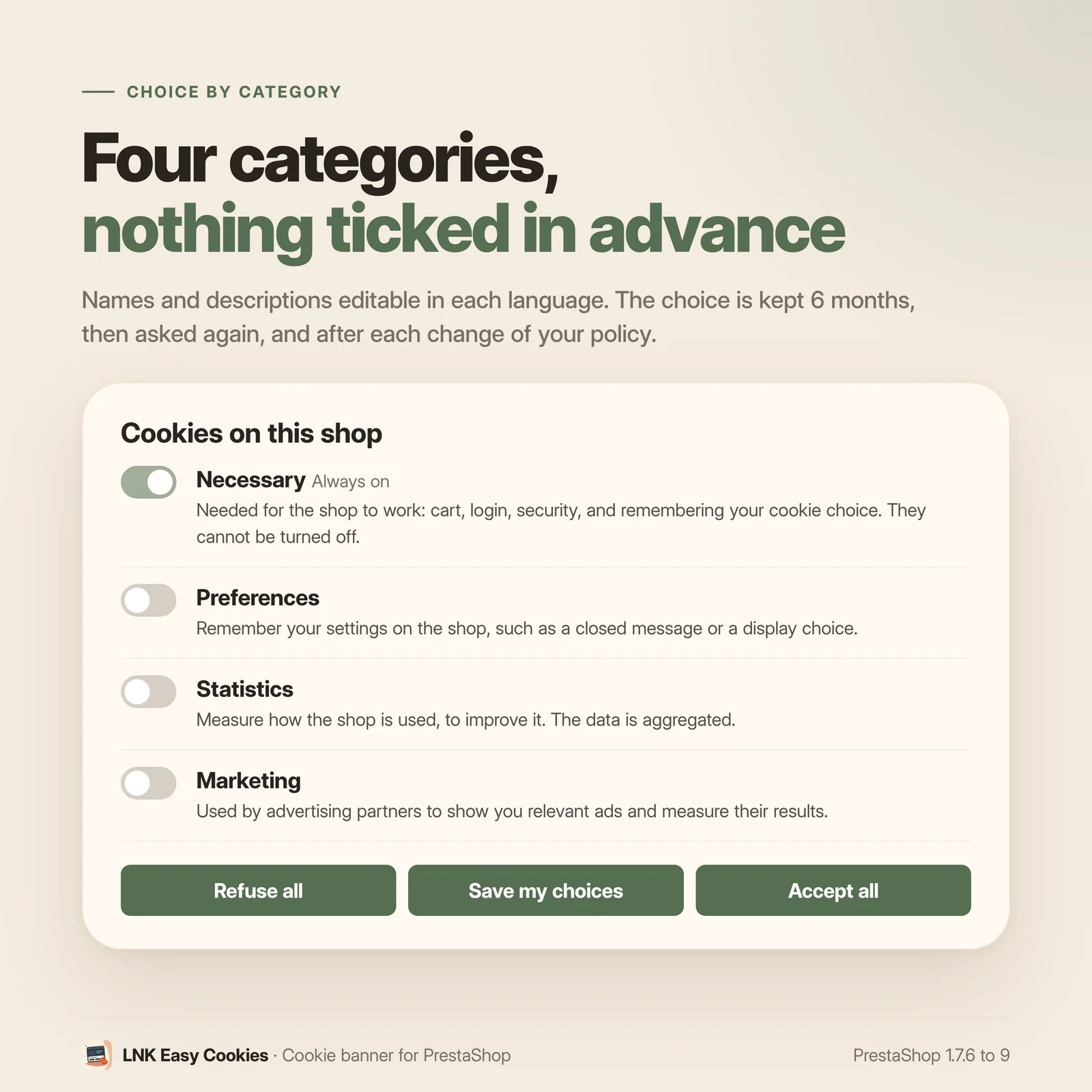
Install the module: the banner appears at the bottom of every page, with three buttons of the same size and the same colour, “Refuse all”, “Customise” and “Accept all”. Four categories (necessary, preferences, statistics, marketing) are ready in French, English and Arabic, none is ticked in advance. The first scan of the shop is done during the installation.
The visitor's choice is asked again after 6 months, as the CNIL recommends, and each time you change your cookie policy (an “Ask all visitors again” button). A discreet button lets visitors change their mind at any time.
Trackers really wait for the choice
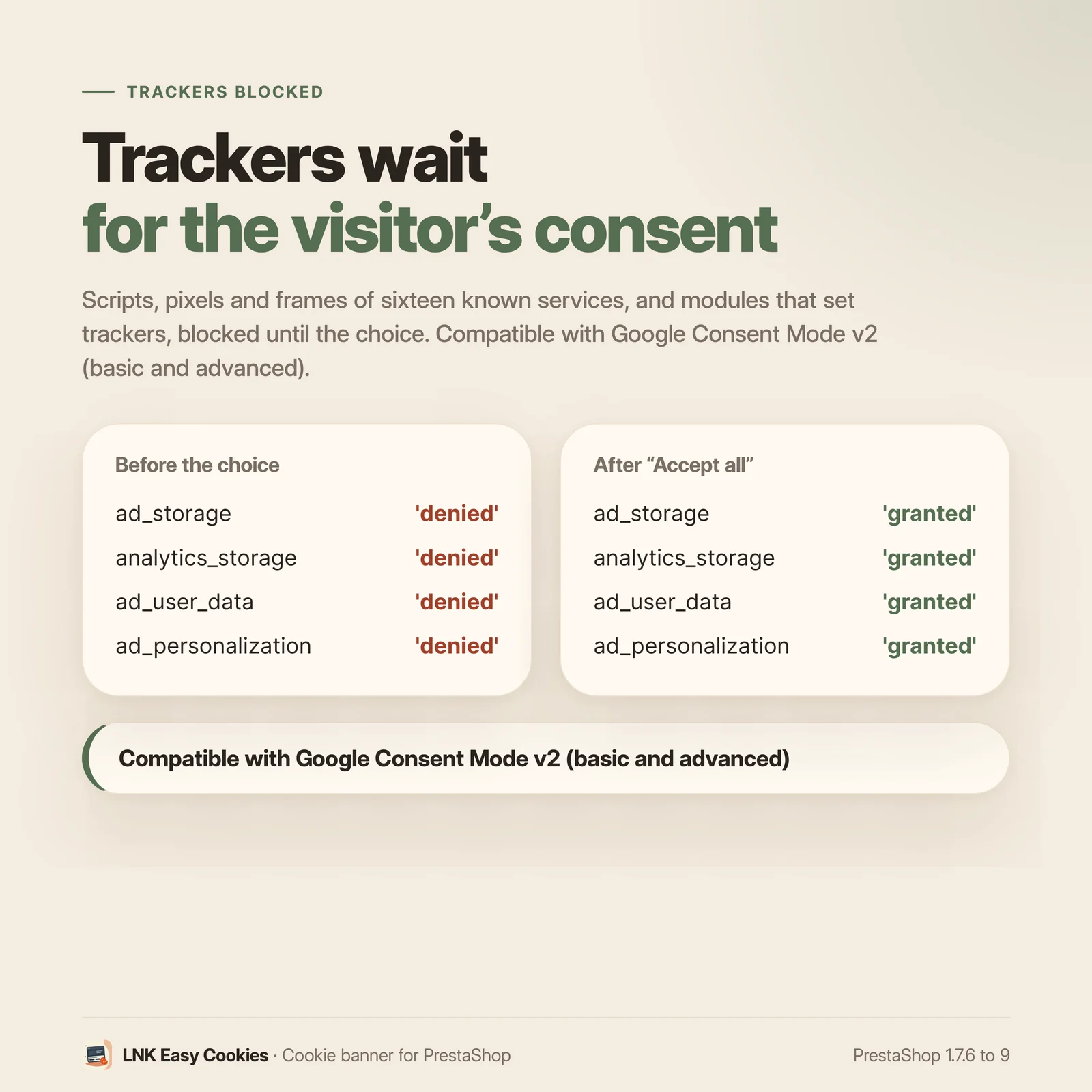
A banner shown while Google Analytics is already running protects nothing. Here, the known trackers are neutralised in the page before it reaches the browser:
- by signature: the scripts, pixels and frames of Google Analytics, Google Ads, Google Tag Manager, Meta, Microsoft Advertising, Microsoft Clarity, Hotjar, Matomo, TikTok, Pinterest, LinkedIn, Snapchat, Criteo, YouTube, Vimeo and Google Maps stay inactive until their category is accepted, without touching the code of the other modules;
- by module: a module known to set trackers (Google Analytics, Facebook, Marketing with Google…) has its display and its scripts put on hold, then restored as soon as consent is given, without reloading;
- a blocked video or map shows a short message in its place.
The shop's cookies of a refused category are deleted in the browser.
Compatible with Google Consent Mode v2 (basic and advanced)
The four signals ad_storage, analytics_storage, ad_user_data and ad_personalization are set to “denied” in a script placed at the top of the page, before any Google tag, then updated as soon as the visitor chooses (and from the top of the page for a visitor who has already chosen).
- Basic (default): Google tags only load after consent.
- Advanced: Google tags load at once and receive the refusal until consent.
The same choice is sent to Microsoft Advertising (UET consent mode) and to Microsoft Clarity. A test run in a real browser for each version checks the order: refusal before any gtag, then update after “Accept all” or “Refuse all”.
A scanner and a classification database
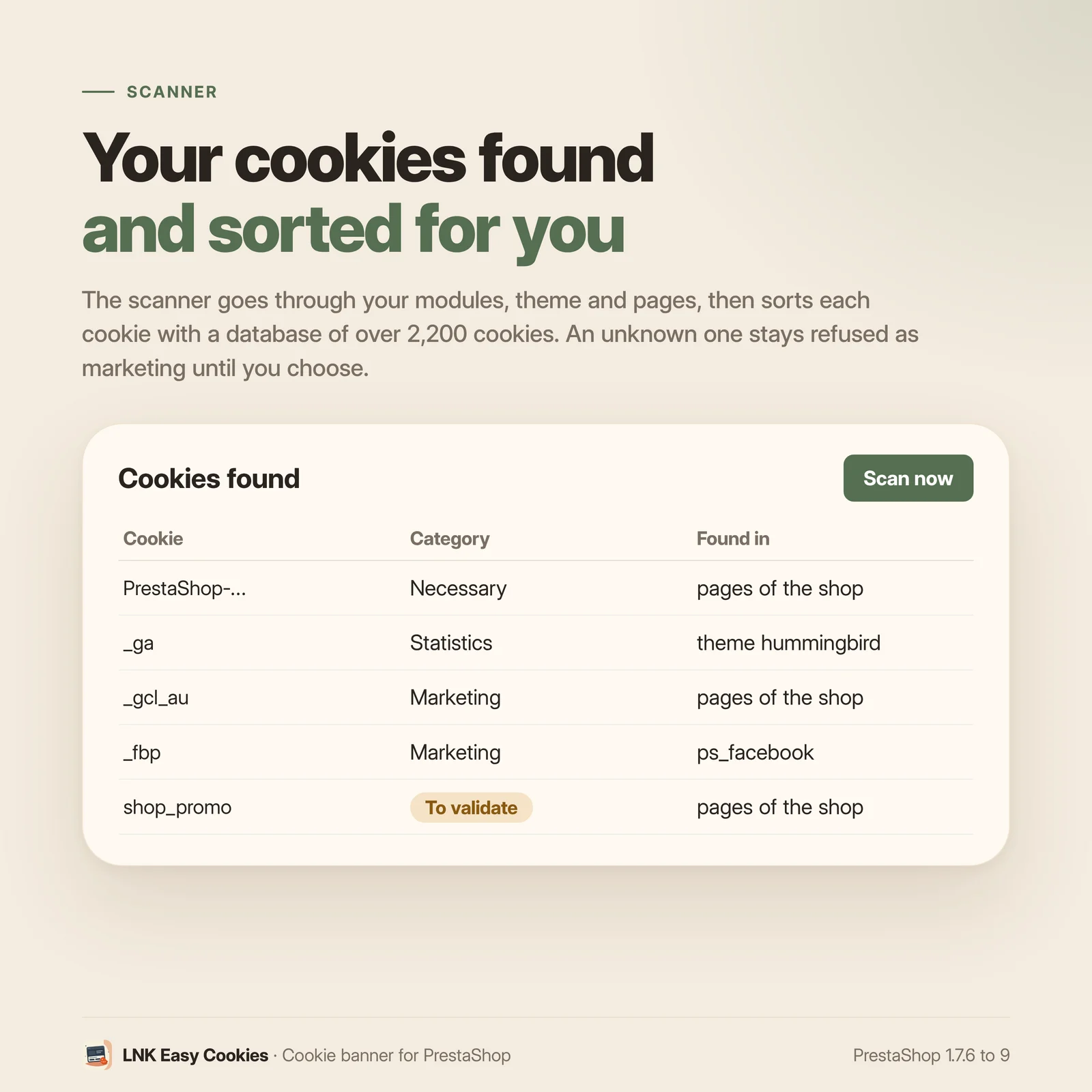
The module reads the files of your active modules and of your theme, and visits the home page, a category and a product page of your shop. What it finds is sorted by a database of more than 2,200 cookies: the Open Cookie Database (Apache 2.0 licence), completed with our PrestaShop data. An unknown cookie becomes “to validate” and stays refused as marketing until you decide; a classification you made by hand is never overwritten by a scan.
The scan runs again every week (native cron tasks module, or an address to give to your host) and on demand. The database is updated online: the file is signed by LNKBOOT and checked before use, and nothing is sent from your shop.
Proof of every choice
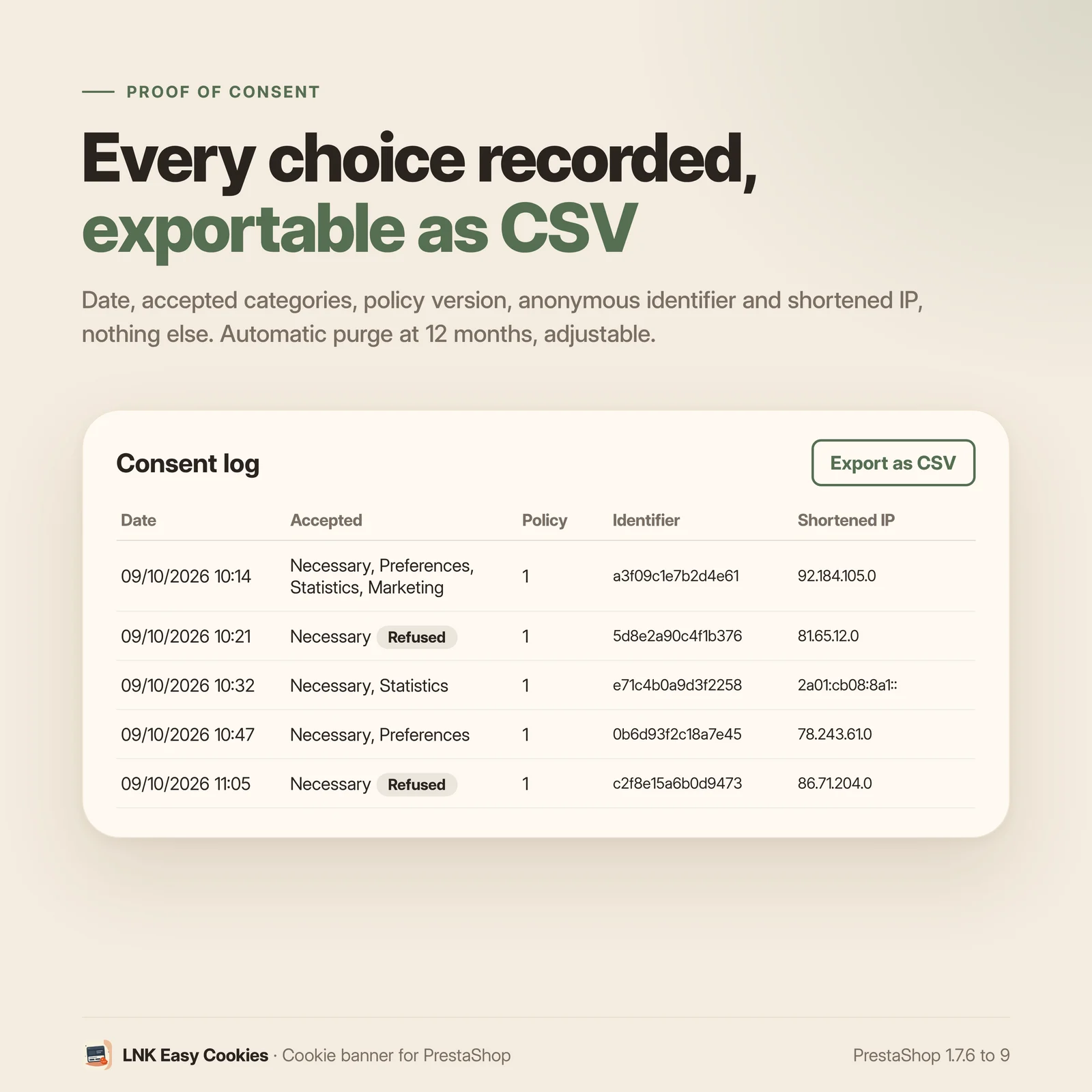
Every choice is written to the consent log: date, accepted categories, version of your policy, anonymous identifier of the browser and shortened IP. Nothing else. The log is read page by page, exported as CSV for an audit, and purged by itself after 12 months (adjustable).
The CMS page of your cookie policy receives the table of the shop's cookies by itself, by category, with a link that reopens the visitor's choices.
Compatible with page caching
The server renders the same page for all visitors: the banner is always present and hidden, and the choice is read in the browser. A full-page cache therefore stays correct. The choice cookie is strictly validated on the server before it enters the log.
Léger et rapide
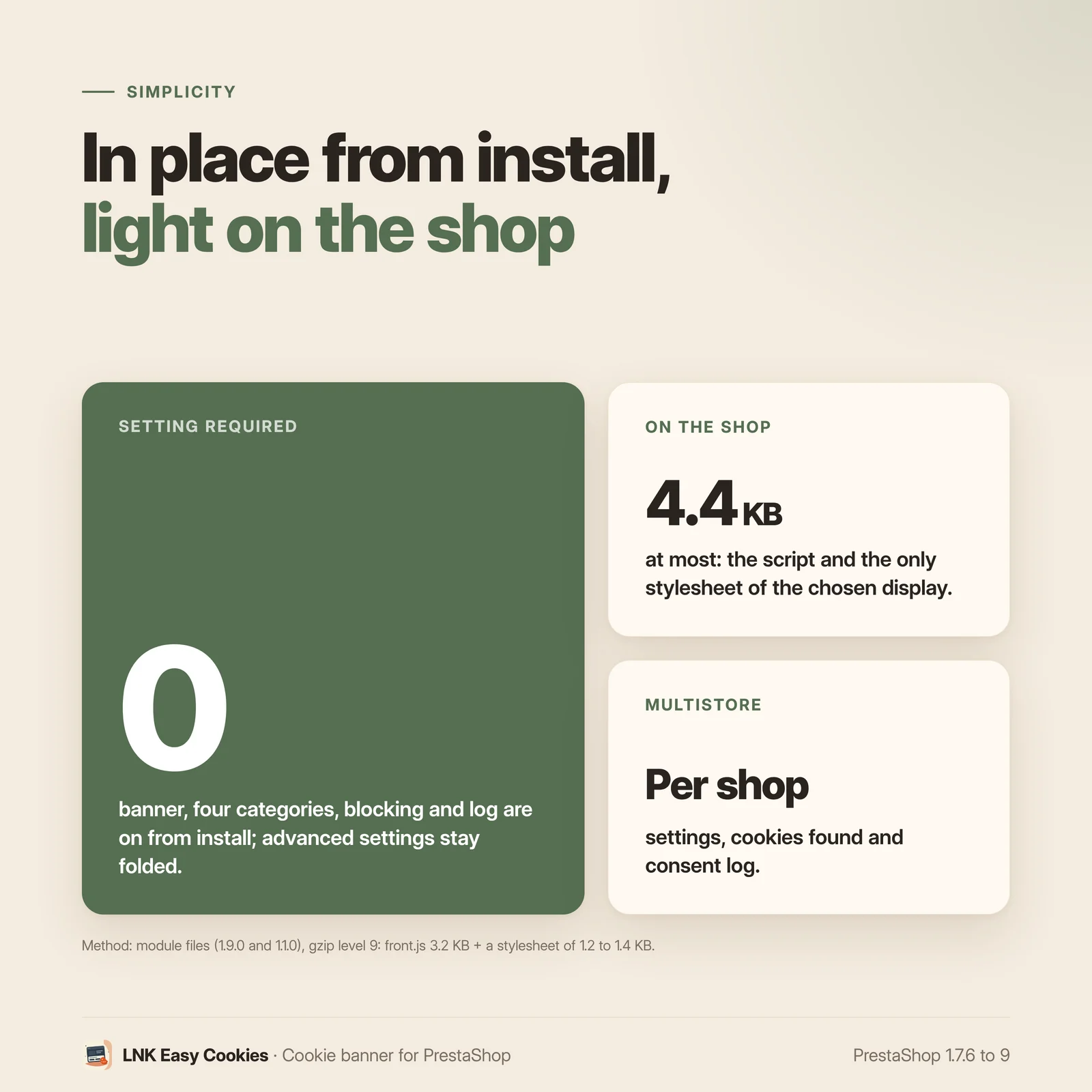
Figures measured on the delivered module, gzip-compressed (level 9). A single stylesheet, the one of the chosen display: 1.3 KB. A script in native JavaScript, loaded deferred: 3.2 KB. The Consent Mode script at the top of the page, inline: 0.4 KB. Less than 5 KB in all. No font added, no external resource. The classification database stays on the server: the shop loads nothing from it.
Simple settings, a live preview
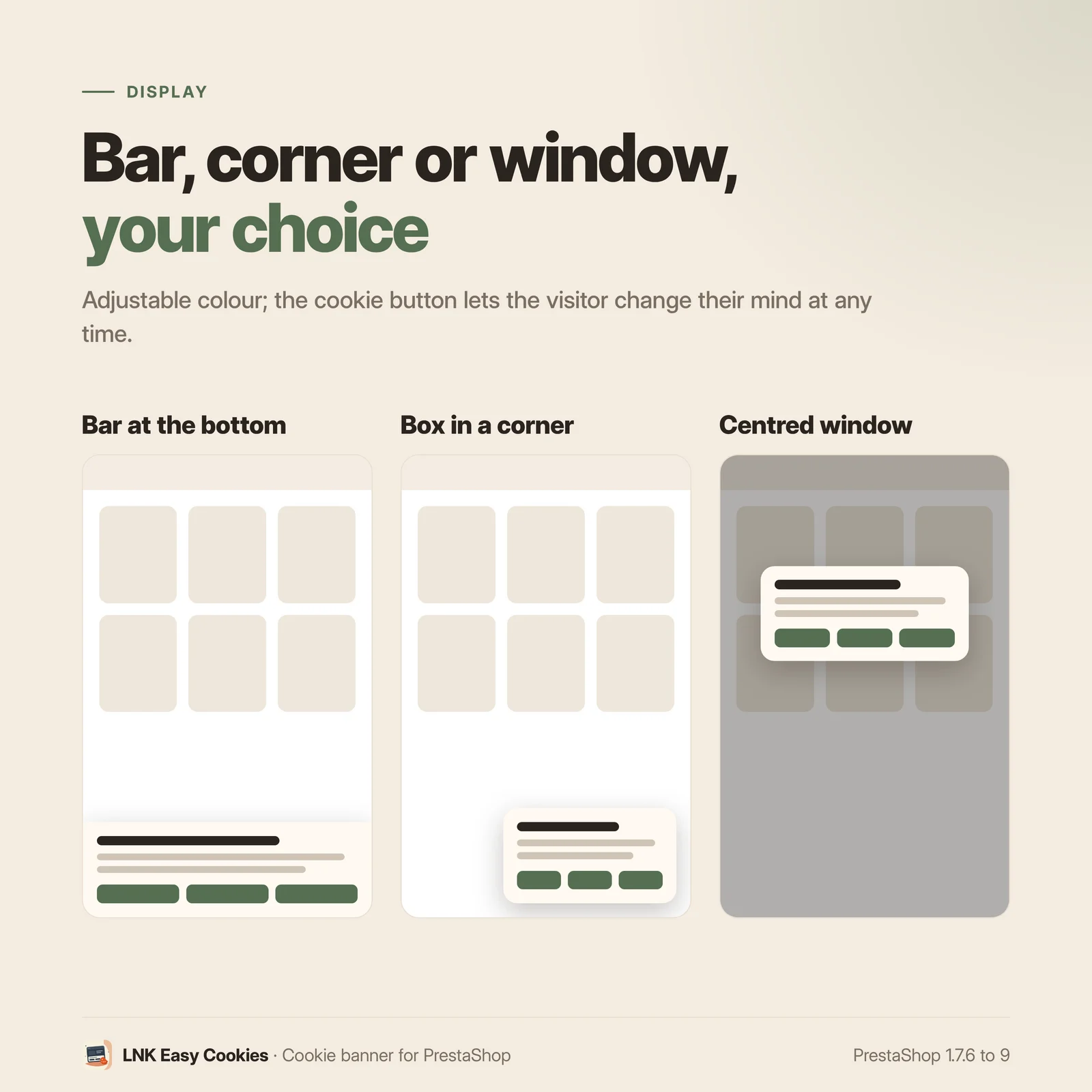
Three displays (bar at the bottom, box in a corner, centred window), a button colour whose text stays readable, a “Learn more” page. The names and descriptions of the categories can be changed in each language. Everything else is folded into “Advanced settings”. The live preview, on the right, shows the banner on desktop and mobile while you type.
For themes and integrators
Neutral markup (.lnkec, BEM), one stylesheet per display, template that the theme can
override. Other scripts read the choice with window.lnkConsent.has('statistics') and the
lnkconsent:change event. You can also declare a script yourself: type="text/plain" and
data-lnkec="marketing". In Arabic, the banner reads from right to left without any setting.
Compatibility with PrestaShop 1.7, 8 and 9
| PrestaShop | 1.7.6 → 9.x |
| PHP | 7.1 → 8.4 |
| Delivery | Two packages: 1.9.N for PrestaShop 9, 1.1.N for 1.7.6 to 8.x |
| Back office | Native Symfony on PrestaShop 9, classic admin controller below |
| Contains an override | No |
| Multistore | Yes |
| External resources | None |
Each version is verified by a real installation: PrestaShop 1.7.8 and 8.1 for the 1.1.N package, PrestaShop 9.0 for the 1.9.N package. The tests cover installation, display, the back office and uninstallation.
Frequently asked questions
Do I have to set anything after installing?
No. As soon as it is installed, the banner appears at the bottom of every page with “Refuse all”, “Customise” and “Accept all” at the same level, four categories with no box ticked in advance, and the known trackers blocked until the choice. You can then choose the display, the button colour and your “Learn more” page in Customers > LNK Easy Cookies.
Is the module compatible with Google Consent Mode v2?
Yes: compatible with Google Consent Mode v2, in basic and in advanced mode. The four signals ad_storage, analytics_storage, ad_user_data and ad_personalization are set to “denied” before any Google tag, then updated with the visitor's choice. In basic mode (default), Google tags wait for consent; in advanced mode, they load and receive the refusal until consent.
Which trackers are blocked?
The recognised scripts, pixels and frames of Google (Analytics, Ads, Tag Manager, Maps), Meta,
Microsoft Advertising and Clarity, Hotjar, Matomo, TikTok, Pinterest, LinkedIn, Snapchat,
Criteo, YouTube and Vimeo. In addition, the modules known to set trackers have their display and
their scripts put on hold until their category is accepted. You can block another module, or
declare your own scripts with type="text/plain" and data-lnkec="marketing".
How does the module know which cookies my shop uses?
It reads the files of your active modules and of your theme, and visits the home page, a category and a product page of the shop. It sorts what it finds with a database of more than 2,200 cookies (Open Cookie Database, Apache 2.0 licence, and our PrestaShop data). An unknown cookie stays “to validate” and refused as marketing until you choose. The scan runs again every week, and with one click on “Scan now”.
Does the module send data from my shop?
No. The update of the classification database reads a file published by LNKBOOT, signed and checked before use; the request carries no parameter, no cookie and no address of your shop. The consent log stays in your database.
What does the consent log contain?
For each choice: the date, the accepted categories, the version of your cookie policy, an anonymous identifier of the browser and the shortened IP address. No name, no email address. The log can be exported as CSV and is purged by itself after 12 months, adjustable from 1 to 36 months.
How long is the visitor's choice kept?
6 months by default, as the CNIL recommends, whether the visitor accepted or refused (adjustable up to 13 months). The banner also comes back when you click “Ask all visitors again”, after a change in your cookie policy.
How does a visitor change their mind?
With the round button at the bottom of the screen, or with any link to #lnkec (in the footer,
for example). The “Change my cookie choices” link is also added to the cookie table of your CMS
page. If the visitor withdraws a consent, the page reloads without the trackers concerned.
Does it work with page caching?
Yes. The server renders the same page for all visitors; the choice is read in the browser. A full-page cache therefore never mixes up the choices of two visitors.
Does the banner slow down my shop?
Less than 5 KB compressed in all: a stylesheet of 1.3 KB (the one of the chosen display), a script of 3.2 KB loaded deferred and 0.4 KB at the top of the page for Consent Mode. No font and no external resource.
Does it work in multistore?
Yes. Each shop has its settings, its texts, its cookies found, its log and its own choice cookie. The page of the module always says which shops the settings you save apply to.
Does it work in Arabic?
Yes. The module comes in French, English and Arabic; in Arabic, the banner, the choices and the page of the module read from right to left without any setting.
Release history
-
Version 1.9.0 PrestaShop 9
First version. Branch 9: PrestaShop 9.0 to 9.x only. PrestaShop 1.7.6 to 8.x use the
prestashop/legacybranch (1.1.0).New
- Cookie banner in place as soon as it is installed: bar at the bottom, box in a corner or centred window; “Refuse all”, “Customise” and “Accept all” at the same level; four categories (necessary, preferences, statistics, marketing) with no box ticked in advance, with names and descriptions that can be changed in each language; button to change one's mind.
- Choice kept 6 months (adjustable up to 13), asked again to everyone after a policy change; choice cookie read in the browser, same page for everyone (page caching).
- Compatible with Google Consent Mode v2 (basic and advanced): ad_storage, analytics_storage, ad_user_data and ad_personalization set to “denied” before any Google tag, then updated; Microsoft UET and Clarity.
- Blocking by signature of the scripts, pixels and frames of sixteen known services, and blocking by module of the modules that set trackers (display and scripts restored after consent); shop cookies deleted when their category is refused.
- Scanner of the active modules, the theme and the pages of the shop; classification database of more than 2,200 cookies (Open Cookie Database, Apache 2.0, and LNKBOOT data), signed online update; unknown cookie “to validate”, refused as marketing; manual classification never overwritten; weekly scan.
- Consent log (date, categories, policy version, anonymous identifier, shortened IP), CSV export, purge after 12 months, adjustable.
- Table of the cookies in the chosen CMS page.
- Back office on the common skin of the LNK modules, with live preview on desktop and mobile; advanced settings folded; multistore; French, English and Arabic.
-
Version 1.1.0 PrestaShop 1.7.6 to 8.x
First version. Branch 1: PrestaShop 1.7.6 to 8.x. PrestaShop 9 has its own package (1.9.0), with the same business code.
New
- Cookie banner in place as soon as it is installed: bar at the bottom, box in a corner or centred window; “Refuse all”, “Customise” and “Accept all” at the same level; four categories (necessary, preferences, statistics, marketing) with no box ticked in advance, with names and descriptions that can be changed in each language; button to change one's mind.
- Choice kept 6 months (adjustable up to 13), asked again to everyone after a policy change; choice cookie read in the browser, same page for everyone (page caching).
- Compatible with Google Consent Mode v2 (basic and advanced): ad_storage, analytics_storage, ad_user_data and ad_personalization set to “denied” before any Google tag, then updated; Microsoft UET and Clarity.
- Blocking by signature of the scripts, pixels and frames of sixteen known services, and blocking by module of the modules that set trackers (display and scripts restored after consent); shop cookies deleted when their category is refused.
- Scanner of the active modules, the theme and the pages of the shop; classification database of more than 2,200 cookies (Open Cookie Database, Apache 2.0, and LNKBOOT data), signed online update; unknown cookie “to validate”, refused as marketing; manual classification never overwritten; weekly scan.
- Consent log (date, categories, policy version, anonymous identifier, shortened IP), CSV export, purge after 12 months, adjustable.
- Table of the cookies in the chosen CMS page.
- Back office on the common skin of the LNK modules, with live preview on desktop and mobile; advanced settings folded; multistore; French, English and Arabic.