 Plugin · LNK Announcement Bar
LNK Announcement Bar, the top bar that rotates your offers on WooCommerce
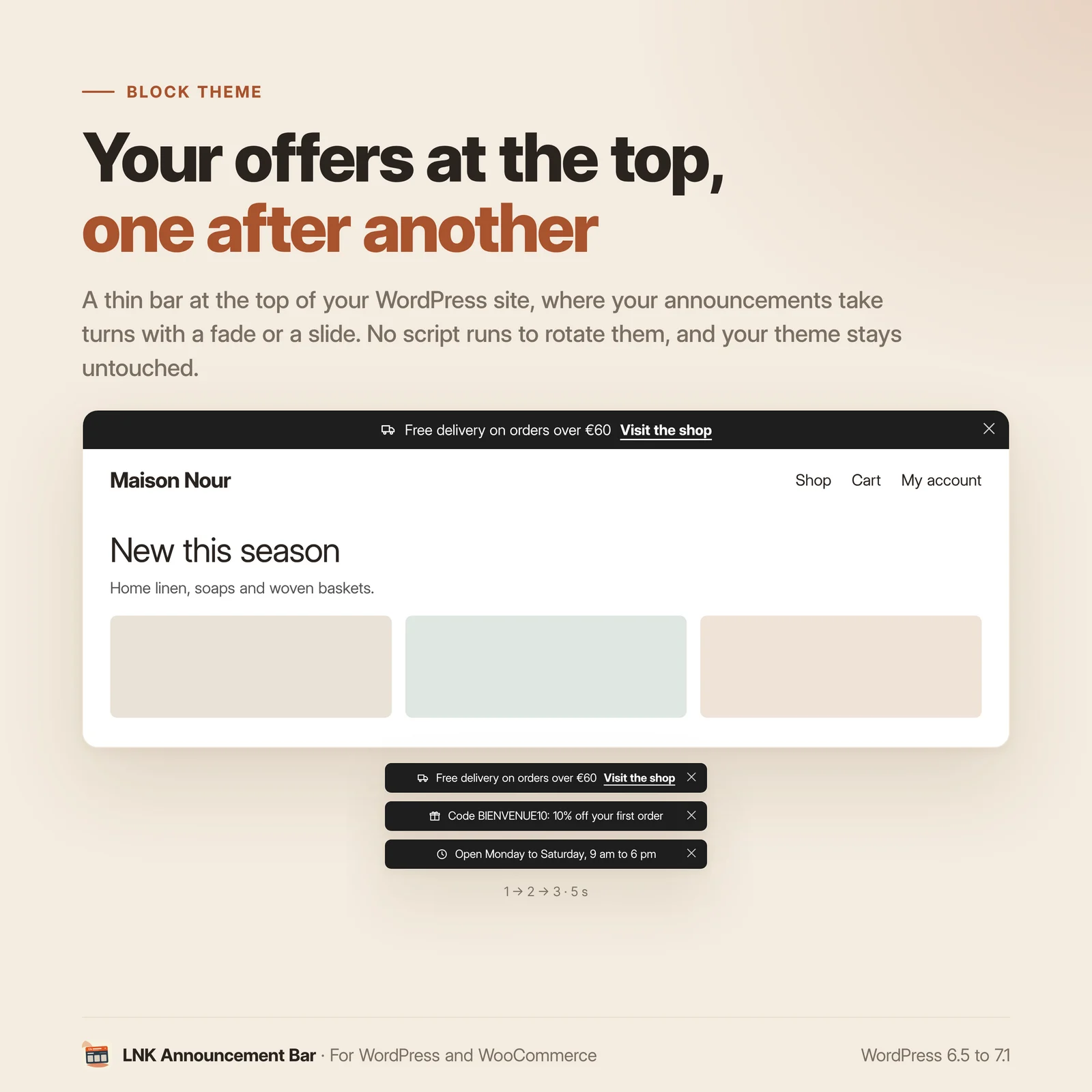
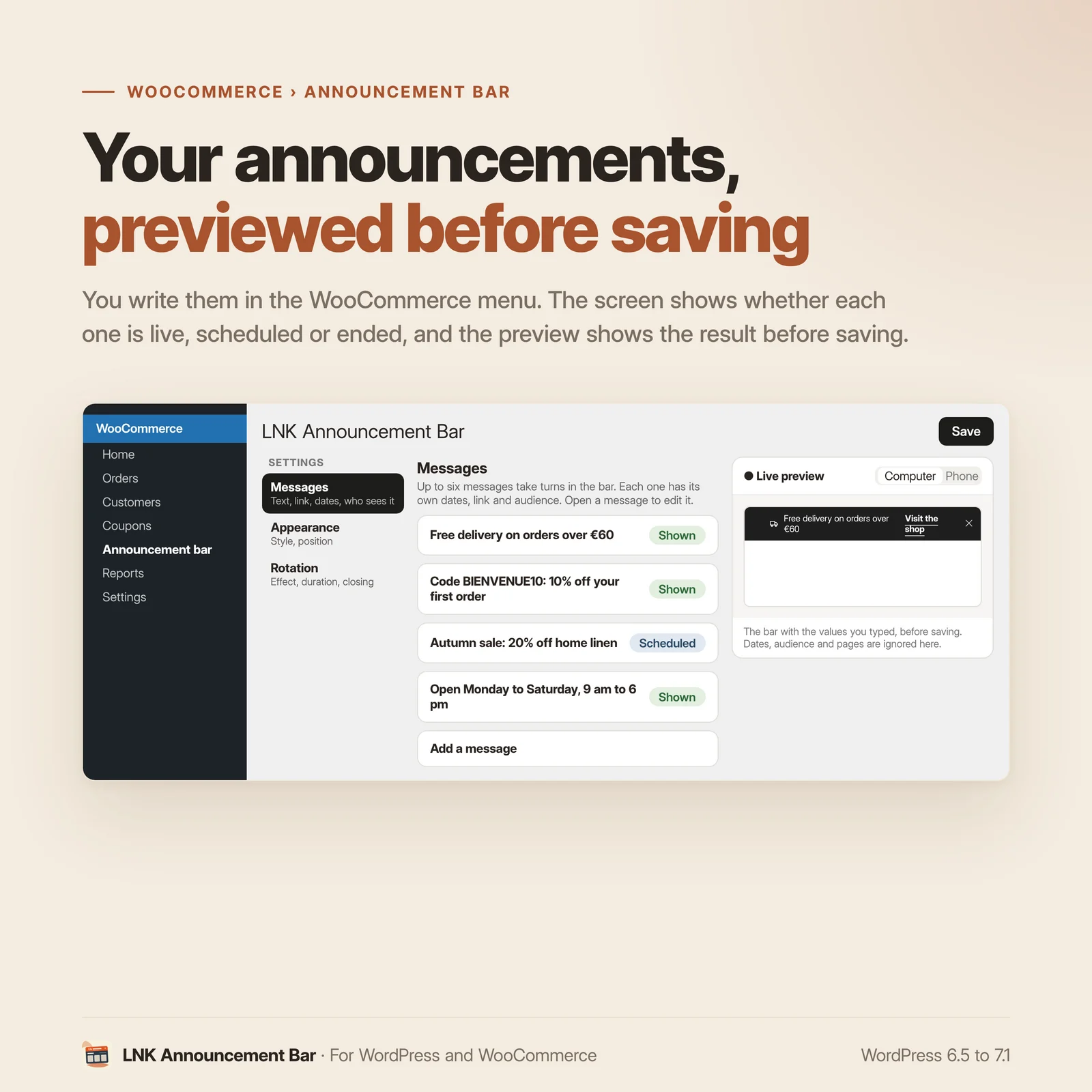
Your free shipping threshold, a discount code or your holiday opening hours deserve to be seen before anything else. LNK Announcement Bar adds a slim strip at the very top of your WordPress site where your announcements take turns. You write them in the WooCommerce menu, the preview shows the result before you save, and your theme stays untouched.
- Version 1.0.1
- WordPress 6.5 to 7.x
- PHP 7.4 to 8.3
Screenshots
Key points
- Top bar at the top of every page, classic and block themes.
- Up to six rotating announcements, fade or slide effect, adjustable duration.
- Start and end dates to the minute, status of each announcement in the screen.
- Audience: everyone, visitors without an account or logged-in customers.
- Target pages: home, shop, product, cart and checkout, rest of the site.
- Computer, phone, or both.
- Live preview before saving.
- Closing remembered only with preference consent (WP Consent API).
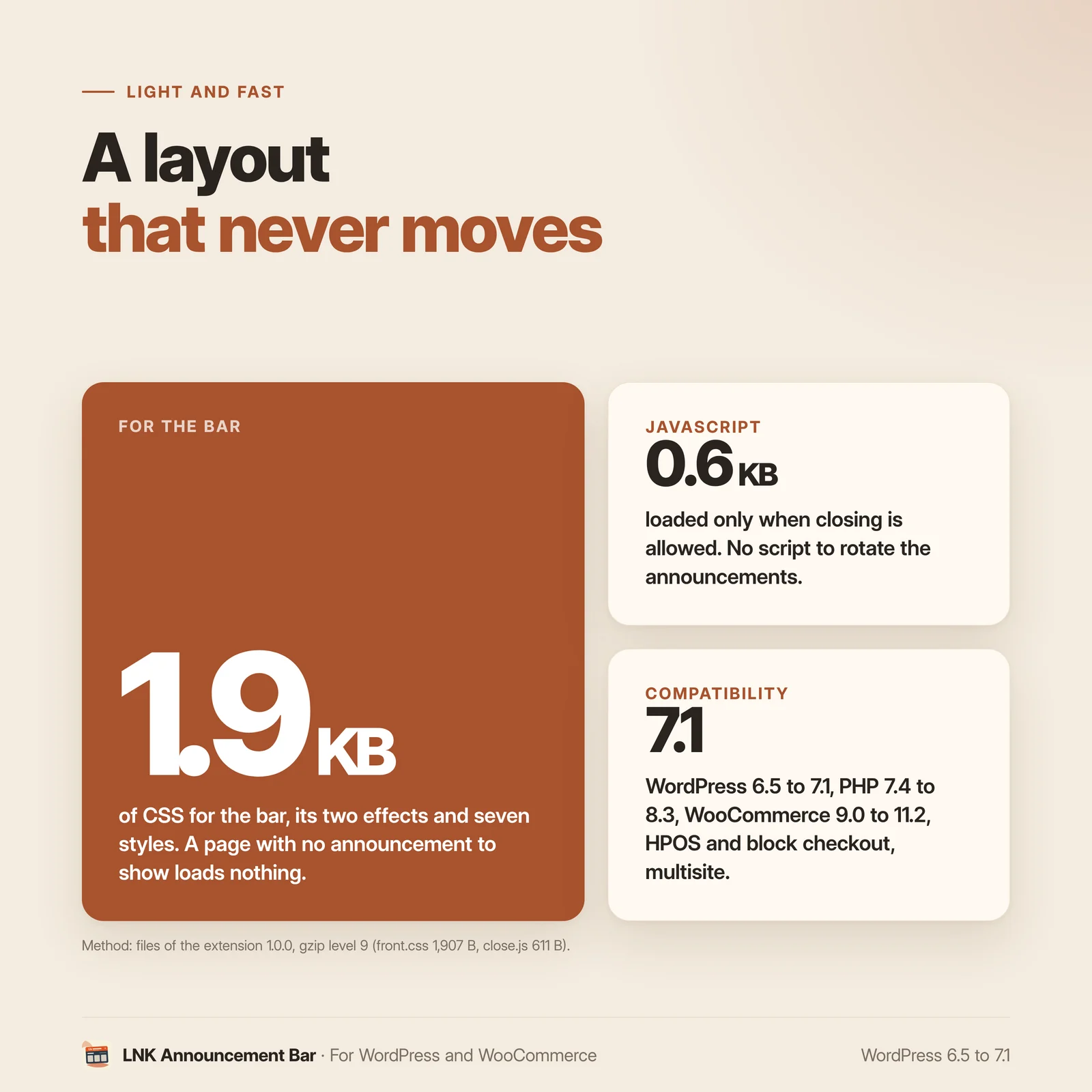
- 1.9 KB of CSS and 0.6 KB of JavaScript compressed, nothing without an announcement.
- HPOS, multisite, French, English and Arabic.
Announcements scheduled in advance
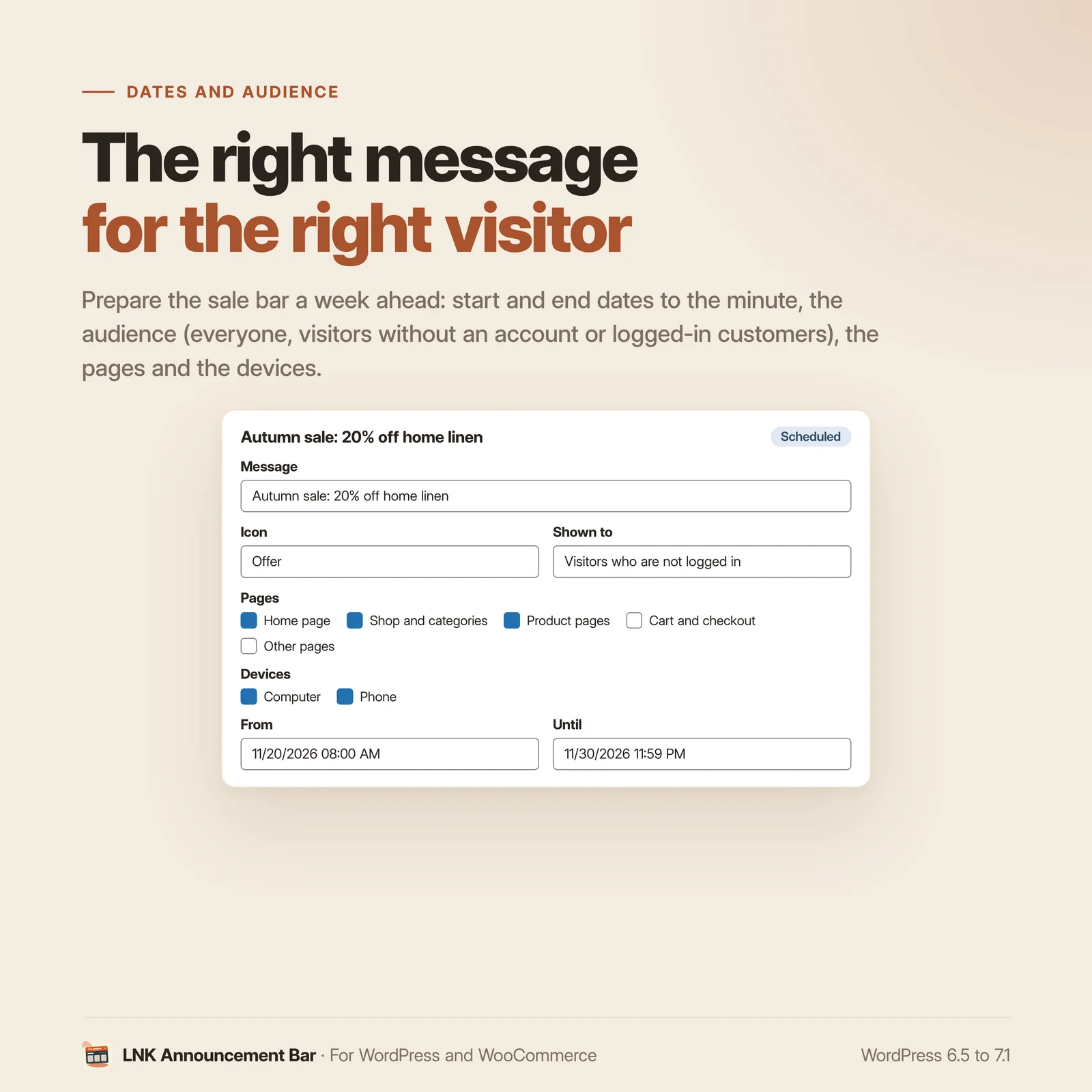
Prepare the sale banner a week early: each announcement has a start date and an end date, to the minute. The settings screen tells you whether each one is live, scheduled or ended. An announcement without dates stays visible until you remove it.
The right message for the right visitor
Show the welcome code to people who do not have an account yet, and a loyalty reminder to your logged-in customers. Pick the pages too: home, shop and categories, product pages, cart and checkout, or the rest of the site. An announcement can target phones only, or computers only.
Rotation without a script
Up to six announcements take turns with a fade or a slide, at the pace you set. The stylesheet does it all: no script runs to rotate them. Hovering pauses the rotation, and a visitor who asks their system for less motion sees still announcements, which they can swipe.
A layout that never moves
The server builds the strip at the height of its longest announcement: nothing pushes your content when the page appears, and your visual stability score stays intact. In "pinned to the top of the screen" mode, an invisible placeholder keeps the room in the page.
Closing that respects consent
Visitors can close the strip. It stays closed for thirty days only if they accepted preference cookies through your WP Consent API compatible banner. The choice is made in the browser: the strip works behind a full-page cache. A new or edited announcement brings it back.
Léger et rapide
Figures measured on the shipped extension, compressed (zlib, level 9): 1.9 KB of CSS for the strip, its two effects and its seven styles, and 0.6 KB of JavaScript, loaded only when closing is allowed. A page with no announcement to show loads nothing. The settings screen only weighs on the admin.
Seven looks, or your theme's colors
Dark, high contrast, editorial, sale, minimal, pill, or the colors of your block theme (primary
color from theme.json), with text that stays readable on the chosen background. A child theme can
adjust the CSS variables or provide its own template in lnk-announcementbar/bar.php.
Ready for WooCommerce, multisite and Arabic
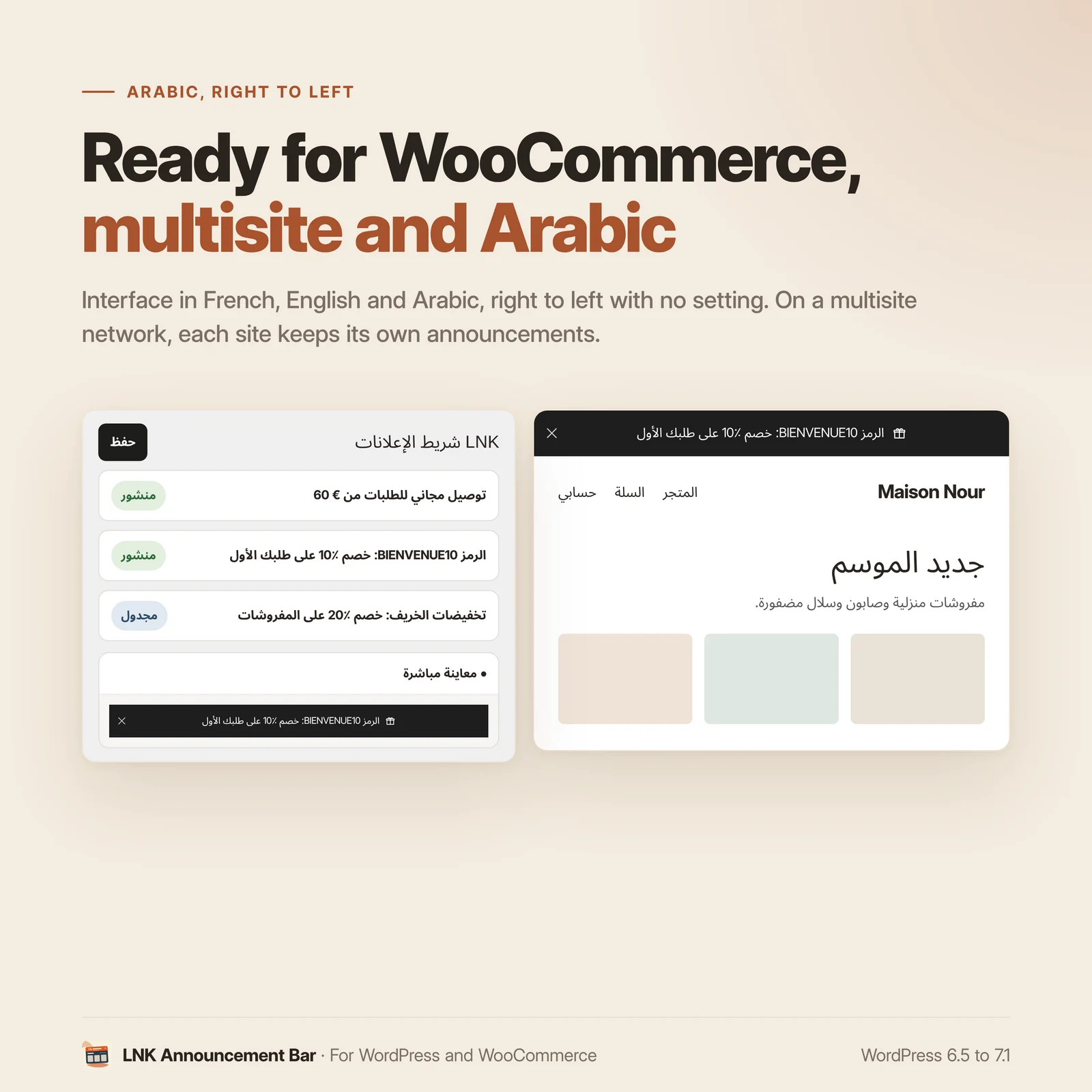
Compatible with HPOS order tables and the block checkout, tested by the LNKBOOT factory from WordPress 6.5 to 7.1, PHP 7.4 to 8.3 and WooCommerce 9.0 to 11.2. On a multisite network, each site keeps its own announcements. Interface in French, English and Arabic, right to left with no setting.
Frequently asked questions
Where do I set up the announcements?
In the WooCommerce menu, under "Announcement bar" (under Settings when WooCommerce is not active). Each announcement is a folded card: open it to change its text, link, dates and audience. The empty card at the bottom of the list adds a new one.
Do I need a block theme?
No. The strip is inserted through the wp_body_open hook, which block themes and recent classic themes both provide. You add no block and no shortcode.
How do I prepare a sale announcement in advance?
Enter the start date and time, then the end. The announcement appears and disappears on its own; the screen shows it as "Scheduled" in the meantime, then "Ended".
Can I keep a message for customers who have an account?
Yes. Each announcement speaks to everyone, to visitors who are not logged in only, or to logged-in customers only. You also pick the pages and the type of device.
Does it work with a caching plugin?
Yes for closing: the visitor's choice is read in their browser, never by the server. If you target announcements by login status, set your cache so that it does not serve logged-in customers the pages prepared for visitors, as common caching extensions do with WooCommerce.
Does the extension set a cookie?
Only when a visitor closes the strip and has accepted preference cookies through a WP Consent API compatible banner. This cookie, lnkab, holds a fingerprint of your announcements, nothing about the person, and expires after thirty days.
Does the strip slow my pages down?
It adds 1.9 KB of compressed CSS, and 0.6 KB of JavaScript when closing is allowed. The rotation needs no script. A page where no announcement applies loads nothing.
Does it work on a multisite network?
Yes. Each site of the network has its own announcements and settings. Deleting the extension erases the data of every site.
My site is in Arabic: does the strip adapt?
Yes. It follows the reading direction of WordPress, right to left, and the settings screen is translated into Arabic, French and English.
Release history
-
Fixes
- Product page: catalog category (breadcrumb), missing from 1.0.0.
-
First WordPress version of LNK Announcement Bar (edition of the PrestaShop version).
New
- Top bar at the top of the site through wp_body_open: up to six rotating announcements, fade or slide effect, 3 to 10 seconds each, pause on hover.
- For each announcement: text, link and link text, icon, start and end dates, audience (everyone, visitors, logged-in customers), pages and devices.
- Rotation by the stylesheet alone; height set by the server, no layout shift; pinned-to-the-top mode.
- Closing remembered for thirty days with preference consent (WP Consent API), decided in the browser.
- Seven looks, including the theme's colors; template replaceable by the theme.
- Settings screen with the common design of LNK extensions and a live preview.
- HPOS and block checkout compatibility declared, multisite site by site, French, English and Arabic.