 Module · LNK Sample Requests
LNK Sample Requests, the button that lets your trade buyer try before ordering
Your trade buyer hesitates to order 200 units of a product they have never held. Today they write to you, you prepare a separate shipment, and nobody knows afterwards whether they ordered. LNK Sample Requests puts a "Request a sample" button on the product page: the sample ships with a normal order, and the back office tells you who ordered the product afterwards.
- Version 1.1.0 · PrestaShop 1.7.6 to 8.x
- Version 1.9.0 · PrestaShop 9
- PrestaShop 1.7.6 to 9.x
- PHP 7.1 to 8.4
- No override
Screenshots
Key points
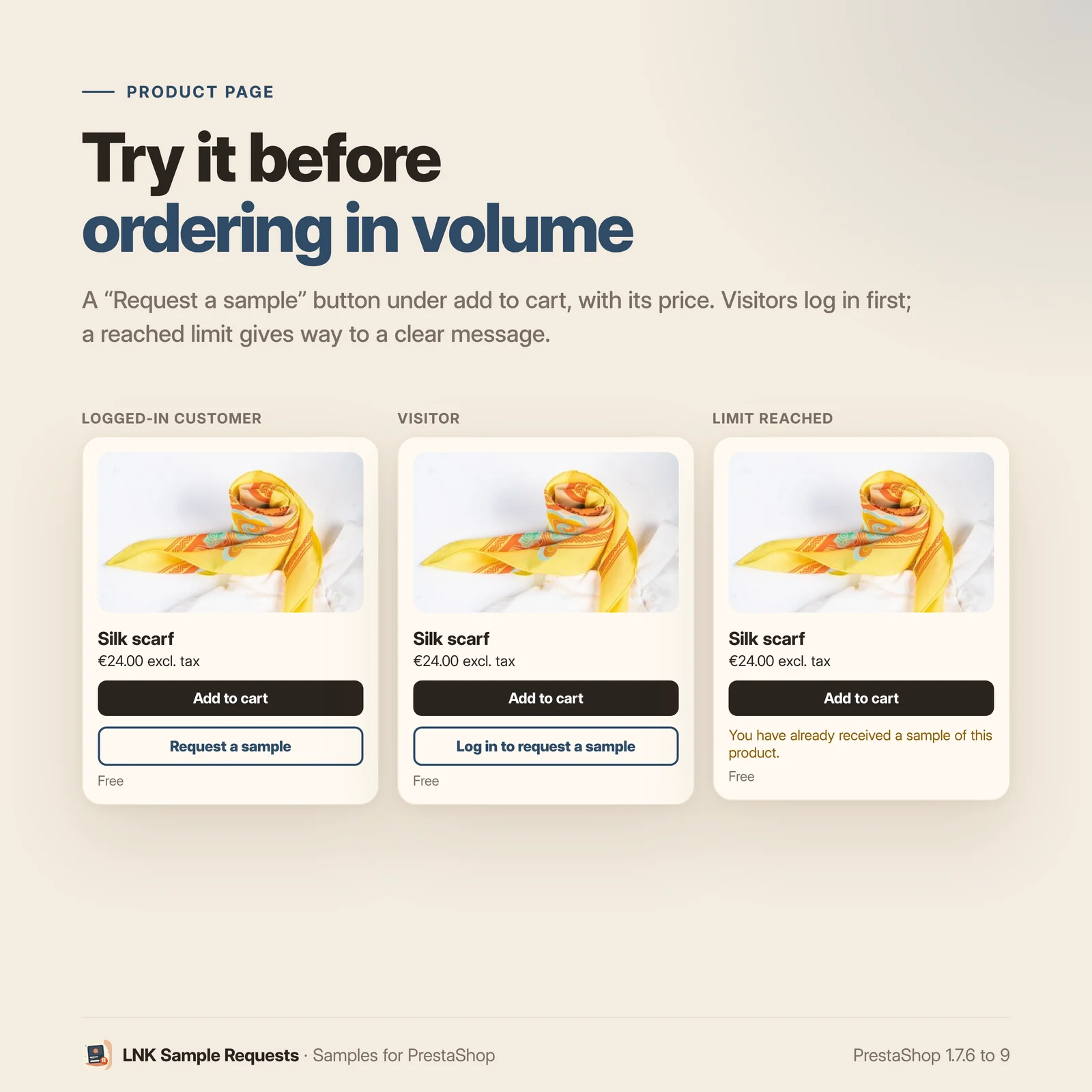
- "Request a sample" button on the product page.
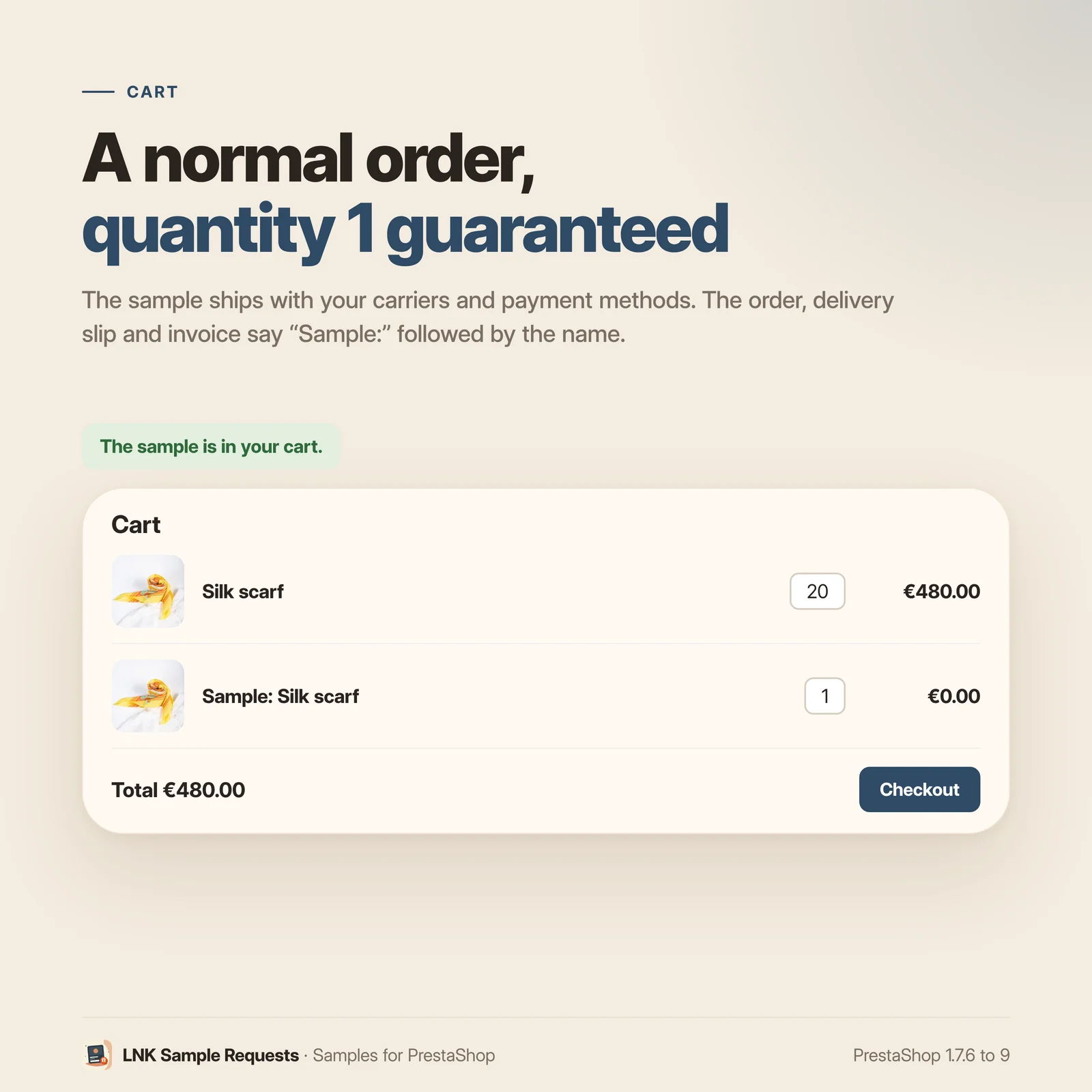
- The sample ships with a normal order: carriers, payment, invoice.
- Hidden native product "Sample: <name>", never in search or lists.
- Free, fixed amount excluding tax (to the cent) or percentage of the price.
- Quantity 1 guaranteed in the cart, no override.
- Limits per customer and per product, and over 30 days.
- Logged-in customers only by default.
- List of requests and "ordered afterwards", with the converted share.
- All the products of a category in one click.
- 0.3 KB of CSS on the relevant product pages, no JavaScript.
- Multistore, French, English and Arabic (right to left).
- PrestaShop 1.7.6 to 9, no override.
A button on the product page, a normal order
The customer clicks "Request a sample": the sample goes into their cart, and they place the order as usual, with your carriers and your payment methods. No form to process by hand, no separate shipment: the order, the delivery slip and the invoice say "Sample:" followed by the product name.
A real product, hidden everywhere else
For each product that offers samples, the module creates a hidden native product, "Sample: <product name>", with the product's photo and its tax. This product never appears in search or in product lists. It keeps its own price, and it interferes neither with the real product in the cart, nor with its quantity prices. When the original product changes name, tax or price, the sample follows.
Free or paid
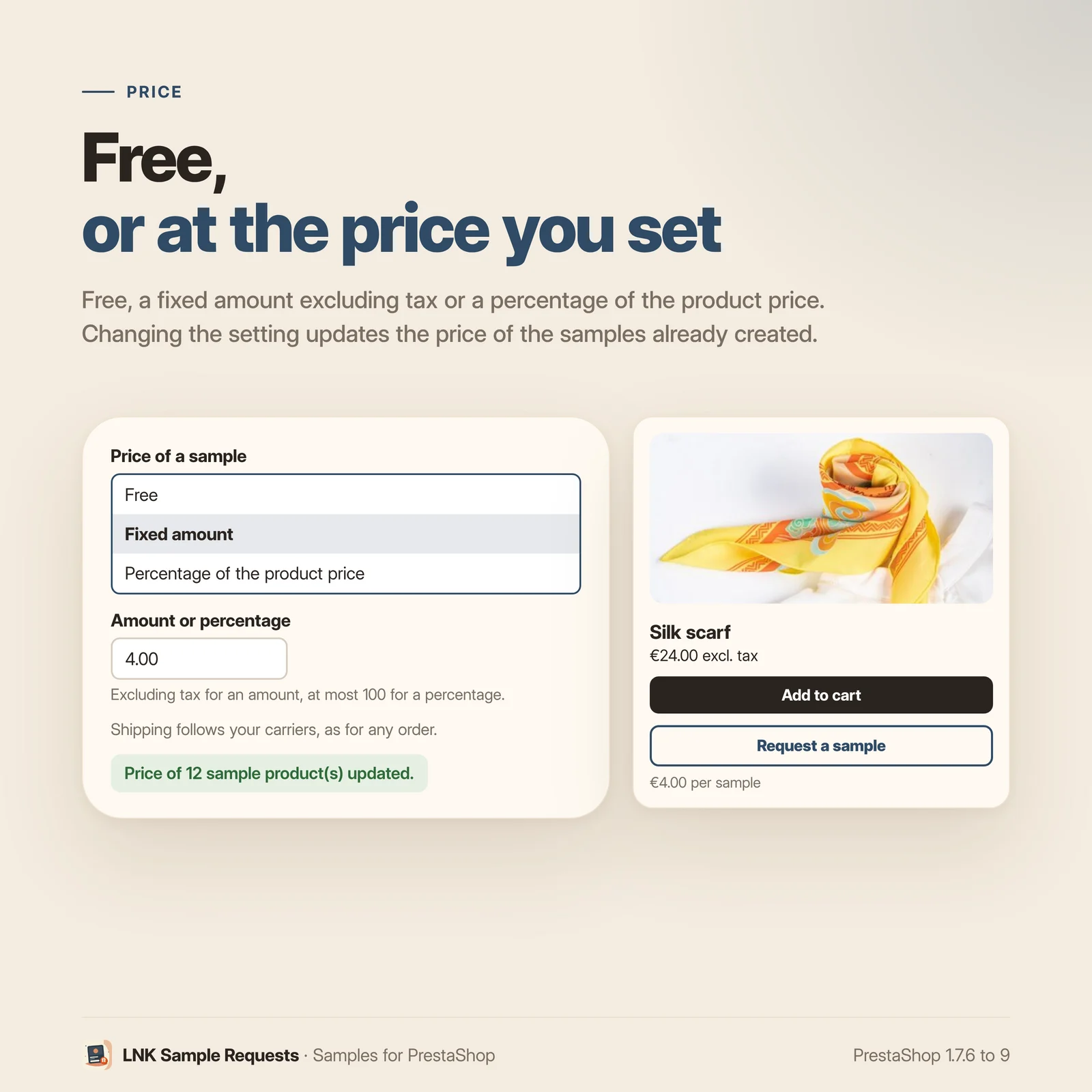
Three price settings: free, a fixed amount excluding tax, or a percentage of the product price. The button shows the price ("Free" or the price per sample). Changing the setting updates the price of samples already created. Shipping follows your carriers, as for any order.
Limits to prevent abuse
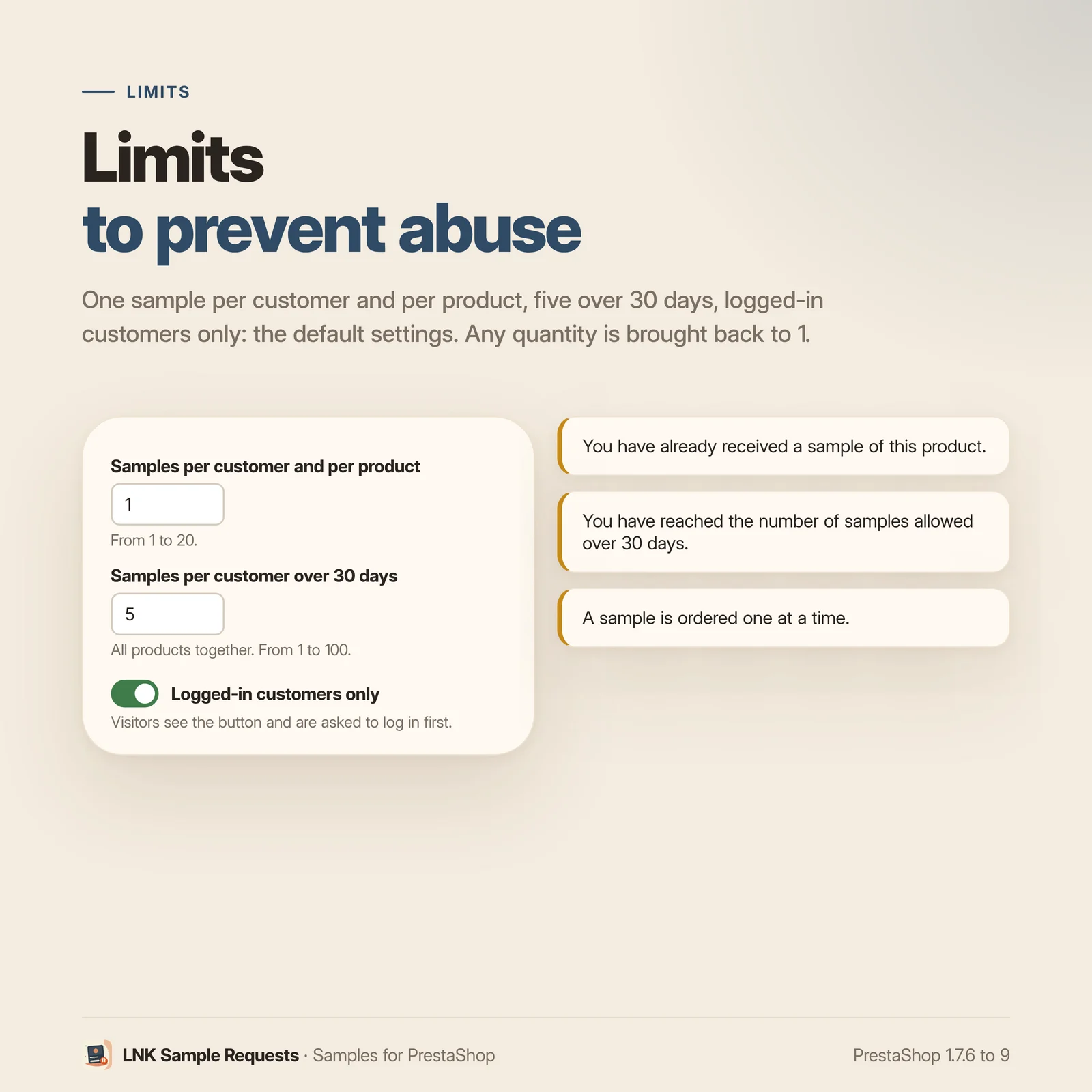
- Quantity 1: any quantity is brought back to 1 in the cart, and the order cannot go through otherwise. Checked on the test bench on 1.7.6, 8.1 and 9.2, from the product page, a list and the quick view.
- One sample per customer and per product (adjustable from 1 to 20).
- Five samples per customer over 30 days, all products together (adjustable).
- Logged-in customers only by default: visitors see the button and log in first.
When a limit is reached, the button gives way to a clear message.
Who ordered afterwards
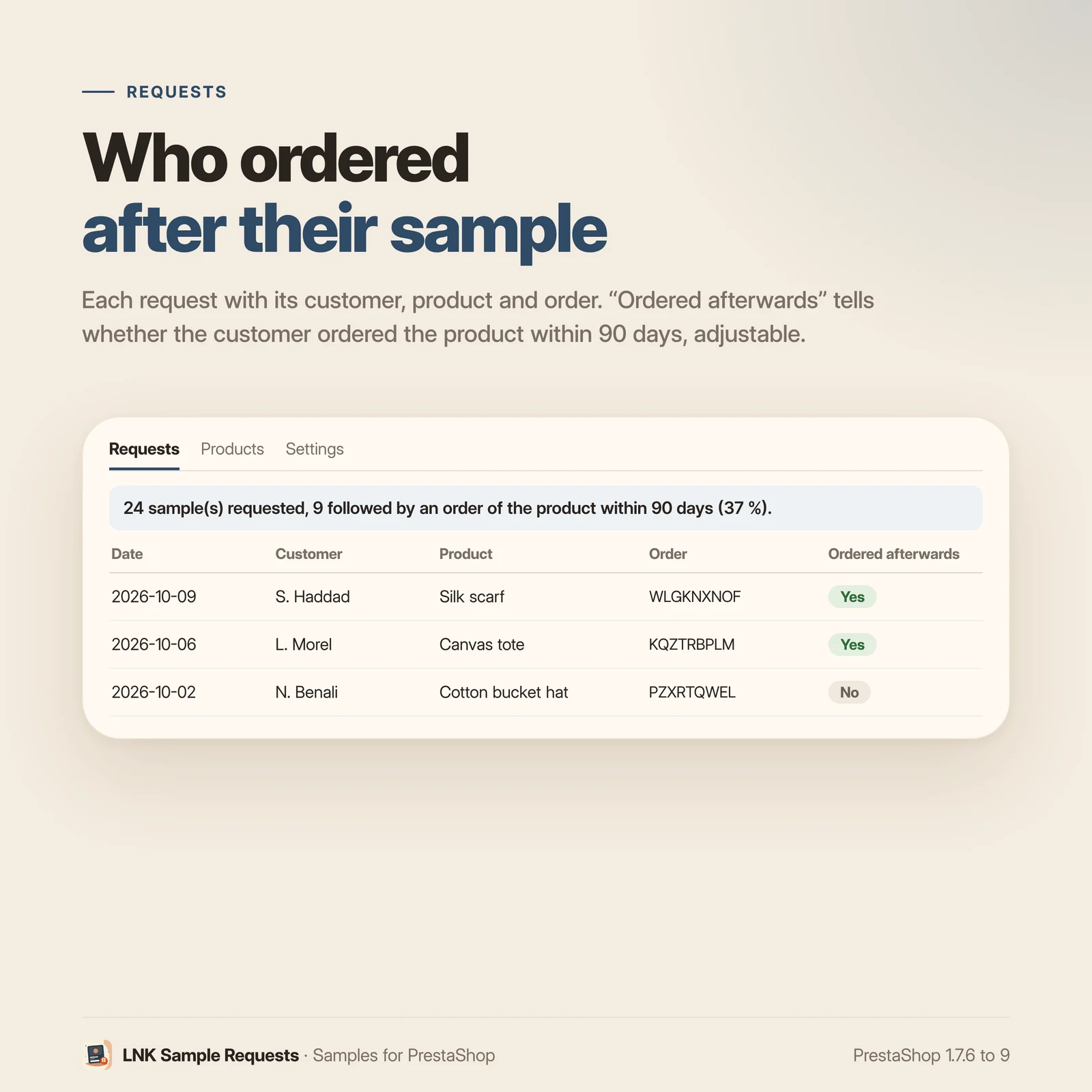
The module's page lists the requests: date, customer, product, order. An "Ordered afterwards" column shows whether the customer ordered the product itself within 90 days (adjustable), and the top of the list gives the share of samples followed by an order. You finally know what your samples bring in.
A whole catalogue in one click
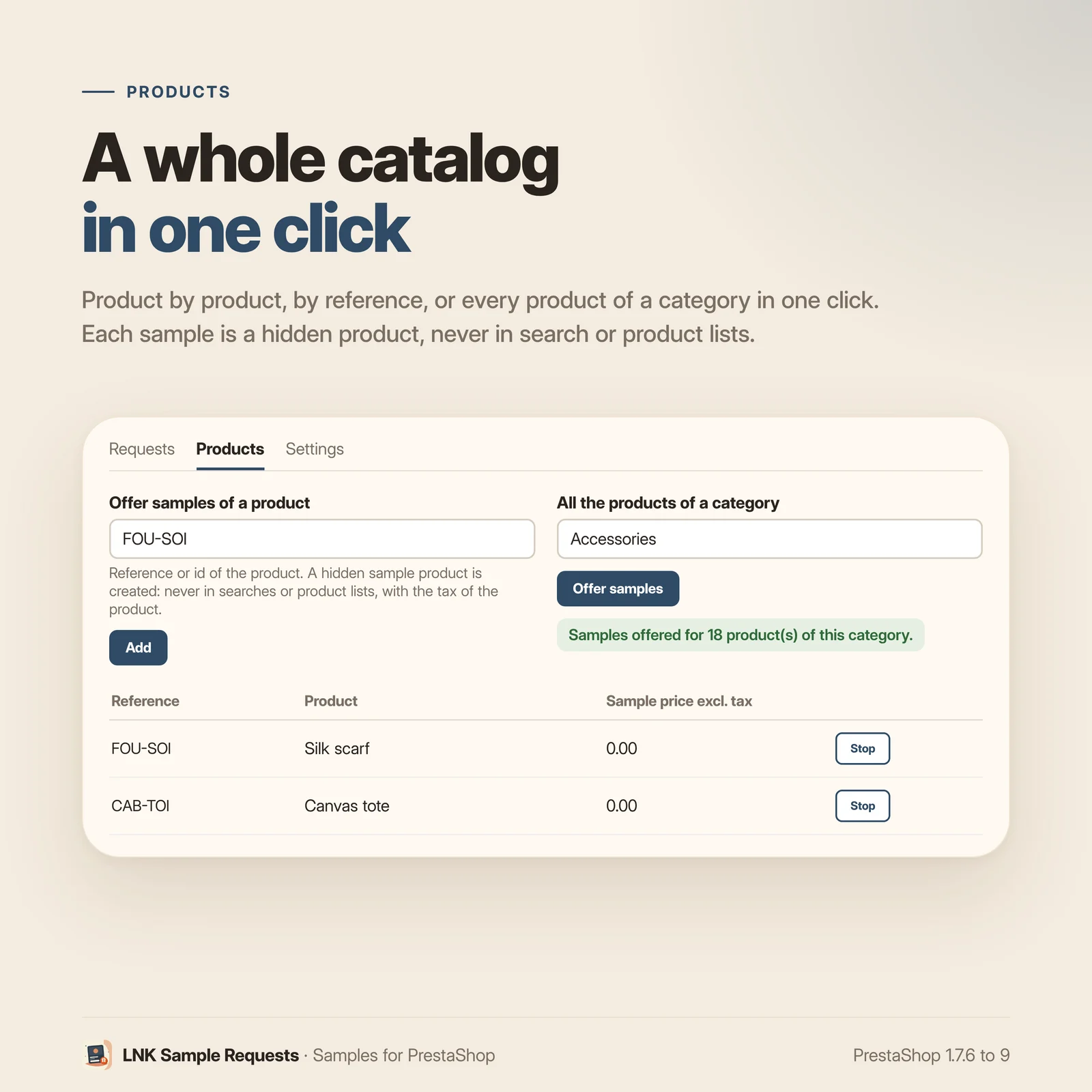
Offer samples product by product (reference or id), or for all the products of a category in a single click. Stopping works the same way; past orders keep their lines.
Light and fast
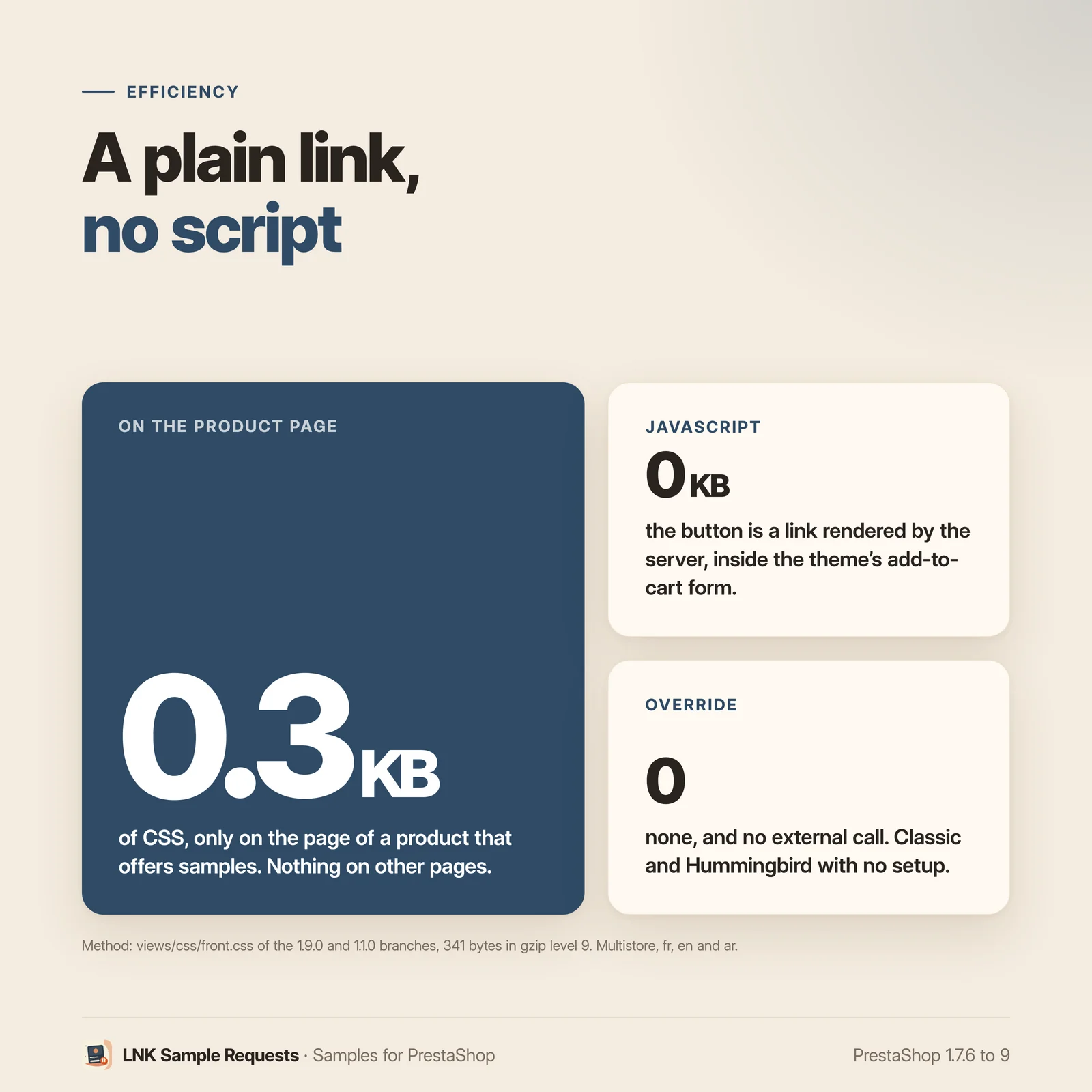
Figures measured on the delivered module, compressed (zlib, level 9): 0.3 KB of CSS on the page of a product that offers samples, and only there. No JavaScript, nothing on other pages. The button is a simple link rendered by the server.
Compatible with PrestaShop 1.7.6, 8 and 9
Two versions of the module, one per generation: 1.1 for PrestaShop 1.7.6 to 8.x, 1.9 for PrestaShop 9, with a native page in each back office, under Catalog. Classic and Hummingbird with no setting; LNK themes place the button through a dedicated hook (theme contract). No override, no external call.
Frequently asked questions
How do I offer samples on PrestaShop?
Install LNK Sample Requests, then, on its page (Catalog), add the products that offer samples: one by one by their reference, or all those of a category in one click. The "Request a sample" button appears at once on their product page.
How does the sample reach the customer?
With a normal order. The button puts the sample in the cart, and the customer orders as usual, with your carriers and your payment methods. The order and the invoice carry the line "Sample:" followed by the product name.
Can the sample be free?
Yes, that is the default setting. It can also cost a fixed amount excluding tax, or a percentage of the product price. Shipping follows your carriers, as for any order: to offer it, set your shipping costs as usual.
What does the module create in my catalogue?
One hidden native product per product that offers samples: "Sample: <name>", with the product's photo and tax, and its own price. It has PrestaShop's "nowhere" visibility: never in search or in product lists. It follows the original product (name, tax, price) and disappears with it.
Can a customer order ten samples of the same product?
No. Any quantity is brought back to 1 in the cart, and the order cannot go through otherwise. Checked on PrestaShop 1.7.6, 8.1 and 9.2, from the product page, a product list and the quick view. On top of that, a customer receives one sample per product and five over 30 days (two settings).
Can visitors who are not logged in request a sample?
By default, no: they see the button and log in first, then come back to the product page. A setting opens samples to everyone; limits per customer then only apply to logged-in customers.
How do I know whether a sample led to a sale?
The list of requests shows, for each one, whether the customer ordered the product itself within 90 days (adjustable time), and the top of the list gives the share of samples followed by an order. Only valid orders count.
Do I need to change my theme?
No. With Classic, Hummingbird and most themes, the button sits under the add to cart through the
native hook of the product page. A theme can place it elsewhere with the displayLnkSampleButton
hook, and style it with its own button classes.
Does the module slow my shop down?
No. It loads 0.3 KB of CSS on the page of a product that offers samples, and nothing elsewhere. No JavaScript: the button is a link rendered by the server.
Does it work with multistore?
Yes. Each shop has its own sample products and requests, and settings apply to all shops, to a group or to one shop. A deleted shop takes its requests away.
Does the module contain an override?
No. No override: quantity 1 is guaranteed by the native cart hooks, without changing the PrestaShop core. No external call.
What is left if I uninstall the module?
The sample products and the list of requests are deleted. Orders already placed keep their lines, with the name and price of the sample.
Release history
-
Version 1.9.0 PrestaShop 9
New
- "Request a sample" button on the product page, under the add to cart;
displayLnkSampleButtonhook for themes (contractlnk.samples.button/1). - Native, hidden sample product for each product that offers samples: "Sample: <name>", photo and tax of the product, its own price; kept up to date with the original product and deleted with it.
- Price of a sample: free, fixed amount excluding tax or percentage of the product price; a new setting updates the samples already created.
- Quantity 1 guaranteed in the cart without override, from the product page, a list or the quick view.
- Limits per customer and per product, and per customer over 30 days; logged-in customers only by default.
- List of requests with "Ordered afterwards" (order of the product within an adjustable time) and the share of samples followed by an order.
- Products offered one by one or all those of a category in one click.
- Module page under Catalog, on the common look of LNK modules: requests, products, settings.
- Multistore: sample products and requests per shop, settings per shop, per group or common.
- French, English and Arabic (right to left).
- "Request a sample" button on the product page, under the add to cart;
-
Version 1.1.0 PrestaShop 1.7.6 to 8.x
New
- "Request a sample" button on the product page, under the add to cart;
displayLnkSampleButtonhook for themes (contractlnk.samples.button/1). - Native, hidden sample product for each product that offers samples: "Sample: <name>", photo and tax of the product, its own price; kept up to date with the original product and deleted with it.
- Price of a sample: free, fixed amount excluding tax or percentage of the product price; a new setting updates the samples already created.
- Quantity 1 guaranteed in the cart without override, from the product page, a list or the quick view.
- Limits per customer and per product, and per customer over 30 days; logged-in customers only by default.
- List of requests with "Ordered afterwards" (order of the product within an adjustable time) and the share of samples followed by an order.
- Products offered one by one or all those of a category in one click.
- Module page under Catalog, on the common look of LNK modules: requests, products, settings.
- Multistore: sample products and requests per shop, settings per shop, per group or common.
- French, English and Arabic (right to left).
- "Request a sample" button on the product page, under the add to cart;