 Module · LNK Reorder
LNK Reorder, replenishment in a few clicks for your loyal customers
A business customer reorders the same products every month, in quantities that change a little. PrestaShop can reorder a whole order, not pick its lines. LNK Reorder gives them a "My usual products" page: everything they already ordered, at today's price and stock, with the last quantity prefilled. They tick, adjust, and everything goes to the cart.
- Version 1.1.2 · PrestaShop 1.7.6 to 8.x
- Version 1.9.2 · PrestaShop 9
- PrestaShop 1.7.6 to 9.x
- PHP 7.1 to 8.4
- No override
Screenshots
Key points
- "My usual products" page: everything the customer already ordered, at today's price.
- Last quantity prefilled, date, number of orders, stock status.
- Search and sorting (most ordered, most recent).
- Ticked lines added to the cart, with or without JavaScript.
- Lines of an order to reorder from its detail.
- Nothing to set up: page, link and detail in place on installation.
- Header link, empty cart and link from Quick order, for customers who have already ordered.
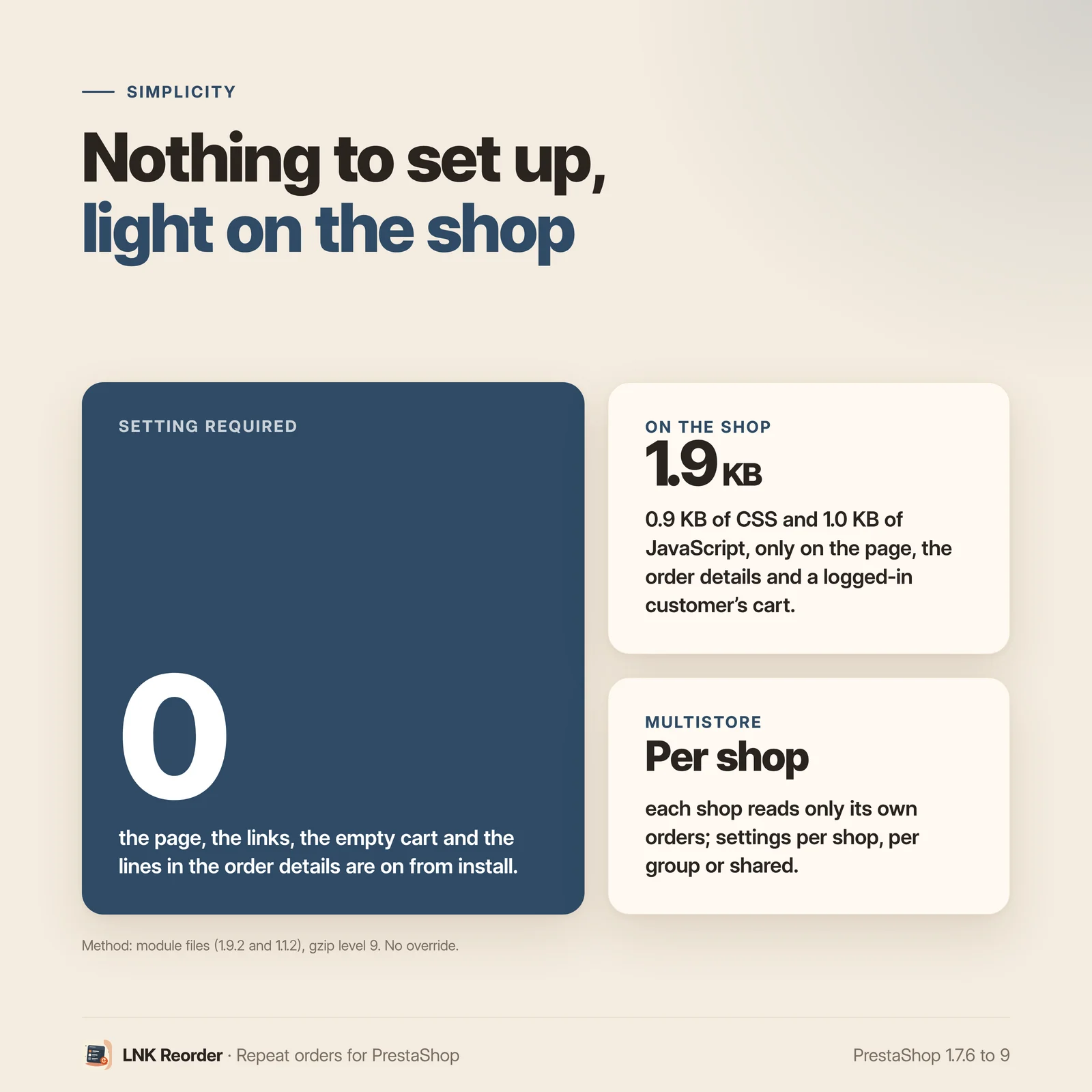
- 0.9 KB of CSS and 1.0 KB of JavaScript, only where the module shows.
- Multistore: each shop only reads its own orders.
- French, English and Arabic (right to left).
- PrestaShop 1.7.6 to 9, no override.
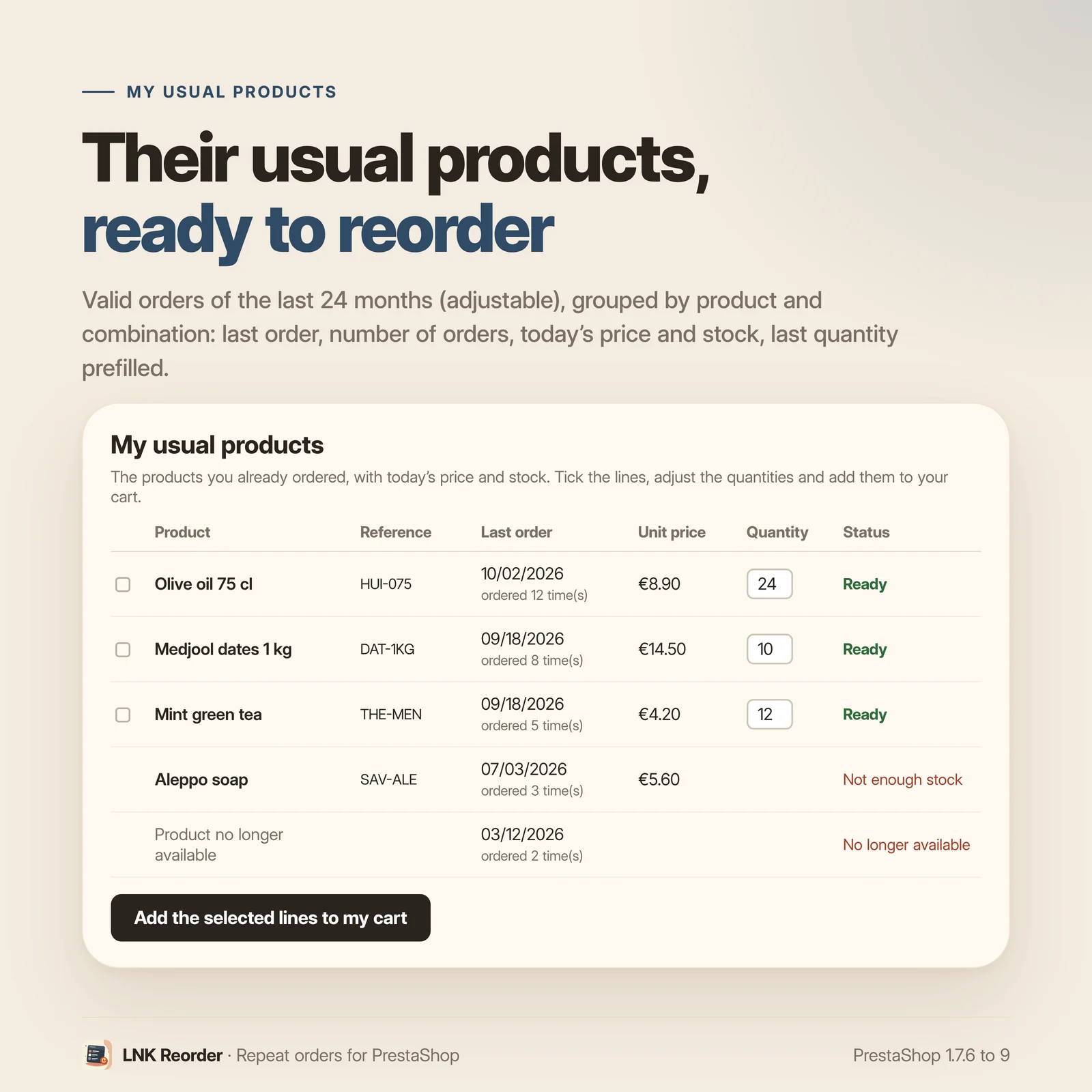
Their usual products, at today's price
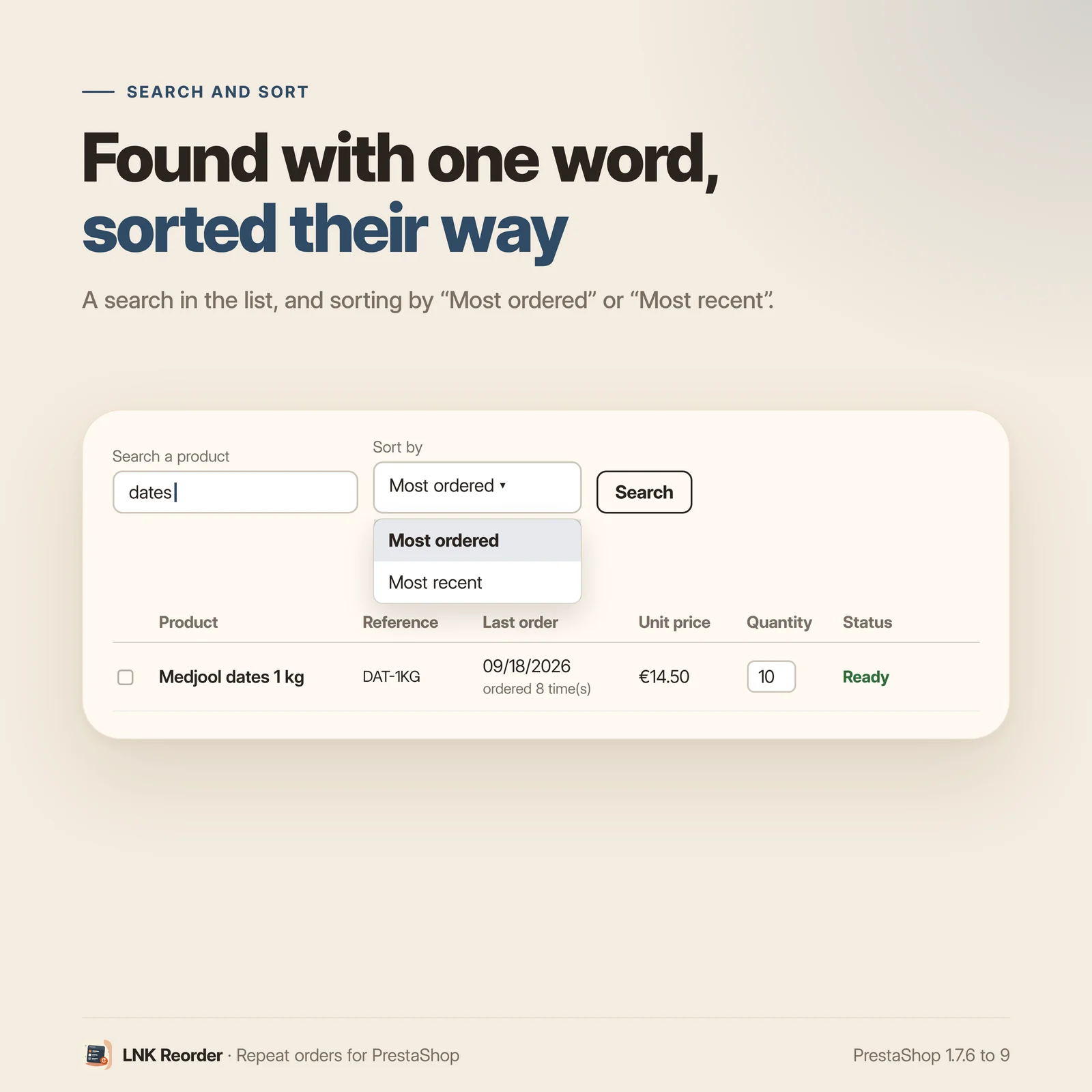
The page gathers the products of the customer's valid orders in your shop, combination by combination: date of the last order, number of orders, current price of their customer group, and status (ready, insufficient stock, no longer available). They search for a product, sort by most ordered or most recent.
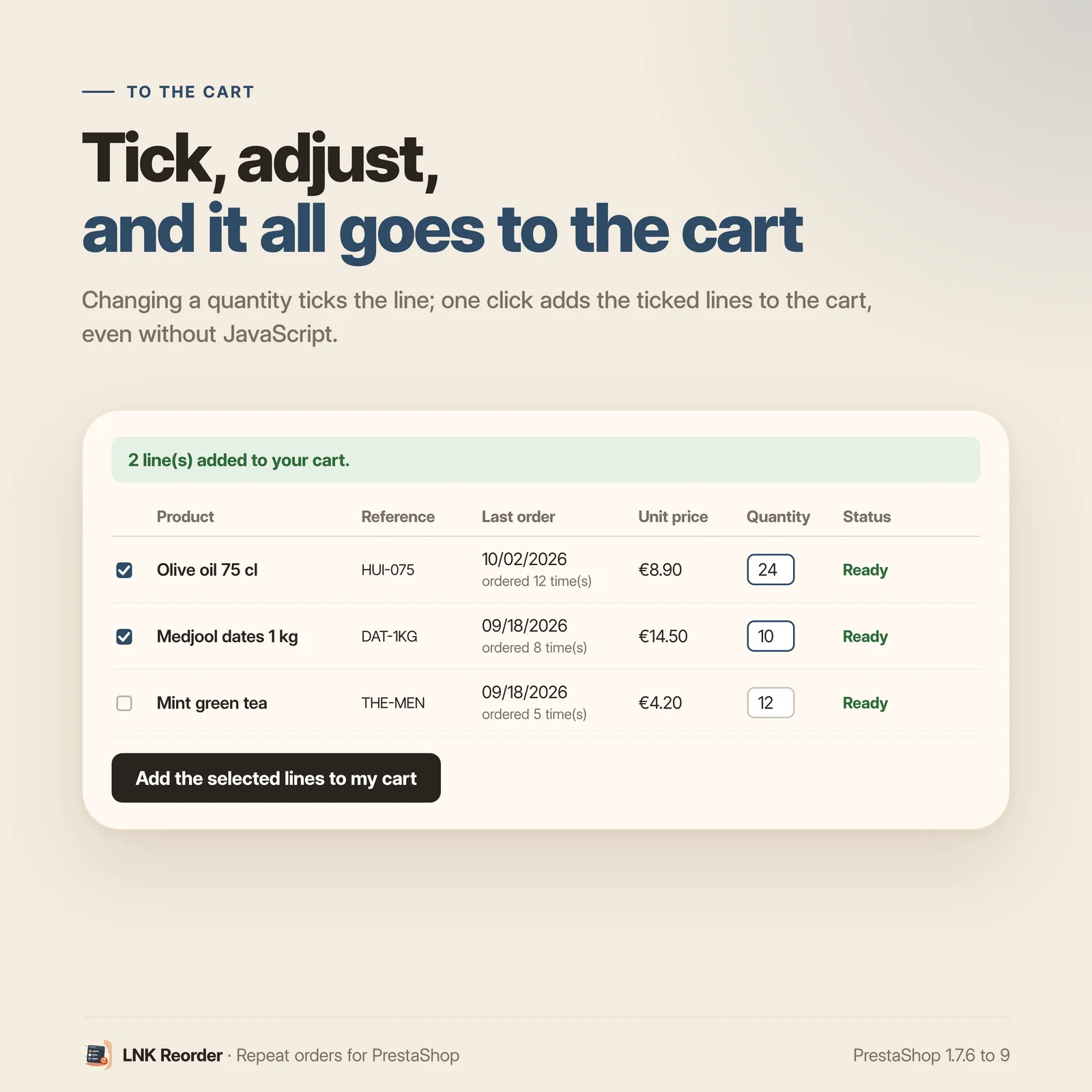
Line by line, with the right quantity
The last quantity ordered is prefilled and can be changed. Changing a quantity ticks the line. One click adds the ticked lines to the cart, like the native button, with PrestaShop's stock and minimum quantity checks.
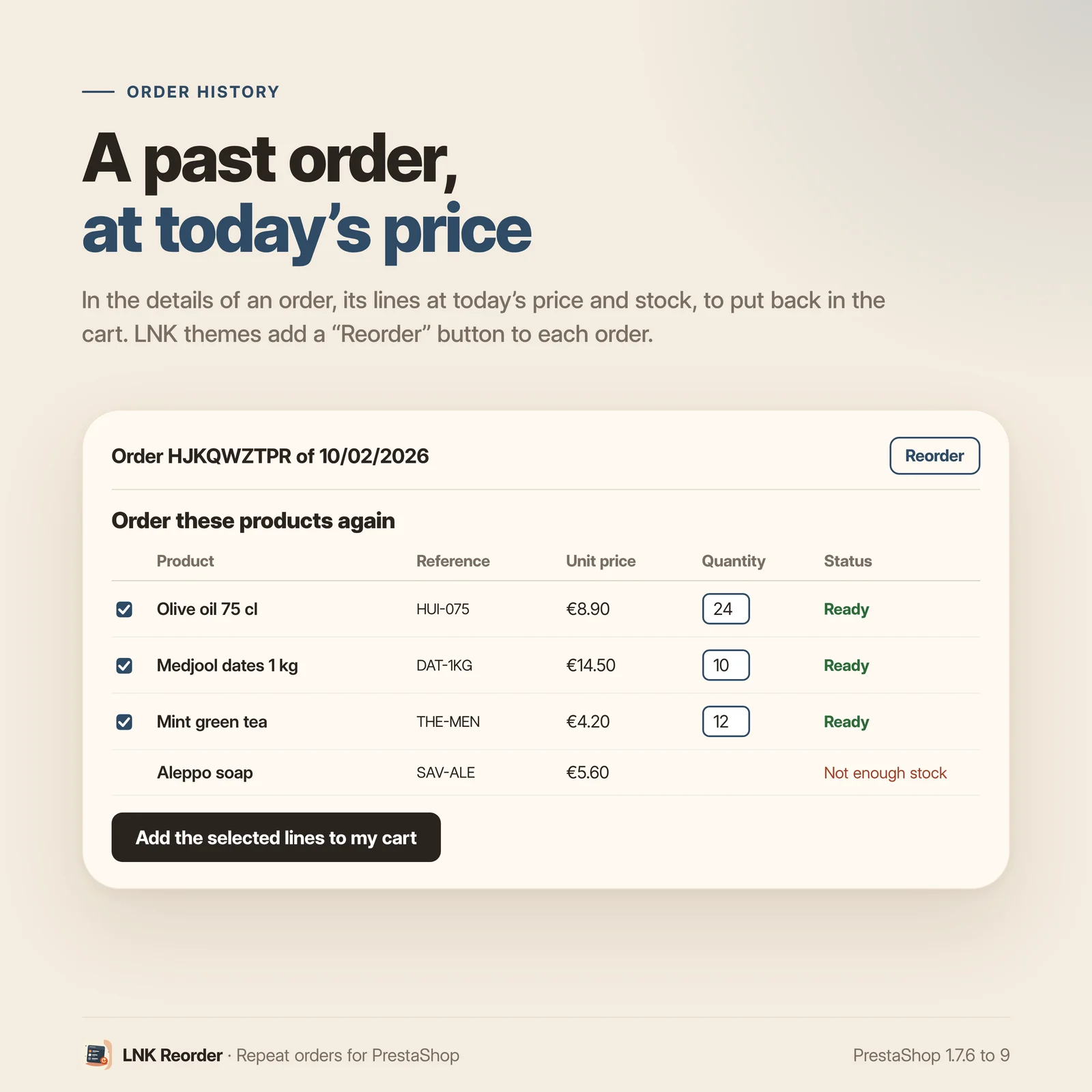
From an order's detail
Under an order of their history, the customer finds its lines at today's price and stock, and adds them back to the cart one by one or together.
Further than "Reorder"
| "Reorder" (PrestaShop) | LNK Reorder | |
|---|---|---|
| Starting point | one order | the products, across all orders |
| Choice | the whole order, all or nothing | line by line, quantity can be changed |
| Price and stock | found out in the cart | shown before adding, at the group's price |
| Where | the order history | My account, header, empty cart, an order's detail, Quick order |
The native button stays: LNK Reorder is for the business buyer who reorders the same references, not necessarily the same order.
Visible without being intrusive
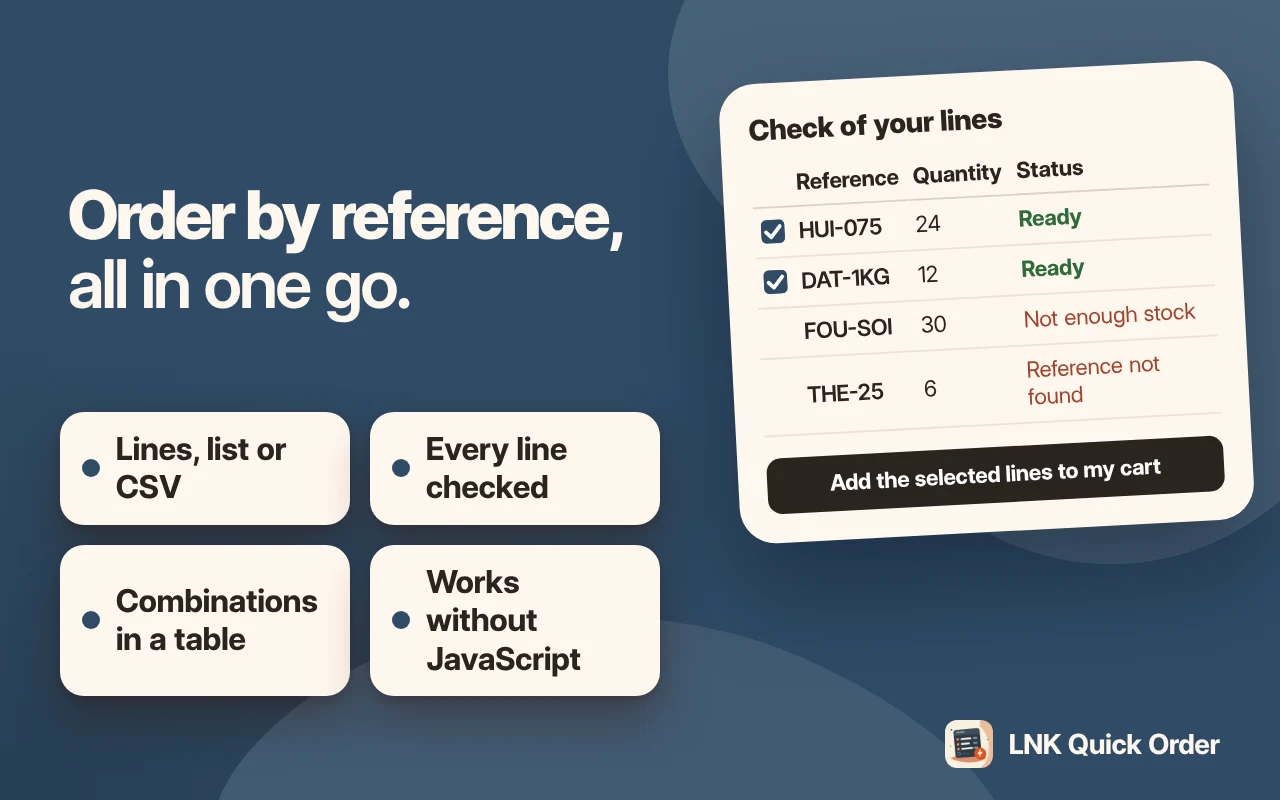
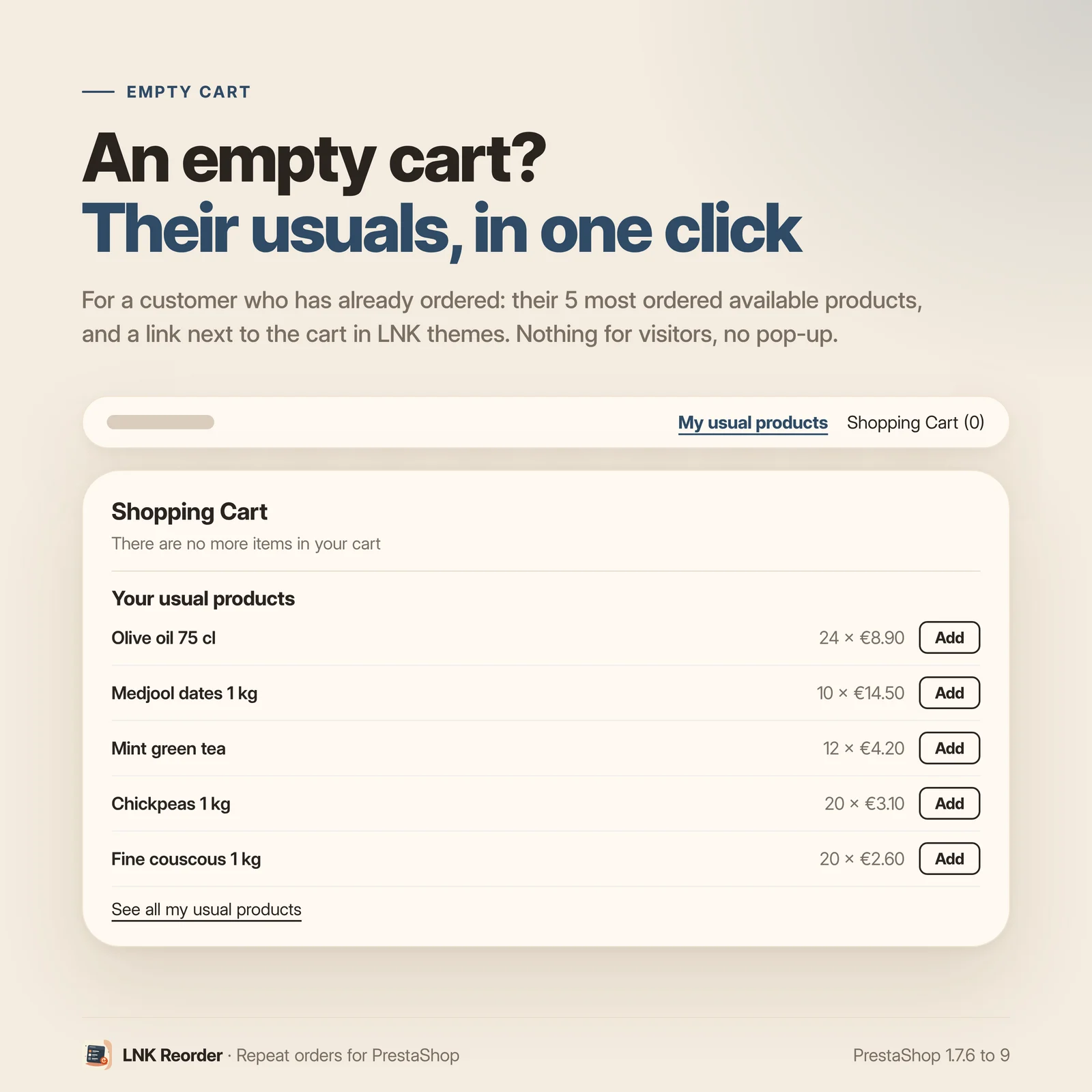
A "My usual products" link near the cart (the theme places the widget), a discreet block when the cart is empty (their 5 most ordered products, added in one click), and a "From my usual products" link on the LNK Quick Order page. Only for a logged-in customer who has already ordered: visitors see nothing, no window opens. Each entry can be turned off in the settings.
Nothing to set up
Once installed, the page is online at /mes-produits-habituels, the link is in "My account", and
the lines to reorder show in the order details.
Light and fast
Figures measured on the delivered module, compressed (zlib, level 9): 0.9 KB of CSS and 1.0 KB of JavaScript, loaded only on this page, an order's detail and a logged-in customer's cart. Without JavaScript, everything works with forms.
Compatible with PrestaShop 1.7.6, 8 and 9
Two versions of the module, one per generation: 1.1 for PrestaShop 1.7.6 to 8.x, 1.9 for PrestaShop 9, with a native settings page in each back office, under Orders. Classic and Hummingbird themes with no setting; LNK themes add a "Reorder" button per order (theme contract). No override, no table, no external call.
Frequently asked questions
What is the difference with PrestaShop's "Reorder"?
The native button starts from one order and puts it back in the cart whole, in its quantities of the time: it is all or nothing, and the customer finds out in the cart what changed in price or is out of stock. LNK Reorder starts from the products: everything the customer has already ordered, across all orders, line by line, with their group's price and today's stock before adding. They pick their lines and quantities. Both coexist: the native button stays in the order history.
Which orders are taken into account?
The customer's valid orders in the shop, over the last months (24 by default, configurable from 0 to 120; 0 reads every order). From an order's detail, its lines are read as they are.
Is the price shown the one of the old order?
The price shown is today's, the one of their customer group, calculated by PrestaShop. The stock is today's too.
What about a product deleted or disabled since?
It stays in the list with "No longer available", without a checkbox. A product without enough stock is flagged the same way.
Must the customer be logged in?
Yes. The page is in their account; a visitor is sent to the login page and comes back to the page.
Is JavaScript needed?
No. Without JavaScript, the form is posted and the customer goes back to the cart. With it, adding happens without reloading and the header cart updates.
How many products does the page show?
Up to 200 by default, most ordered first (configurable from 20 to 500). The search filters the list by name or reference.
Does the module slow my shop down?
No. 0.9 KB of CSS and 1.0 KB of JavaScript compressed, loaded only on the page, an order's detail and a logged-in customer's cart. The header link loads nothing.
Does it work with multistore?
Yes. Settings apply to all shops, to a group or to one shop, and each shop only reads its own orders.
What is left if I uninstall the module?
Nothing. The module has no table and no override: uninstalling removes its settings and its tab. Your customers' orders are never changed.
Where does the customer find their usual products?
In "My account", under each order of the history, and, if you want, in three more places, on by default: a link near the cart in the header (the theme places the widget), a "Your usual products" block when their cart is empty, and a "From my usual products" link on the LNK Quick Order page. Only for a logged-in customer who has already ordered; nothing for visitors, no pop-up.
Release history
-
Version 1.9.2 PrestaShop 9
New
- "My usual products" link for the header, near the cart: {widget name='lnk_reorder' mode='link'} widget placed by the theme, rendered only for a logged-in customer who already has a valid order.
- Empty cart of a customer who has already ordered: their 5 most ordered products in stock, added back in one click, and the link to the page. Nothing for visitors, no pop-up.
- Contract lnk.reorder.link/1 (Lnk_Reorder::usualProductsLink): LNK Quick Order shows a "From my usual products" link on its page, without any dependency.
- Three options, on by default, for these three entry points.
Fixes
- The "line(s) added" message also shows when the form sits in a list.
-
Version 1.9.1 PrestaShop 9
Fixes
- Name of the tab under Orders in English and Arabic: it used the name of another LNK module. The update renames the existing tab if it still has the old name.
-
Version 1.9.0 PrestaShop 9
New
- "My usual products" page (/mes-produits-habituels, logged-in customer): products already ordered in the shop, grouped by product and combination, with the last order, the number of orders, today's price and stock, the last quantity prefilled; search and sorting.
- Ticked lines added to the cart, without JavaScript or without reloading (native updateCart event, then lnk:reorder:added); a changed quantity ticks its line.
- Order detail: its lines at today's price and stock, to add again to the cart.
- Link in "My account"; button per order for themes; theme contract lnk.reorder/1.
- Settings page on the common look of LNK modules, under Orders, with a preview of the page for a chosen customer.
- Multistore: settings per shop, per group or common; each shop only reads its own orders.
- French, English and Arabic (right to left).
Show the 3 previous versions
-
Version 1.1.2 PrestaShop 1.7.6 to 8.x
New
- "My usual products" link for the header, near the cart: {widget name='lnk_reorder' mode='link'} widget placed by the theme, rendered only for a logged-in customer who already has a valid order.
- Empty cart of a customer who has already ordered: their 5 most ordered products in stock, added back in one click, and the link to the page. Nothing for visitors, no pop-up.
- Contract lnk.reorder.link/1 (Lnk_Reorder::usualProductsLink): LNK Quick Order shows a "From my usual products" link on its page, without any dependency.
- Three options, on by default, for these three entry points.
Fixes
- The "line(s) added" message also shows when the form sits in a list.
-
Version 1.1.1 PrestaShop 1.7.6 to 8.x
Fixes
- Name of the tab under Orders in English and Arabic: it used the name of another LNK module. The update renames the existing tab if it still has the old name.
-
Version 1.1.0 PrestaShop 1.7.6 to 8.x
New
- "My usual products" page (/mes-produits-habituels, logged-in customer): products already ordered in the shop, grouped by product and combination, with the last order, the number of orders, today's price and stock, the last quantity prefilled; search and sorting.
- Ticked lines added to the cart, without JavaScript or without reloading (native updateCart event, then lnk:reorder:added); a changed quantity ticks its line.
- Order detail: its lines at today's price and stock, to add again to the cart.
- Link in "My account"; button per order for themes; theme contract lnk.reorder/1.
- Settings page on the common look of LNK modules, under Orders, with a preview of the page for a chosen customer.
- Multistore: settings per shop, per group or common; each shop only reads its own orders.
- French, English and Arabic (right to left).