 Module · LNK Connect as customer
LNK Connect as customer: see the shop exactly as your customer does
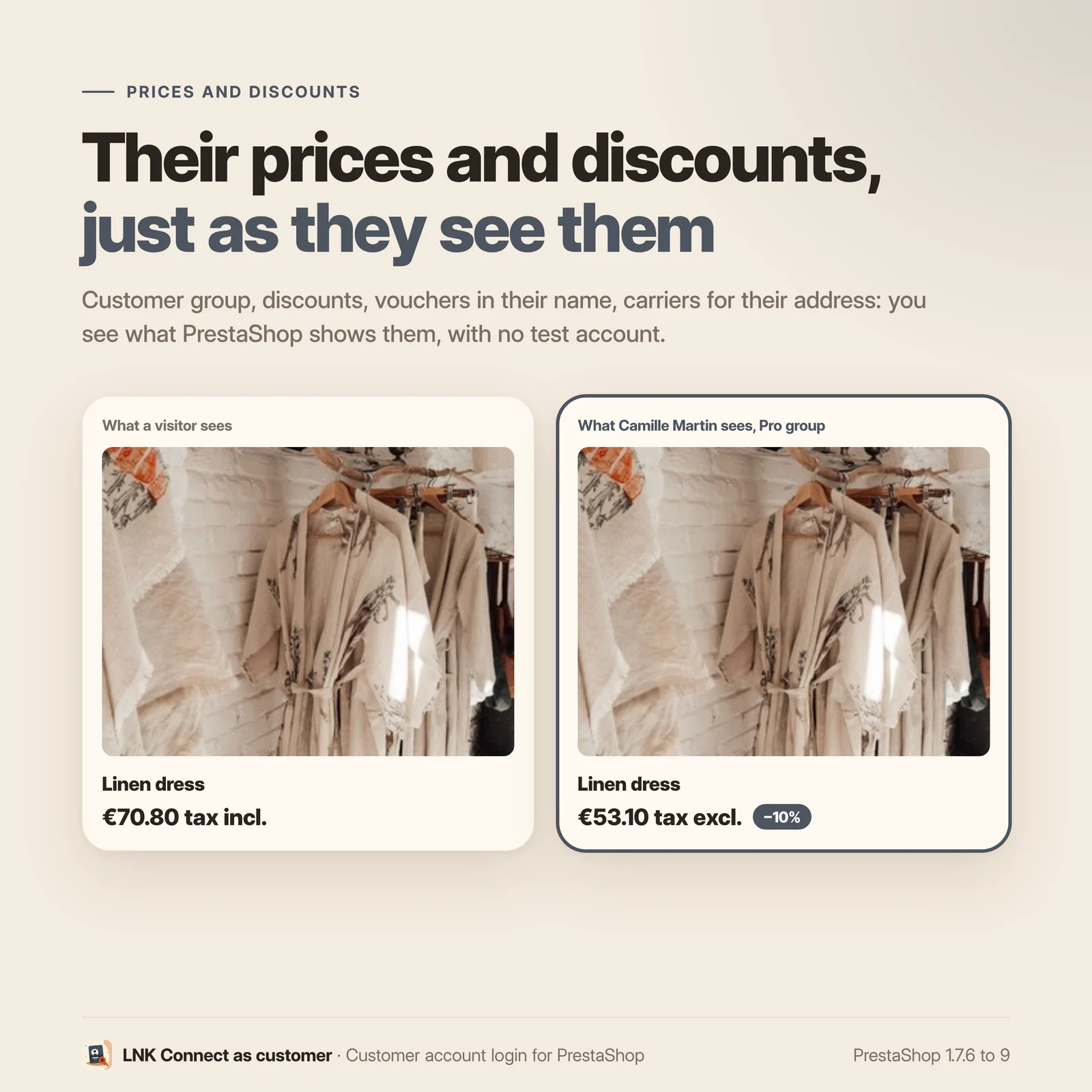
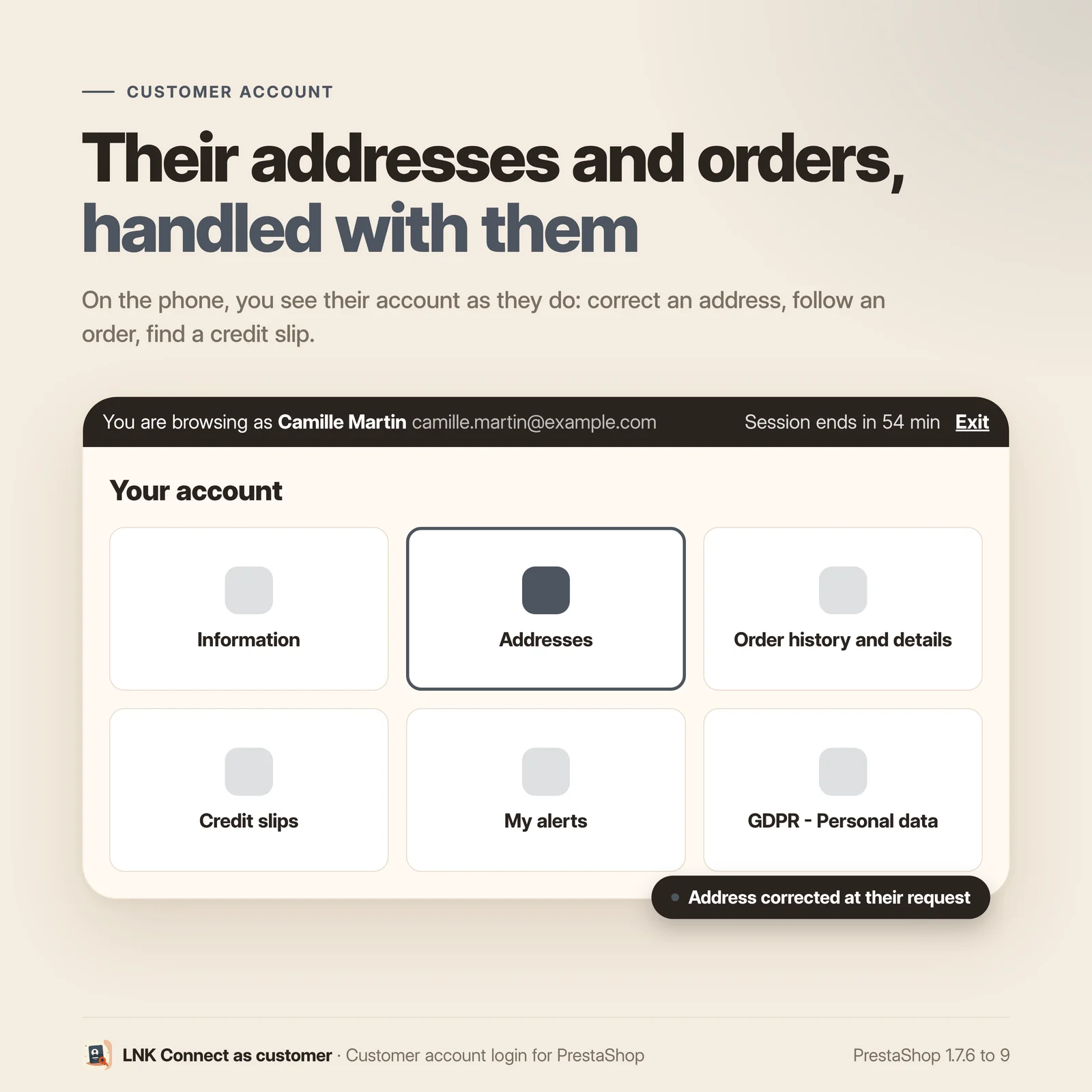
A customer writes: "the payment button does not show", "my discount is not applied", "I cannot find my order". To understand, you have to see the shop with their account: their prices, their group, their cart, their addresses. LNK Connect as customer opens the shop with the customer's account in one click, from their page or from an order, without ever asking for or reading their password. The session lasts one hour at most, every connection goes to the journal, and only the employees you allow can use it.
- Version 2.1.0 · PrestaShop 1.7.6 to 8.x
- Version 2.9.0 · PrestaShop 9
- PrestaShop 1.7.6 to 9.x
- PHP 7.1 to 8.4
- No override
Screenshots
Key points
- One button on the customer page, the customer list and the order.
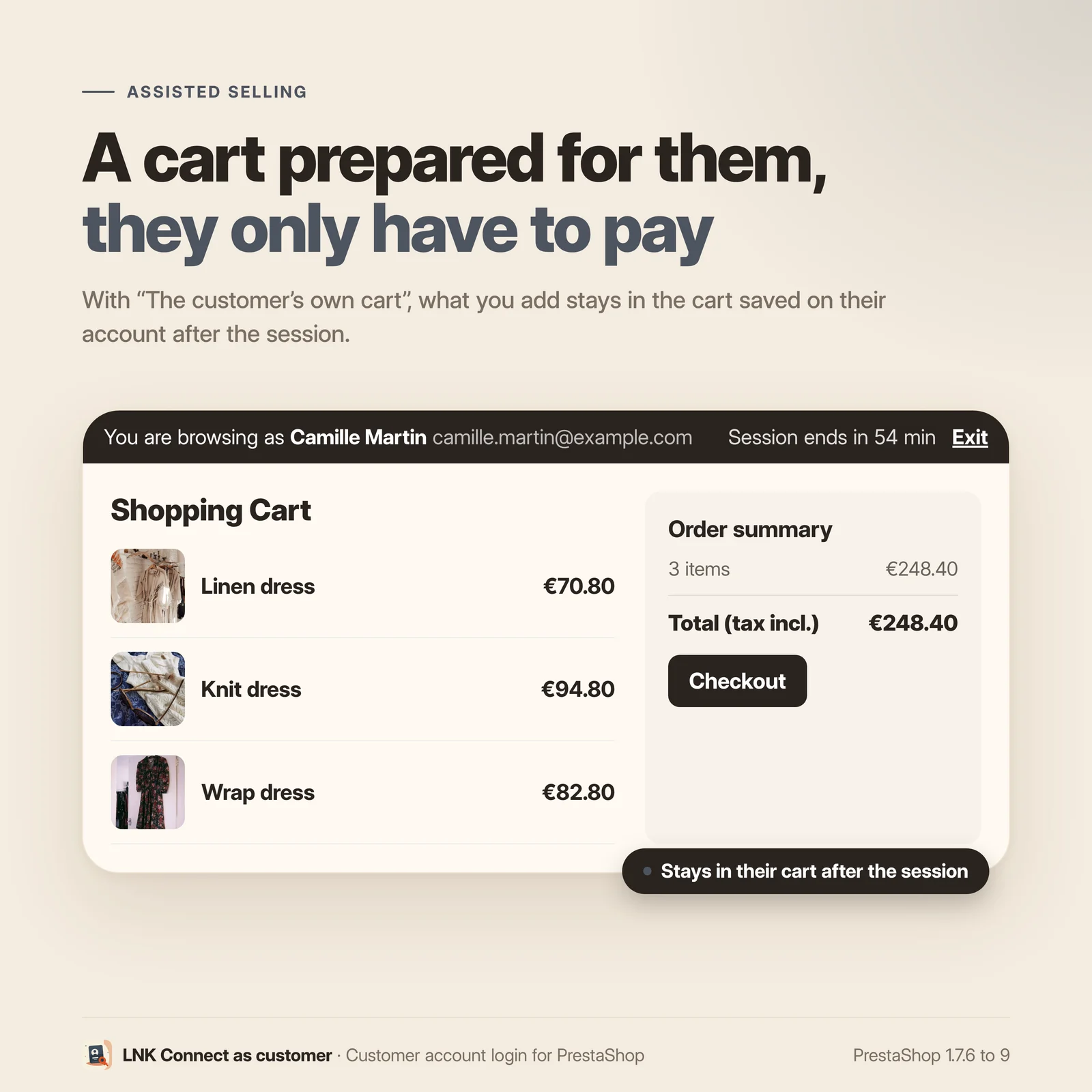
- Three carts to choose from: the customer's, yours, or an empty one.
- One-time link, two minutes by default, never the customer's password.
- One-hour session, cut when the employee is disabled or deleted.
- Private message on every order placed during the session.
- Its own right in the profiles, super-admin only at installation.
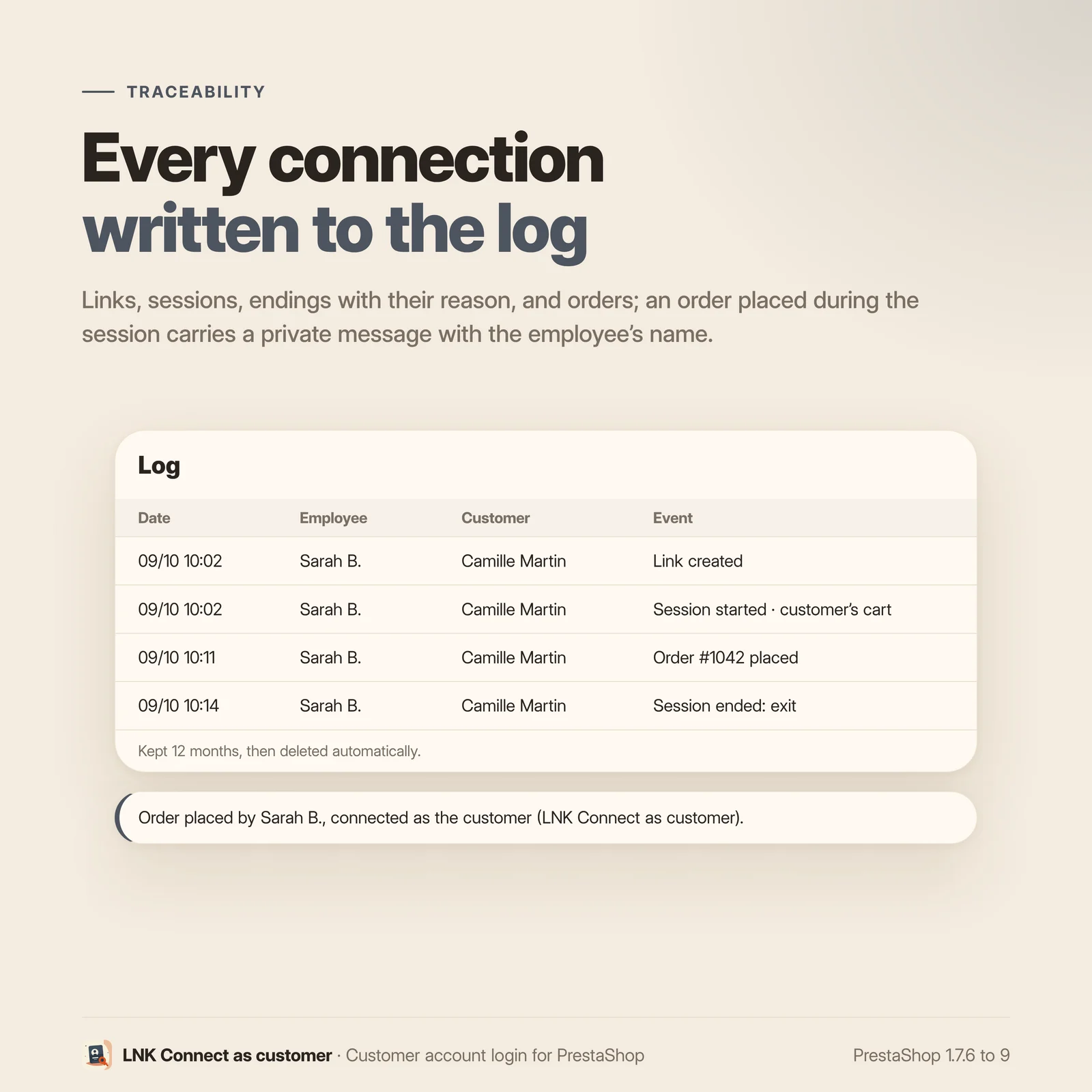
- 12-month journal: links, sessions, ends with their reason, orders.
- Takeover of Connect As Customer: settings and journal.
- Multistore and multilingual, shipped in French, English and Arabic.
- No override, nothing loaded for visitors.
How it works
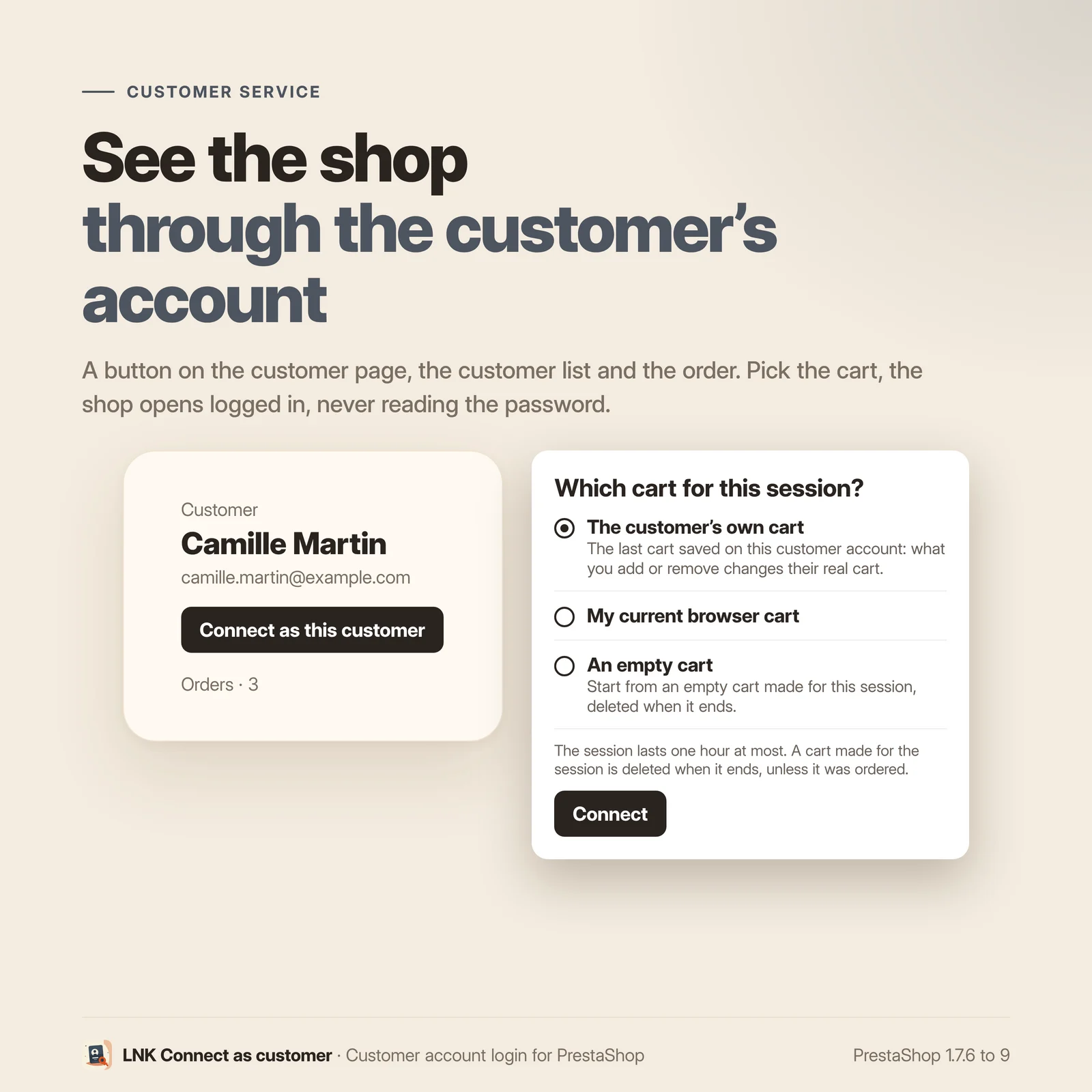
On a customer's page, on the customer list and on an order, a "Connect as this customer" button appears. A small window asks which cart to use:
- the customer's own cart, the last one saved on their account;
- your current cart, copied into a cart made for the session;
- an empty cart, made for the session.
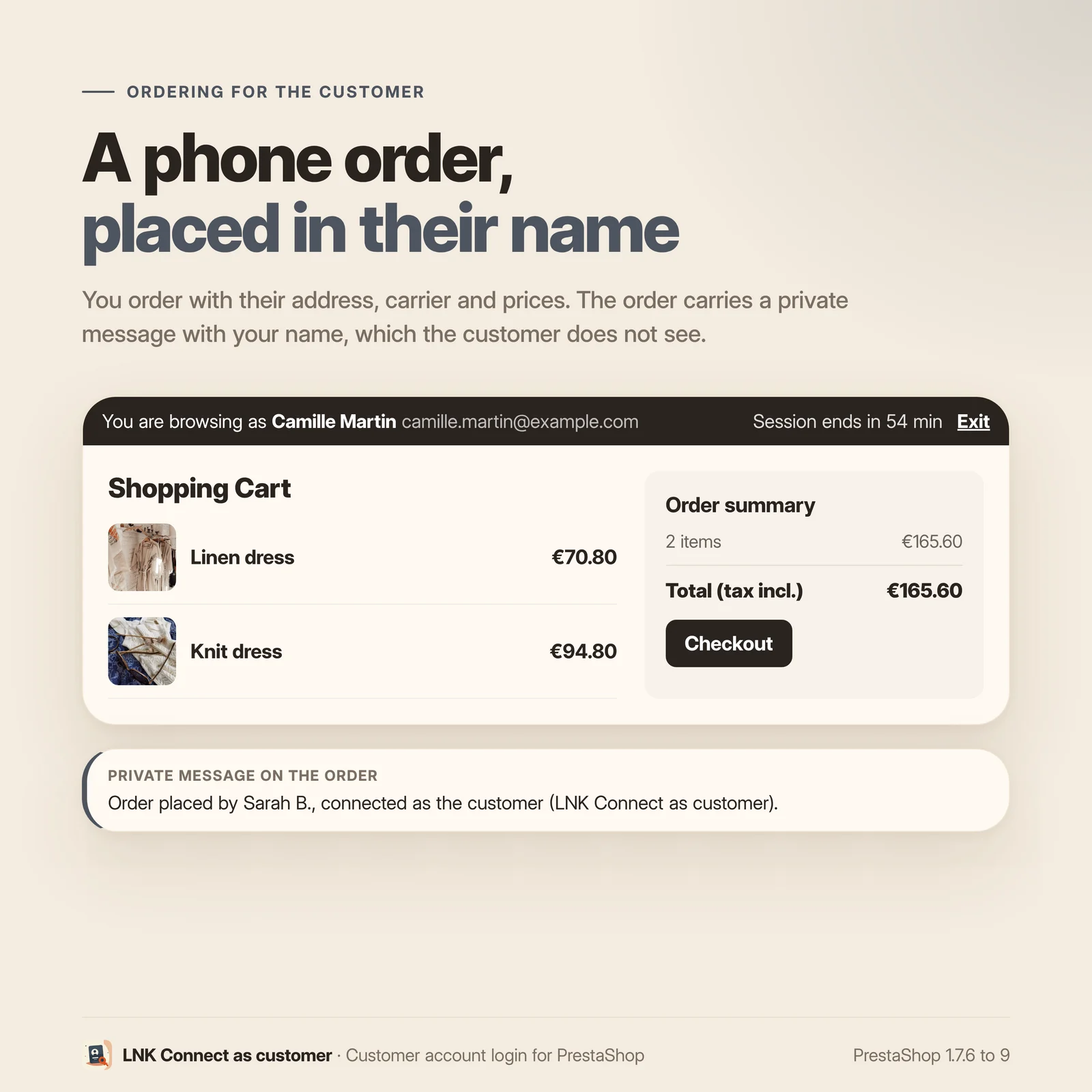
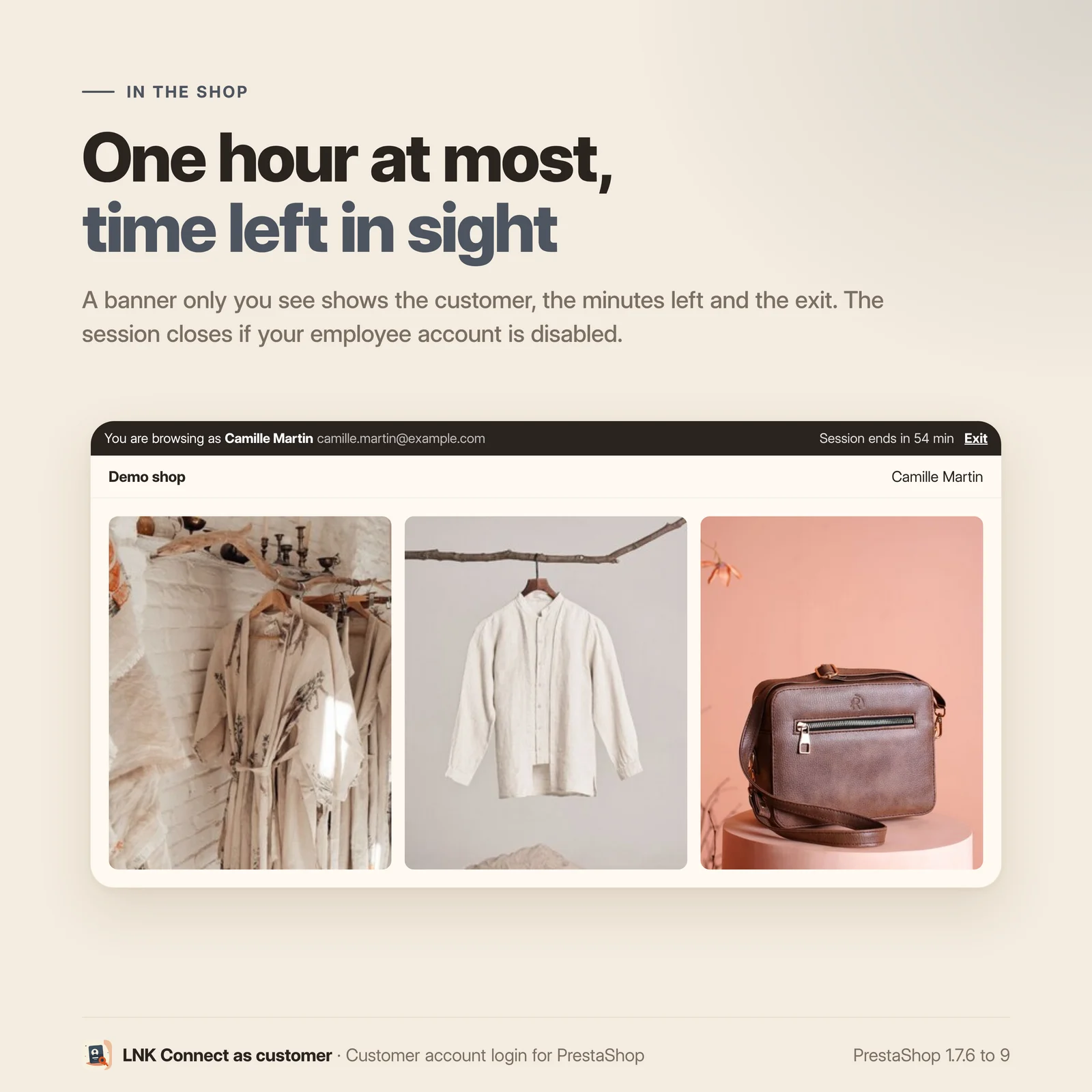
The shop opens in a new tab, logged in to the customer's account. A discreet banner shows the customer's name, the minutes left and an "Exit" link. With the customer's own cart, your additions change their real cart. A cart made for the session is deleted when it ends, unless it was ordered.
The module's page, in the Customers menu, also lets you search a customer by name or email and connect from there.
A one-time link, never the password
The button creates a random token, valid once and for two minutes by default. It only works in a browser logged in to the back office, and can be tied to your IP address. The number of links per employee is limited over time. The back-office form is protected by PrestaShop's security token: a third-party page cannot start a connection on your behalf.
A one-hour session, cut when the employee leaves
The session lasts one hour at most. If the employee's account is disabled or deleted meanwhile, the session closes on the next page: the customer is logged out and the end goes to the journal with its reason.
Orders placed for the customer
An order placed during the session gets a private message, visible in the back office only: "Order placed by First Last, connected as the customer". Customer service always knows who placed the order.
Its own right in the profiles
The module adds its right in Advanced parameters > Team > Permissions: "View" opens the journal, "Edit" lets the employee connect as a customer and change the settings. At installation, only the super-admin profile has it: you give it profile by profile.
The journal of every connection
Every link created, every session start and end (with its reason: exit, hour reached, employee disabled) and every order are written with the employee, the customer, the shop, the IP address and the time. Names are copied: the journal stays readable after an employee or a customer is deleted. It is kept 12 months, then deleted automatically.
Already using Connect As Customer: automatic takeover
If the Connect As Customer module (lnksuperuser) is installed, its settings and its journal of the last 12 months are taken over at installation, then it is disabled. Its data stay in place: you uninstall it when you wish. The module's page shows the date of the takeover and the number of lines taken over.
Multistore
The journal belongs to each shop and the page shows the shops of the chosen context, with their names. The settings show which shops they apply to. A deleted shop takes its journal with it.
Compatible with PrestaShop 9
Version 2.9.0 for PrestaShop 9.0 to 9.x, with a native Symfony back office. Shops on PrestaShop 1.7.6 to 8.x get version 2.1.0, with the same features. Details in COMPATIBILITY.md.
Module without override
This module installs no override. The override/ folder does not exist. It does not conflict
with your other modules and leaves nothing to clean before a migration.
Light and fast
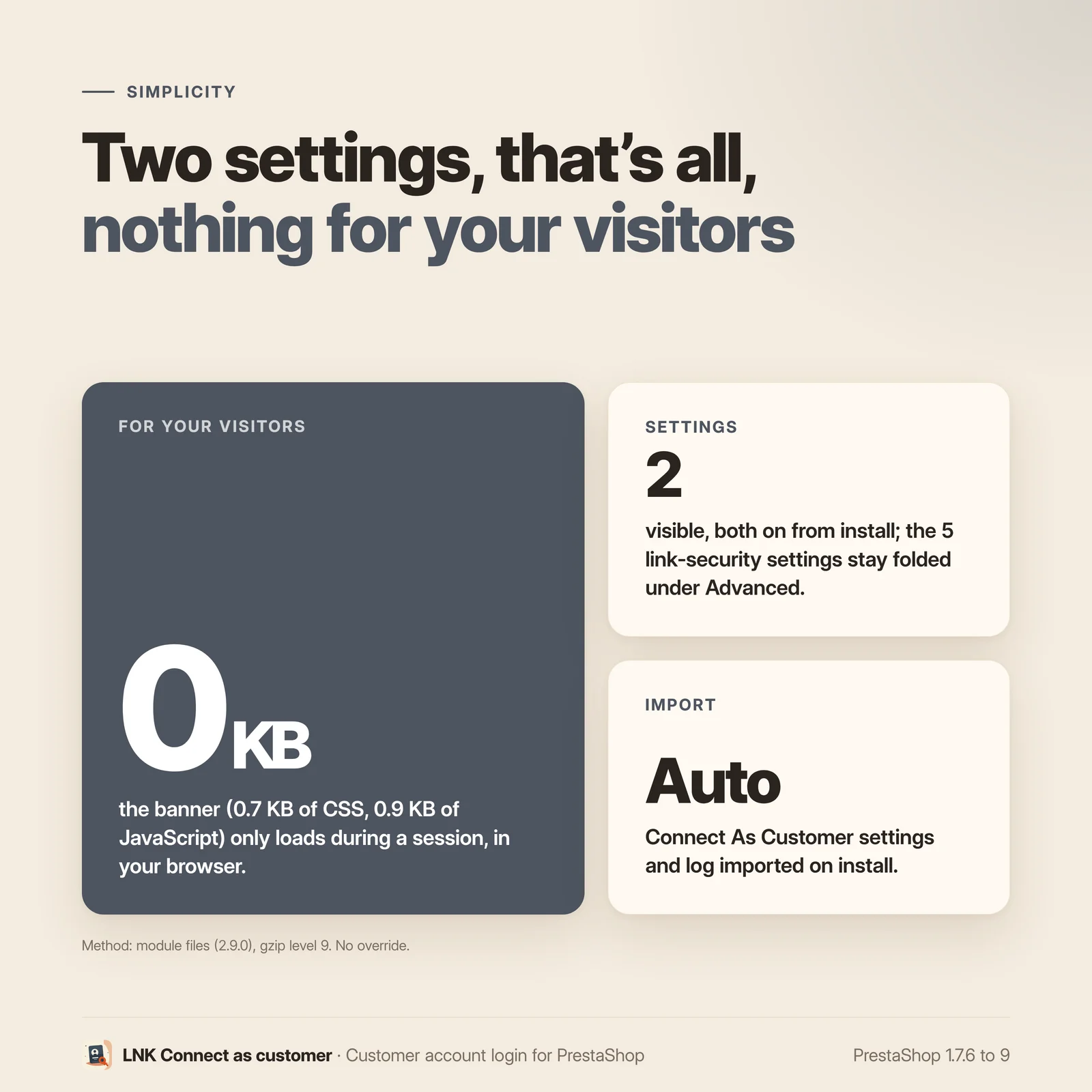
Nothing is loaded for your visitors: the banner's stylesheet (0.7 KB compressed) and script (0.9 KB) are only sent during a session as a customer, in your browser.
Frequently asked questions
What do I have to set up after installation?
Nothing. Open a customer's page: the "Connect as this customer" button is there. The default settings suit most shops; the security settings of the links are folded under "Advanced" on the module's page.
Is this module compatible with my PrestaShop version?
Yes, from PrestaShop 1.7.6 to 9.x, in two packages. Version 2.9.0 covers PrestaShop 9.0 to 9.x (PHP 8.1 to 8.4), with a native Symfony back office. Shops on 1.7.6 to 8.x get version 2.1.0 (PHP 7.1 to 8.1), with the same features and the classic back office.
Does the module know my customers' passwords?
No. It never reads or changes them. The button creates a random, one-time token, valid two minutes by default, which opens the session in your browser only.
Who can connect as a customer?
Employees whose profile has the "Edit" right on the module's page, in Advanced parameters > Team > Permissions. At installation, only the super-admin profile has it. The "View" right alone lets an employee read the journal without connecting.
How long does a session last?
One hour at most. A banner at the top of the shop shows the minutes left. If the employee's account is disabled or deleted during the session, it closes on the next page.
Is my customer's cart modified?
Only if you choose it. At each connection you choose the cart: the customer's own, yours copied into a cart made for the session, or an empty one. With the customer's own cart, what you add or remove changes their real cart. A cart made for the session is deleted when it ends, unless it was ordered.
Can I place an order for a customer?
Yes. The order gets a private message, visible in the back office only, naming the employee who placed it, and it goes to the journal.
What does the journal hold, and for how long?
Every link created, every session start and end with its reason, every order: employee, customer, shop, IP address, time. It is kept 12 months, then deleted automatically.
I use Connect As Customer: what happens to it?
At installation, its settings and its journal of the last 12 months are taken over, then it is disabled. Its data stay in place: you uninstall it when you wish.
Do my visitors see anything?
No. The banner and its files (0.7 KB of CSS and 0.9 KB of JavaScript, compressed) are only loaded during a session as a customer, in your browser.
Does it work with multistore and several languages?
Yes. The journal belongs to each shop, the page shows the shops of the chosen context, and the settings show their scope. The module ships in French, English and Arabic.
Does the module contain a core override?
No. The override/ folder does not exist.
What is left if I uninstall the module?
Nothing: its tables (journal and pending links), its settings and its menu entries are deleted. A message asks for confirmation before deleting the journal.
Release history
-
Version 2.9.0 PrestaShop 9
First version under this name, for PrestaShop 9 (2.1.0 covers PrestaShop 1.7.6 to 8.x). It follows Connect As Customer 1.2.2 (lnksuperuser), installed alongside.
New
- Takeover of Connect As Customer at installation: its settings and its journal of the last 12 months, then it is disabled; its data stay in place. The module's page shows the date and the number of lines taken over.
- The module's own right in the profiles (Advanced parameters > Team > Permissions): "View" opens the journal, "Edit" lets the employee connect as a customer and change the settings. At installation, super-admin profile only.
- Session of one hour at most, closed on the next page if the employee is disabled or deleted; the banner shows the minutes left.
- Private message "Order placed by…" on any order placed during the session.
- Cart made for the session (empty or copied from yours) deleted when it ends, unless it was ordered.
- Journal by event: link created, start, end with its reason, order; names copied; kept 12 months, then deleted automatically.
- Module page in the Customers menu, on the shared skin of the LNK modules: customer search, journal, settings (security of the links folded under "Advanced").
- Multistore: journal per shop, pages gathering the shops of the context, scope of the settings shown; a deleted shop takes its journal with it.
- Translated name ("LNK Connect as customer"), texts in French, English and Arabic.
Fixes
- The back-office connection link was not protected by the security token: a third-party page could trigger it in the browser of a logged-in employee (PrestaShop 1.7 and 8).
- Banner in the shop: stylesheet and script loaded through PrestaShop's native functions, no more inline code in the page.
-
Version 2.1.0 PrestaShop 1.7.6 to 8.x
First version under this name, for PrestaShop 1.7.6 to 8.x (2.9.0 covers PrestaShop 9). It follows Connect As Customer 1.2.2 (lnksuperuser), installed alongside.
New
- Takeover of Connect As Customer at installation: its settings and its journal of the last 12 months, then it is disabled; its data stay in place. The module's page shows the date and the number of lines taken over.
- The module's own right in the profiles (Advanced parameters > Team > Permissions): "View" opens the journal, "Edit" lets the employee connect as a customer and change the settings. At installation, super-admin profile only.
- Session of one hour at most, closed on the next page if the employee is disabled or deleted; the banner shows the minutes left.
- Private message "Order placed by…" on any order placed during the session.
- Cart made for the session (empty or copied from yours) deleted when it ends, unless it was ordered.
- Journal by event: link created, start, end with its reason, order; names copied; kept 12 months, then deleted automatically.
- Module page in the Customers menu, on the shared skin of the LNK modules: customer search, journal, settings (security of the links folded under "Advanced").
- Multistore: journal per shop, pages gathering the shops of the context, scope of the settings shown; a deleted shop takes its journal with it.
- Translated name ("LNK Connect as customer"), texts in French, English and Arabic.
Fixes
- The back-office connection link was not protected by the security token: a third-party page could trigger it in the browser of a logged-in employee (PrestaShop 1.7 and 8).
- Banner in the shop: stylesheet and script loaded through PrestaShop's native functions, no more inline code in the page.