 Module · LNK Popups
PrestaShop popups that open at the right time
LNK Popups opens a popup at the right time for the right visitors: a newsletter sign-up after a few seconds, a welcome code halfway down the page, an offer when the mouse leaves the page. Four formats, four ready-to-use templates, one popup at a time, and nothing loaded on the pages where no popup is planned.
- Version 1.1.0 · PrestaShop 1.7.6 to 8.x
- Version 1.9.0 · PrestaShop 9
- PrestaShop 1.7.6 to 9.x
- PHP 7.1 to 8.4
- No override
Screenshots
Key points
- Four formats: window, panel, bottom bar, full screen
- Four ready-to-use templates
- Six triggers, including exit intent
- Targeting by page, device, group, category, product, country, visitor, cart
- One popup at a time, by priority, with a frequency per visitor
- Discount code, existing or created with a shared code
- Native newsletter with consent
- Embedded hooks: the block of another module in the popup
- Statistics: views, clicks, conversions in the module
- Accessible: native dialog, focus trap, Escape, Arabic right to left
- Nothing loaded without a targeted popup; PrestaShop 1.7.6 to 9.x, no override
A popup that works from the first click
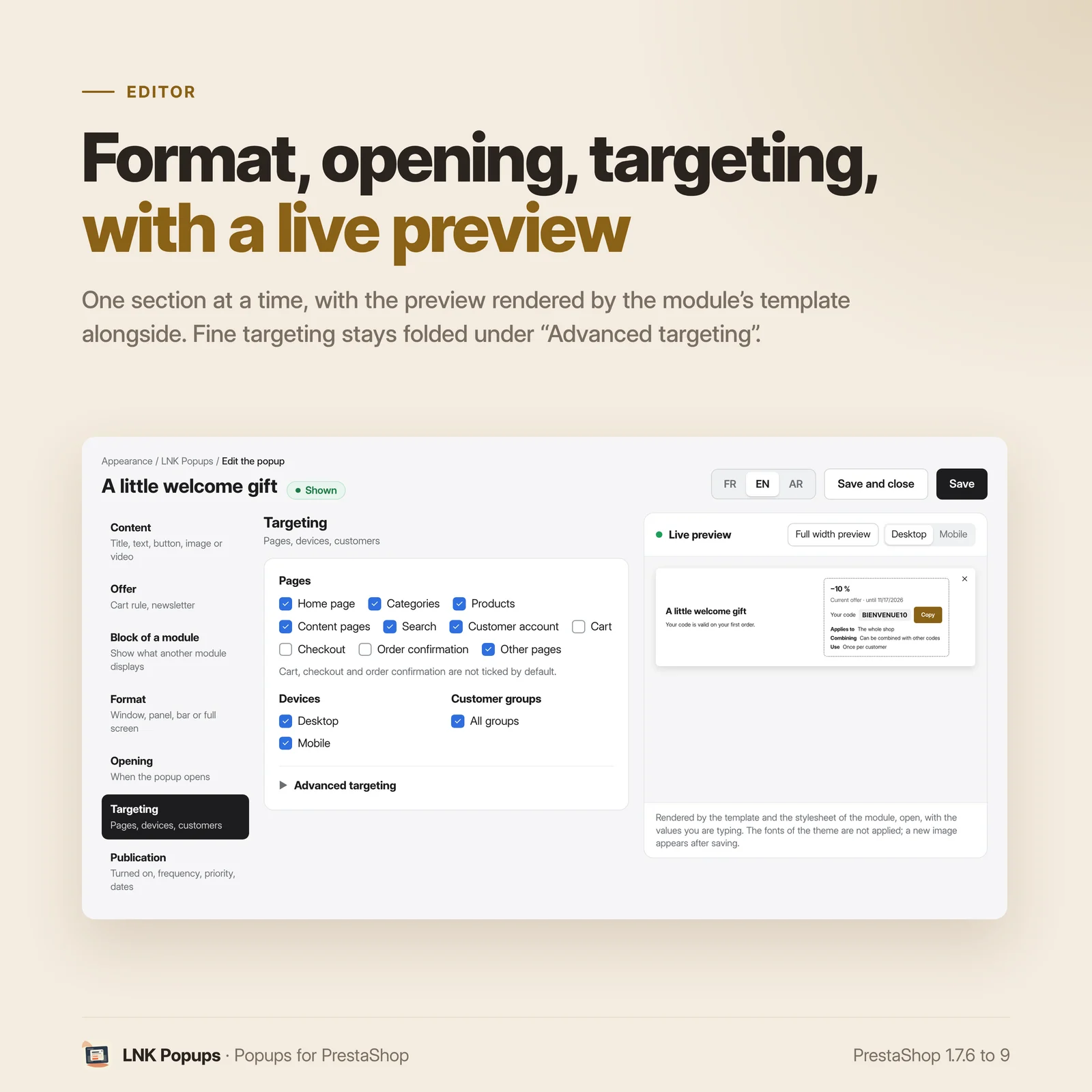
Start from a template: newsletter, welcome code, exit intent or announcement. Each one comes set (format, trigger, frequency, text in every language): you read it again, you save, it is live. The fine settings stay folded until you need them.
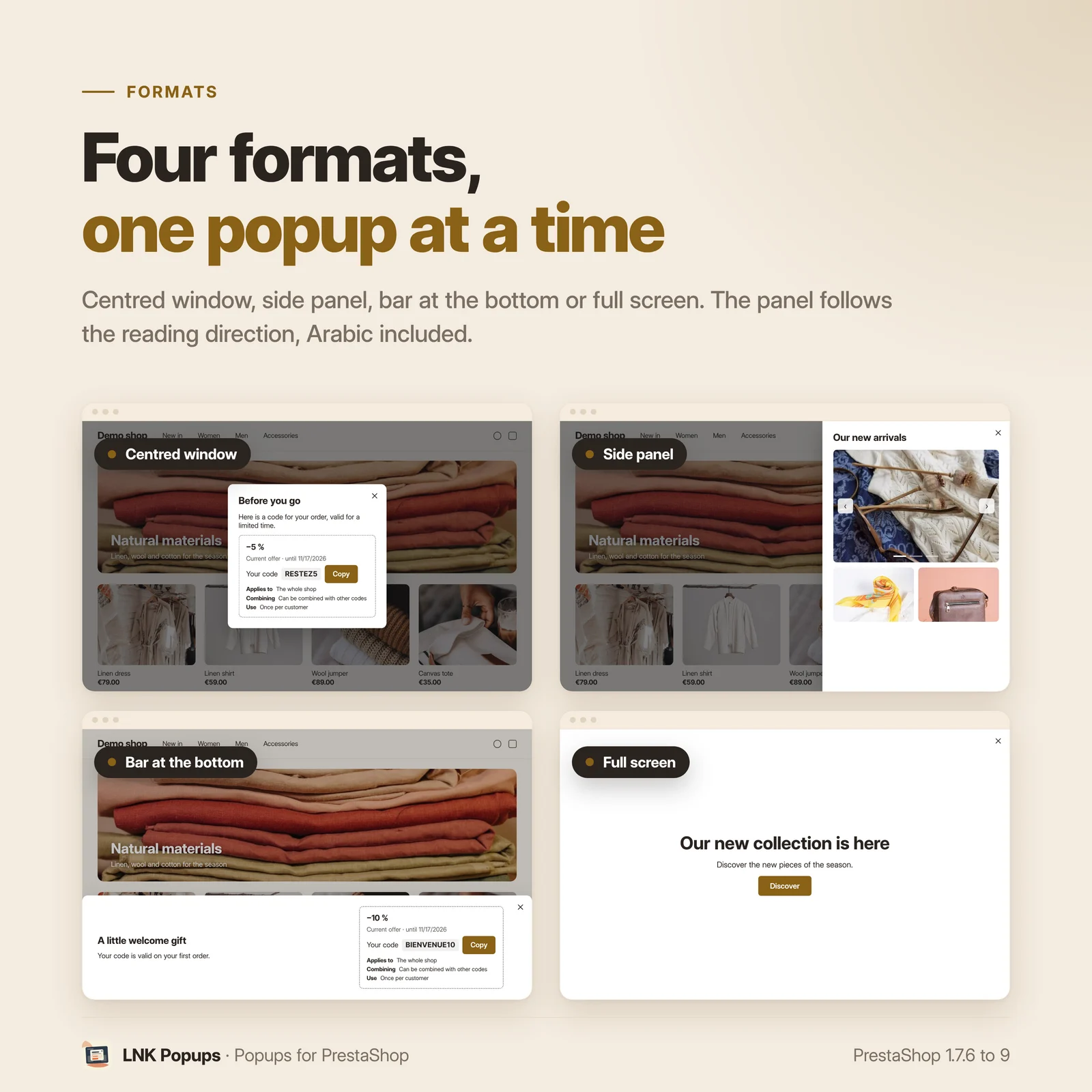
Four formats
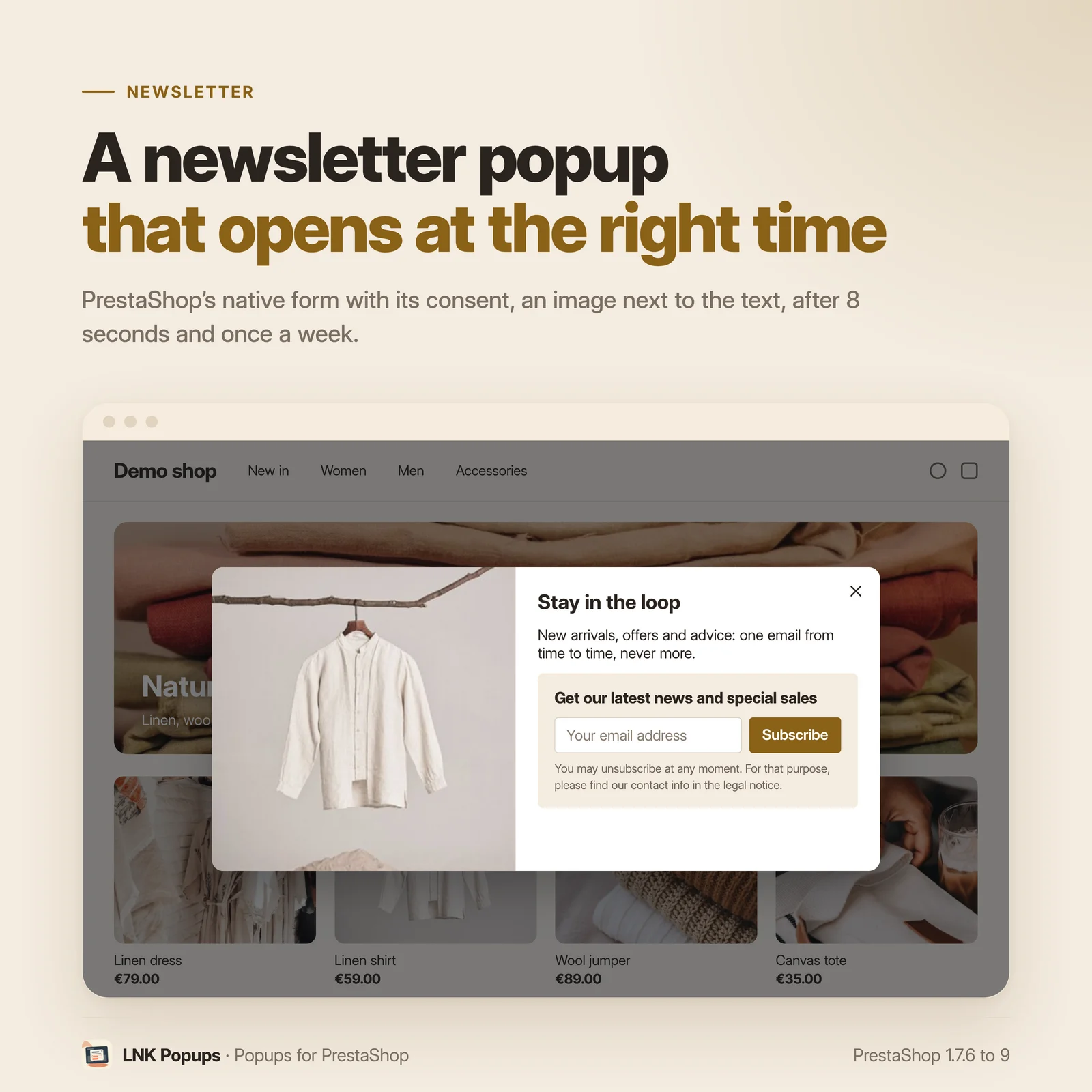
- Centred window, in three widths, with the image next to the text on desktop;
- Side panel, at the start or the end of the line (Arabic follows its reading direction);
- Bar at the bottom, which keeps the page in view;
- Full screen, for an announcement.
It opens at the right time
After a delay, after part of the page is scrolled, when the mouse leaves the page (on desktop), from a number of pages viewed, when a product is added to the cart, or on a click on a link of your choice. When several popups could open, the highest priority goes first, and never two at once.
For the right visitors
By page (cart, checkout and order confirmation are excluded by default), by device and by customer group. In advanced targeting: categories, products, countries, new or returning visitor, cart amount. Campaign dates, and a frequency per visitor: on every page, once a day, once a week or only once.
A discount code, a newsletter or the block of another module
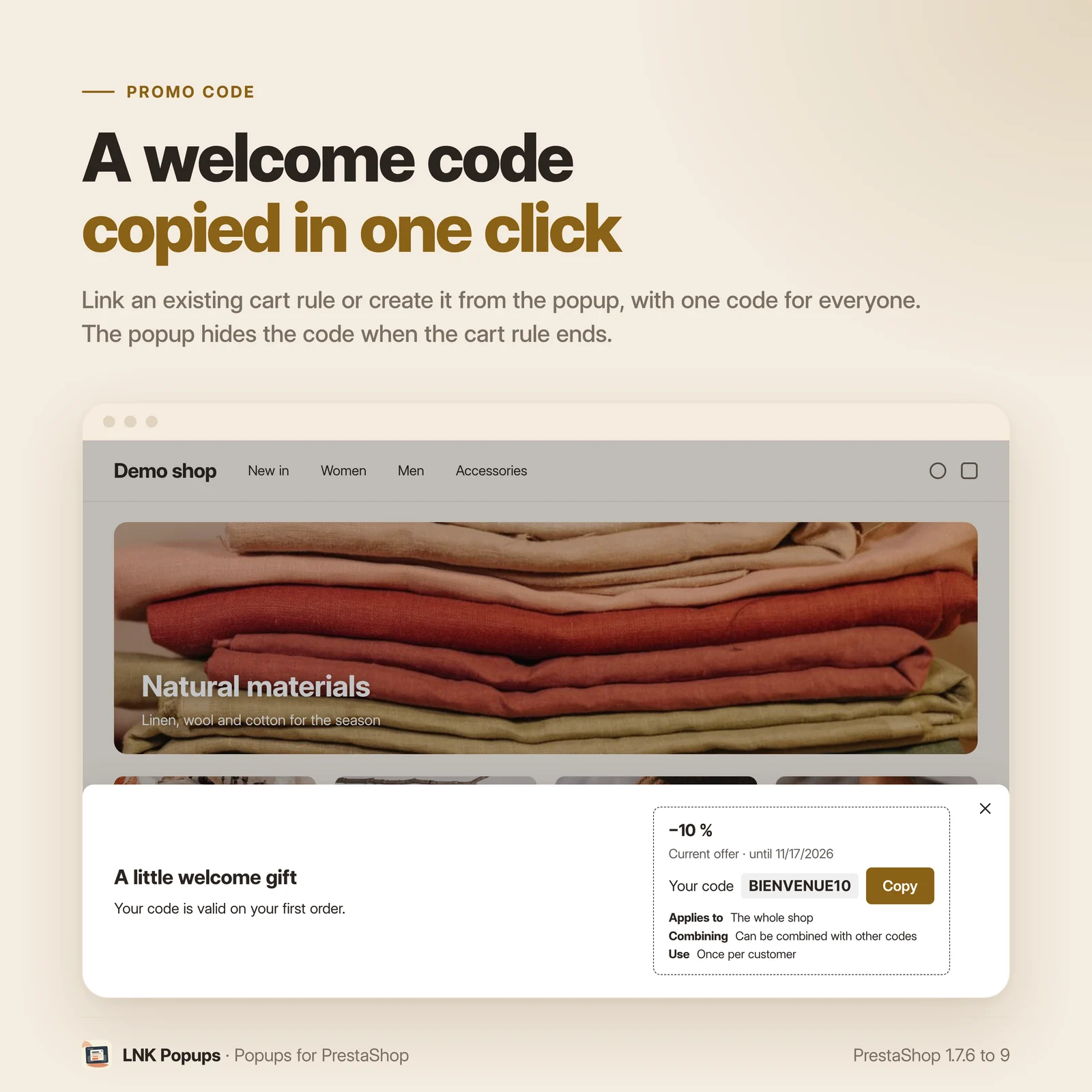
- Cart rule: link an existing one, or create it from the popup with a code shared by every visitor. The code is copied in one click, and the popup hides it when the cart rule ends.
- Newsletter: the native PrestaShop form, with its consent.
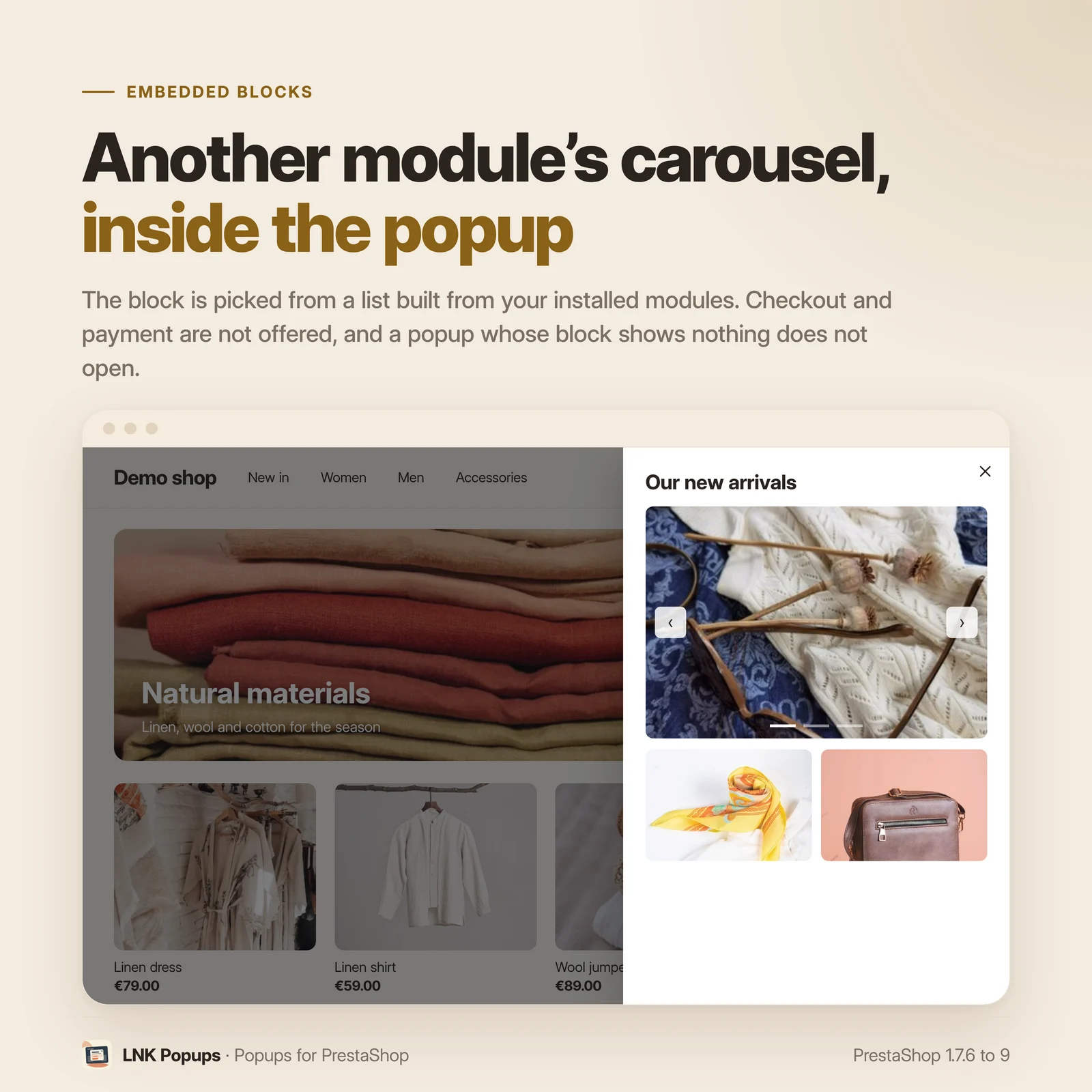
- Embedded hooks: show in the popup what another module displays (a slider, a reassurance block, a widget), chosen in a list made of your installed modules. Checkout, payment and back office placements are not offered, and a popup whose block shows nothing does not open.
- Rich text, image and video (file, YouTube or Vimeo loaded only on click).
Your numbers, in the module
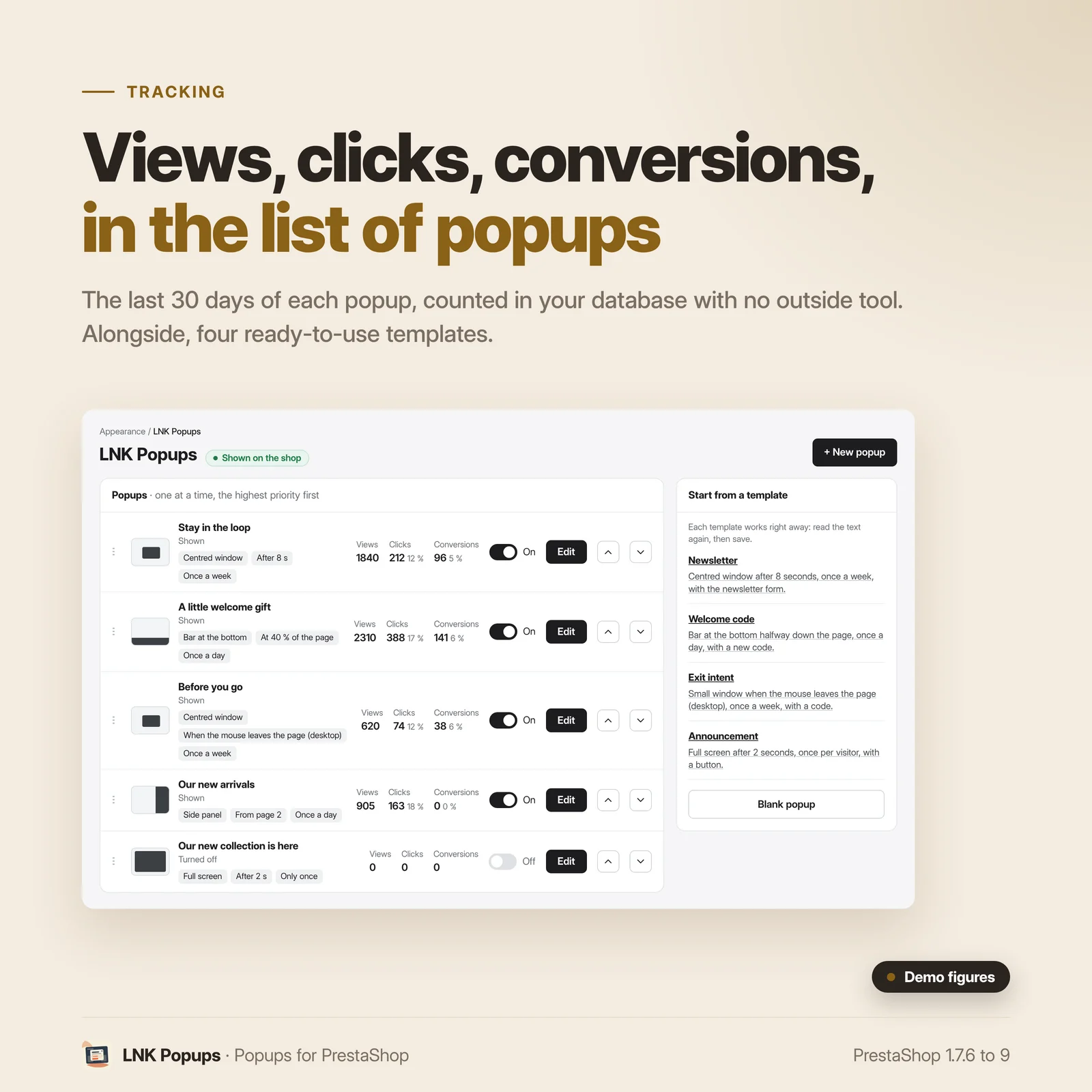
Views, clicks and conversions of each popup over the last 30 days, in the list. The counters stay in your database, with no external tool and no personal data.
Léger et rapide
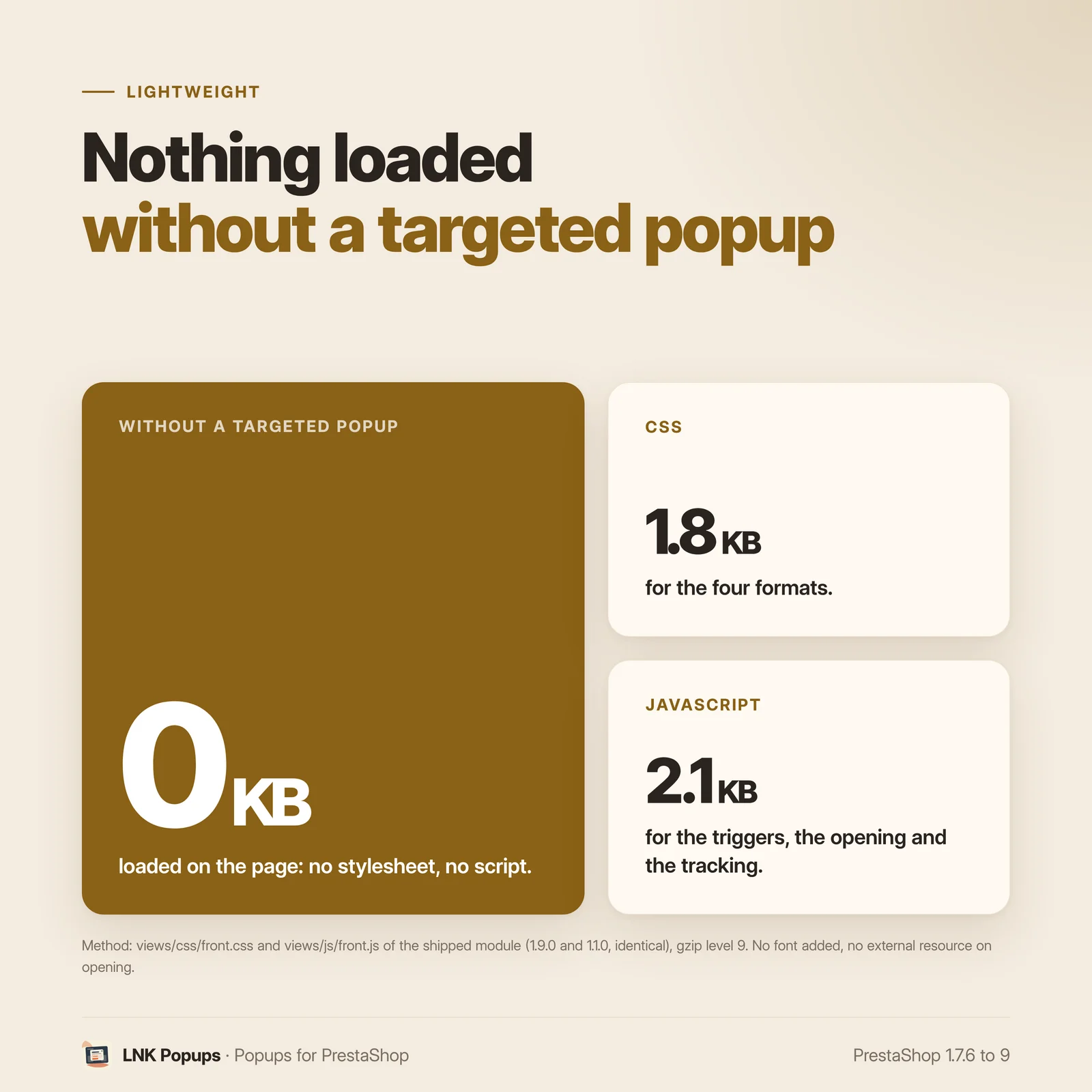
Figures measured on the delivered module, gzip compressed (level 9). Nothing is loaded on a page with no targeted popup. Elsewhere, a 1.8 KB stylesheet for the four formats and a 2.1 KB script for the triggers, the opening and the statistics. No font added, no external resource on opening. Popups are rendered closed: the page does not move.
Accessible
A native browser dialog: focus stays in the popup, Escape closes it, focus goes back where it was. Margins and the panel follow the reading direction, Arabic included.
For themes and integrators
Neutral markup, .lnk-popup__* classes, CSS variables (--lnk-popup-bg, --lnk-popup-accent,
--lnk-popup-radius…), template and stylesheet overridable in the theme. Published theme contract.
Compatibility PrestaShop 1.7, 8 and 9
| PrestaShop | 1.7.6 → 9.x |
| PHP | 7.1 → 8.4 |
| Delivery | Two archives: 1.9.N for PrestaShop 9, 1.1.N for 1.7.6 to 8.x |
| Back office | Native Symfony on PrestaShop 9, classic admin controller below |
| Contains an override | No |
| Multistore | Yes: each popup chooses its shops, with its order and its on/off switch in each |
| External resources | None on opening (video players on click only) |
Frequently asked questions
How do I create a newsletter popup on PrestaShop?
In Appearance > LNK Popups, choose the "Newsletter" template, read the title and the text again, then save. The popup opens in the centre of the shop after 8 seconds, once a week for each visitor, with the native newsletter form and its consent.
Can I offer a discount code in the popup?
Yes. Link an existing cart rule from Catalog > Discounts, or create it from the popup: choose the percentage, the amount or free shipping and the end date; the module creates the cart rule when you save, with a code shared by every visitor. The visitor copies the code in one click, and the popup hides the code when the cart rule ends, is used up or turned off.
What is exit intent?
The popup opens when the mouse leaves the page through the top, when the visitor is about to close the tab or switch to another one. It only applies to desktops: a phone has no mouse, so the "Exit intent" template targets desktops only.
Can popups get in the way of buying?
Cart, checkout and order confirmation are not ticked by default: no popup appears there unless you decide so. Only one popup opens at a time, and each popup has a frequency per visitor (once a day, once a week or only once).
Can I show the block of another module in a popup?
Yes, with embedded hooks. The list is built from the modules installed in your shop: you choose a hook (for example the home page slider) or the widget of a module. Checkout, payment, page-wide and back office placements are not offered. If the block shows nothing on a page, the popup does not open there: never an empty popup.
How do I know whether a popup works?
The list of popups shows, for the last 30 days, the views, the clicks (button, copied code, started video) and the conversions (form sent in the popup, or order placed with its cart rule). The counters stay in your database, with no external tool and no personal data.
Do popups slow the shop down?
Nothing is loaded on a page where no popup is targeted. Elsewhere, a 1.8 KB stylesheet and a 2.1 KB script, compressed. Popups are rendered closed at the end of the page: the layout does not move, and YouTube or Vimeo videos load only when the visitor clicks.
Does the module work with my theme and with Arabic?
Yes. The markup is neutral and the theme styles it through CSS variables; the template and the stylesheet can be overridden in the theme. Margins and the side panel follow the reading direction: in Arabic, everything reads right to left without any setting.
Which PrestaShop versions are supported?
PrestaShop 1.7.6 to 9.x, PHP 7.1 to 8.4, in two archives: 1.9.N for PrestaShop 9 and 1.1.N for 1.7.6 to 8.x. The module has no override and works in multistore.
Release history
-
Version 1.9.0 PrestaShop 9
New
- Popups in four formats: centred window, side panel, bottom bar, full screen.
- Four templates that work right away: newsletter, welcome code, exit intent, announcement.
- Triggers: delay, scroll, exit intent (desktop), pages viewed, add to cart, click on a link or a selector.
- Targeting: pages, device, customer groups, categories, products, countries, new or returning visitor, cart amount, campaign dates. Cart, checkout and order confirmation are not ticked by default.
- Content: title, cleaned rich text, button, image, video (file, YouTube or Vimeo loaded on click), existing cart rule or one created with a shared code, native newsletter.
- Embedded hooks: the output of a
display*hook or of a widget of another module, chosen in a list built from what is installed; a popup whose block renders nothing does not open. - Rules: frequency per visitor, priority, one popup at a time.
- Statistics of views, clicks and conversions in the module.
- Multistore, fr, en, ar, accessible native
<dialog>.
-
Version 1.1.0 PrestaShop 1.7.6 to 8.x
New
- Popups in four formats: centred window, side panel, bottom bar, full screen.
- Four templates that work right away: newsletter, welcome code, exit intent, announcement.
- Triggers: delay, scroll, exit intent (desktop), pages viewed, add to cart, click on a link or a selector.
- Targeting: pages, device, customer groups, categories, products, countries, new or returning visitor, cart amount, campaign dates. Cart, checkout and order confirmation are not ticked by default.
- Content: title, cleaned rich text, button, image, video (file, YouTube or Vimeo loaded on click), existing cart rule or one created with a shared code, native newsletter.
- Embedded hooks: the output of a
display*hook or of a widget of another module, chosen in a list built from what is installed; a popup whose block renders nothing does not open. - Rules: frequency per visitor, priority, one popup at a time.
- Statistics of views, clicks and conversions in the module.
- Multistore, fr, en, ar, accessible native
<dialog>.